
Meet the frontline workers behind some of America’s most people-first cultures
15 Best Intranet Platforms & Solutions on the Market Right Now
21 de novembro de 2025
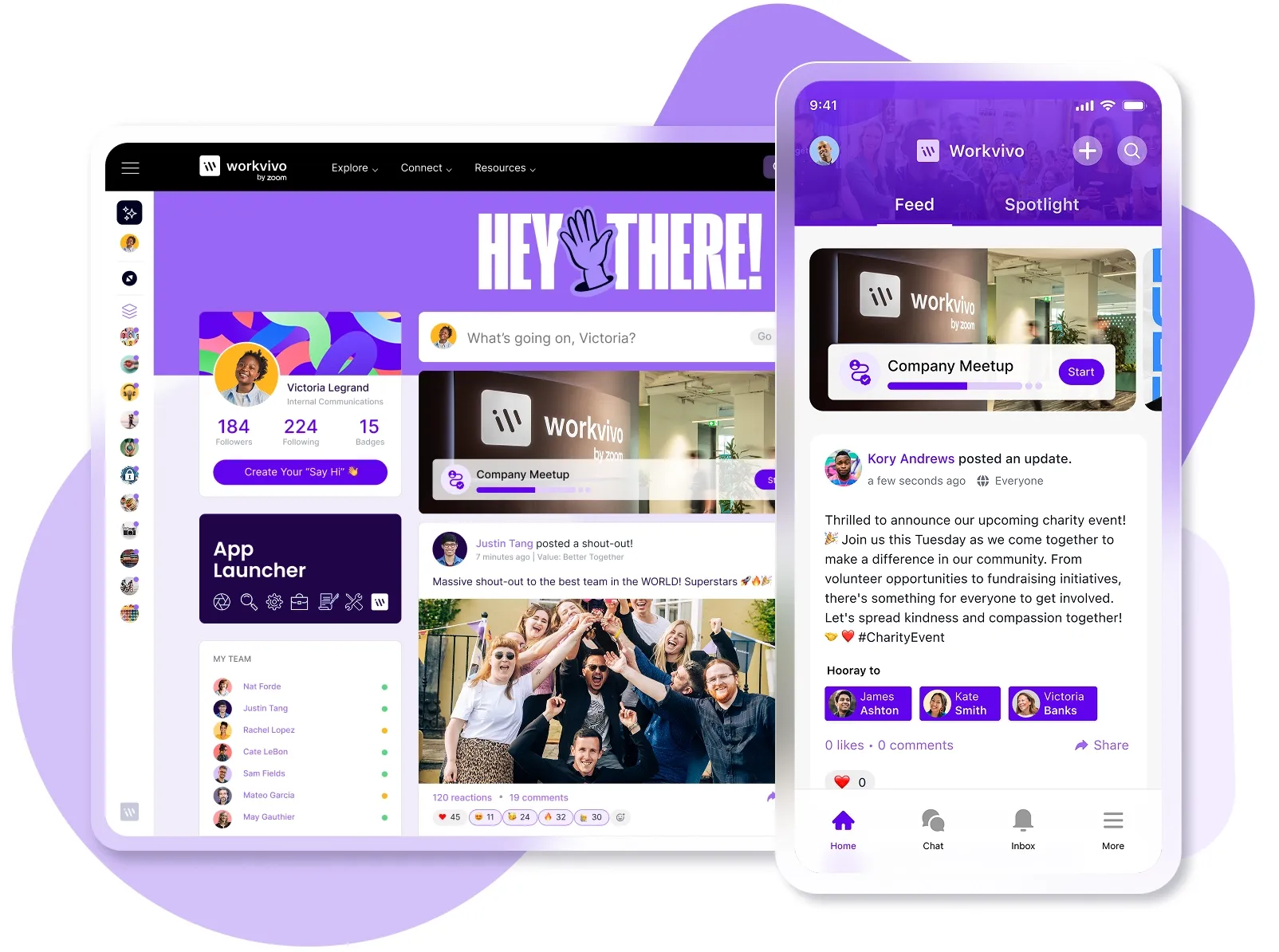
Quando você tem a tarefa de encontrar uma nova plataforma de intranet, há uma sobrecarga de informações à disposição.
You’ve got tons of Google listings, hundreds of case studies, and thousands of user reviews.
To help you cut through the noise, we’ve sifted through the reviews from platforms like G2 and Capterra and compared the 15 best intranet platforms blow for blow.
Também utilizamos o TrustRadius para uma análise aprofundada das avaliações dos usuários, embora nem todas as plataformas tivessem um número suficiente de avaliações para serem incluídas na pontuação agregada.
Melhores 15 plataformas de intranet (de acordo com avaliações de usuários)
| Provedor | Average Rating |
|---|---|
| Workvivo | 4.8 |
| Snapcomms | 4.8 |
| Simpplr | 4.8 |
| Blink | 4.7 |
| Base de funcionários | 4.7 |
| Empurrão | 4.5 |
| Happeo | 4.5 |
| Unily | 4.5 |
| Igloo | 4.5 |
| Poppulo | 4.4 |
| Confluence da Atlassian | 4.3 |
| LumApps | 4.2 |
| Microsoft SharePoint | 4.2 |
| Workplace by Meta | 4.2 |
| Jive | 3.9 |
Comparação de plataformas de intranet
| plataforma de intranet | Pontos fortes | Fraquezas | Preços | Média |
|---|---|---|---|---|
| Workvivo | Engajamento ao estilo de mídia social; foco nos funcionários, assim como no processo e na estrutura; voltado para aparelhos móveis de funcionários da linha de frente. | Pode ser complicado para pequenas empresas ou funcionários sem afinidade com tecnologia. | Preços personalizados | 4.8 |
| Snapcomms | O ticker interativo de notícias fornece atualizações; segmentação personalizável. | A funcionalidade de busca é limitada ao escaneamento; os usuários relatam uma experiência móvel ruim. | Não é público. | 4.8 |
| Simpplr | Auto-governance engine; enterprise security features. | Restrições na personalização; dependência do licenciamento da Salesforce. | Não é público. | 4.8 |
| Base de funcionários | Gestão integrada de eventos; análise de engajamento em tempo real. | Limitações da API; relatos frequentes de problemas com o gerenciamento de usuários. | Não é público. | 4.7 |
| Blink | Enterprise HR integration; optimized for frontline workers. | Não possui recursos de moderação; conteúdo de vídeo não é suportado. | US$4,50 por usuário por mês. | 4.7 |
| Empurrão | Ferramentas de engajamento dos funcionários são fáceis de adotar; boa categorização do conteúdo. | Restricts post creation on mobile; lacks bulk user management. | From $8.20 per user per month. | 4.5 |
| Happeo | Integração profunda com o Google Workspace; busca universal. | Limited content controls; analytics somewhat delayed. | Não é público. | 4.5 |
| Igloo | Wide range of social media features; significant integrations. | Login process could do with a streamline; steep learning curve. | Não é público. | 4.5 |
| Unily | Feed de conteúdo personalizado; amplos recursos de redes sociais. | Relatos de resolução lenta de chamados; alguns recursos exigem conhecimento de codificação. | Não é público. | 4.5 |
| Poppulo | Data-centric approach to internal communications; customizable content delivery with audience segmentation. | Obstáculos técnicos com formatação/legibilidade; complexidade na extração de métricas. | Não é público. | 4.4 |
| Confluence da Atlassian | Biblioteca de modelos abrangente; extremamente escalável. | Poor support; large content repositories can be difficult to search. | US$9,73 por usuário por mês. | 4.3 |
| Workplace by Meta | Verificação de segurança; vídeo ao vivo em larga escala. | Encerrando; é aconselhada a migração para o Workvivo. | Não está mais à venda. | 4.2 |
| LumApps | Sincronização de diretórios empresariais com Microsoft AD e Google; multilíngue. | Análises deficientes; personalização limitada. | Não é público. | 4.2 |
| Microsoft SharePoint | Nome conhecido; amplas capacidades de integração. | Falta suporte direto; interface de usuário ultrapassada. | US$12,50 por usuário por mês. | 4.2 |
| Jive | Vídeo externo integrado; busca abrangente. | Interface confusa; difícil adaptação. | Não é público. | 3.9 |
O que considerar ao avaliar um fornecedor de intranet
Não há uma resposta padronizada para o que você deve considerar em sua avaliação, pois cada empresa terá requisitos específicos.
Core factors such as:
- Desk-based workers vs frontline workers
- Security requirements
- Integração com sistemas de linha de negócios
- Conformidade com as regulamentações da indústria
Esses são frequentemente obstáculos se o provedor de intranet da sua empresa desejada não puder cumprir. Para um briefing completo sobre a implementação da intranet, navegue em nossa prática lista de verificação de requisitos de intranet.
Qual é o custo médio de uma plataforma de intranet?
| Business Size | Employee Range | Faixa de custo anual |
|---|---|---|
| Small Business | Under 250 | US$ 15.000 – US$ 30.000 |
| Empresa de médio porte | 250 – 1.000 | US$ 30.000 – US$ 100.000 |
| Large Enterprise | Mais de 1.000 | US$100.000 - US$500.000+ |
Price versus value and return on intranet investment will always be a consideration when evaluating an employee intranet provider. Costs vary based on user count and complexity of feature set.
How long does it take to implement a new intranet?
Qualquer período entre uma semana e um ano é o prazo para implementar uma nova intranet. Isso varia dependendo do tamanho da organização, se você já possui uma solução de intranet para migrar e sua própria disponibilidade interna.
O que está envolvido na migração de dados para uma nova plataforma de intranet?
If you have an existing intranet platform, it’s likely you’ll want to retain existing data (user profiles, company documents, etc.).
Look out for these steps when migrating intranets:
- Realize uma auditoria completa de conteúdo para determinar quais dados são valiosos e devem ser migrados.
- Desenvolva uma estratégia de governança para decidir o que migrar, arquivar ou apagar.
- Planeje uma estrutura lógica para organizar/replicar conteúdo na nova intranet para garantir fácil navegação e recuperação.
- Crie um plano de migração detalhado, incluindo cronogramas, alocação de recursos e gerenciamento de riscos.
- Trabalhe com seu novo parceiro para baixar, limpar e carregar dados.
- Teste o processo de migração em um pequeno subconjunto de dados antes de prosseguir com a migração completa.
- Faça a migração em fases para minimizar as interrupções, começando com um grupo piloto.
- Conclua a migração final da intranet.
Você também deve considerar as implicações de longo prazo da parceria com esse fornecedor. É altamente improvável que você queira mudar sua intranet novamente nos próximos 10 anos, então você deve ter quase certeza de que a plataforma existirá no futuro.
Você só precisa olhar para o Workplace by Meta. Antigamente considerada líder em intranet social, a Meta nomeou a Workvivo como a única parceira de migração para que seus usuários deixem a plataforma.

Para empresas maiores, você pode considerar contratar um consultor para realizar a devida diligência. Para empresas menores ou aquelas com conhecimento mais íntimo de intranets já existentes, é sempre aconselhável fazer uma pesquisa minuciosa sobre as finanças da empresa e avaliações de usuários.
Quando você está livre das complicações financeiras e de conformidade, vale a pena ter um checklist de requisitos de intranet pronto para comparar os recursos.
O que torna uma intranet boa?
Certifique-se de que suas plataformas de intranet selecionadas atendam aos seguintes requisitos:
Itens absolutamente essenciais
- Interface fácil de usar: garanta que a intranet seja intuitiva e fácil de navegar para todos os usuários. Isso inclui menus claros, layouts simples e elementos de design acessíveis que reduzem a curva de aprendizado e aceleram a adoção.
- Acessibilidade móvel: acessível em aparelhos móveis, fornecendo um design responsivo que se adapta a diferentes tamanhos de tela para acesso em qualquer lugar, garantindo que todos os tipos de funcionários se beneficiem da sua intranet.
- Escalabilidade e flexibilidade: expanda com o crescimento da sua organização e permita flexibilidade nos recursos e no número de usuários sem degradação do desempenho.
Technical requirements
- Integração com sistemas existentes: integre-se a plataformas existentes (como sistemas de CRM, ERP ou RH) sem grandes inconvenientes.
- Recursos de segurança e conformidade: protocolos de segurança robustos, como criptografia e autenticação multifator. Cumprimento das normas de proteção de dados (ex.: RGPD, HIPAA).
- Recursos de personalização: capacidade de personalizar recursos e interfaces de acordo com as necessidades e preferências organizacionais específicas.
Gestão de conteúdo
- Criação e gestão de conteúdo: os usuários devem saber criar, editar e gerenciar conteúdo sem conhecimento técnico nem aprendizado extensivo.
- Armazenamento e compartilhamento de documentos: compartilhar documentos e habilitar soluções em armazenamento seguro com controle de versão, fácil extração e recursos de compartilhamento.
- Funcionalidade de pesquisa: encontre documentos em segundos, utilizando filtros, tags, categorias e palavras-chave.
Communication tools
- Recursos de mensagens e chat: ferramentas de comunicação em tempo real e mensagens e vídeos assíncronos.
- Fóruns e quadros de discussão: plataformas para iniciar fóruns e quadros de discussão para cultivar a comunidade e o aprendizado compartilhado.
- Seções de notícias e anúncios: áreas dedicadas a notícias, atualizações e anúncios da empresa.
Team collaboration tools
- Recursos de gerenciamento de projetos: ferramentas integradas para planejar, executar e rastrear projetos sem precisar trocar de aplicativo.
- Rastreamento de tarefas e fluxos de trabalho: sistemas para delegar, acompanhar e gerenciar tarefas.
- Espaços de equipe e áreas de colaboração: espaços designados para que as equipes colaborem, compartilhem recursos e mantenham discussões e arquivos relacionados ao projeto.
Suporte do usuário
- Recursos de treinamento e integração: tutoriais, guias e vídeos para ajudar os usuários a entender e utilizar sua intranet de forma eficaz.
- Mecanismos de feedback do usuário: colete e analise o feedback do usuário sobre o uso e a satisfação da intranet para orientar a melhoria constante.
Qual é o melhor software de intranet? 15 melhores plataformas de intranet para você escolher
1 - Workvivo

Conhecida por seu foco na experiência do funcionário, a Workvivo, agora parte do Zoom, e vai além das funcionalidades tradicionais da intranet para criar uma plataforma de intranet social mais envolvente e interativa.
Você obtém os recursos tradicionais que esperamos de software de intranet como:
- Feed de notícias e páginas iniciais da empresa
- Mobile support
- Repositório de gestão do conhecimento
- Targeted announcements
- Analytics and performance measurement
Mas você também tem recursos sociais como:
- Instant messaging
- Employee recognition tools
- Pesquisas de pulso
- Discussion forums
- Feeds de redes sociais
- Video and podcast creation
What’s more, there’s a host of interactive features that make checking and using your intranet a more enjoyable experience. After all, if it’s hard or annoying to use, adoption figures are going to plummet.
Key features
- Transmissão ao vivo: transmita reuniões gerais com perguntas e respostas, polls, comentários e curtidas.
- Newsletter: atualizações baseadas em texto com vídeos incorporados, infográficos e polls.
- Podcast: organize podcasts internos com convidados de diferentes departamentos.
- Sinalização digital: mostre as atualizações em telas físicas para funcionários em movimento.
- Chat: envolva toda a sua força de trabalho em todas as filiais.
- Activity Feed: linha do tempo selecionada de publicações de colegas, gerentes e executivos.
Best for
Organizações que buscam aumentar o engajamento dos funcionários, melhorar a comunicação interna e construir uma cultura empresarial forte — principalmente aquelas com equipes mais jovens ou mais familiarizadas com a tecnologia.
Preços
A tabela de preços da Workvivo geralmente começa em US$20.000 para 250+ usuários. Ao optar pelo plano “Business”, os usuários têm acesso a todos os recursos de comunicação e ambiente de trabalho digital dos funcionários. Os administradores se beneficiam de uma série de insights sobre o envolvimento dos funcionários e segurança padrão baseada em funções.
Para empresas com mais de 2.000 usuários, você pode optar pelo pacote “Enterprise”, que adiciona um gerente de conta dedicado, suporte aprimorado, branding e análises personalizadas, além de acesso a recursos beta.
O que os usuários estão dizendo
Workvivo excels in engagement and employee experience. Smaller organizations may find it too robust.
“A Workvivo não era apenas uma ferramenta para nós, ela representava totalmente o que éramos...”
– Mandy McDermott, diretora de comunicação interna da Kent.
2 - Snapcomms

O SnapComms é uma plataforma de comunicação interna que foca na entrega de mensagens urgentes e essenciais diretamente aos membros da equipe em vários canais. Ele foi criado para evitar a confusão dos sistemas tradicionais de e-mail, garantindo que informações críticas da empresa sejam vistas e reconhecidas rapidamente.
Ele se destaca na rápida circulação de atualizações, alertas e anúncios importantes.
Key features
- Alertas na área de trabalho: permitem que mensagens importantes pulem as caixas de entrada de e-mail e apareçam diretamente nas telas dos funcionários. Você pode definir o tamanho e a aparência dos alertas, incluir imagens e hiperlinks e adicionar botões de chamada para ação.
- Rolagem de feeds de notícias: esse recurso fornece informações em formato de ticker que rola pela parte inferior ou superior das telas dos funcionários, semelhante a um ticker de notícias. É possível personalizar a velocidade, a fonte e a cor deles para combinar com a marca da empresa e podem ser agendados para horários específicos.
- Questionário interativo: foi criado para engajar os funcionários e avaliar a compreensão deles sobre os principais tópicos por meio de conteúdo gamificado. É totalmente modificável, permitindo formatos de múltipla escolha, verdadeiro/falso e resposta curta.
Best for
Sectors where timely communication is crucial, like healthcare, education, and emergency services.
Preços
Dois pacotes disponíveis: Inform e Engage. Não há preços públicos. Os recursos incluem alertas de desktop, alertas de vídeo, pesquisas, notícias em tempo real, alertas de emergência, aplicativo para funcionários e botão de pânico.
O que os usuários estão dizendo
Vários usuários expressaram preocupação com a análise, apesar da facilidade de uso quando comparada ao uso de e-mail como principal modelo de comunicação interna. Outros apreciam a personalização, mas acham que isso leva a um treinamento excessivo do usuário.
“O sistema permite muita personalização, então os usuários precisam de treinamento para usar o sistema. Depois de treinados, o sistema é bastante fácil de usar.”
– Gerente de comunicações no setor de software de computador (de 51 a 200 funcionários).
3 - Simpplr

O Simpplr utiliza IA para personalizar a experiência da intranet e priorizar o engajamento dos funcionários. O objetivo é oferecer uma experiência de intranet social que não sobrecarregue os funcionários com informações e atualizações que podem não ser relevantes para eles.
Its AI engine analyzes user preferences to deliver targeted content. This means employees only see information relevant to their roles or interests.
By personalizing the intranet experience and providing data-driven insights, Simpplr is a good choice for organizations seeking an intelligent approach to intranet communication and content management.
Key features
Além de um feed de notícias personalizado, os usuários do Simpplr podem esperar:
- Feed de notícias personalizado
- Ferramentas de integração de funcionários
- Resolução automatizada de problemas
- Configuração sem código
- Rewards and recognition tools
- Análises e integrações de terceiros (SharePoint, Google Drive, Dropbox)
Best for
O Simpplr é valioso para empresas com uma força de trabalho grande e diversificada. O feed de notícias personalizado elimina o trabalho de filtragem manual para encontrar e compartilhar informações.
Se sua empresa tiver medo da negatividade, use a análise de sentimentos para avaliar a percepção do seu negócio.
Preços
O Simpplr não divulga os preços online e apenas incentiva a solicitação de um orçamento personalizado. A única indicação de preço é que a plataforma aceita um mínimo de 100 usuários. De acordo com um documento do gov.uk, o preço do Reino Unido para organizações governamentais lista o Simplrr em £4 por usuário por mês (cerca de US$5,20).
O que os usuários estão dizendo
A Gartner nomeou o Simpplr como líder em soluções intranet corporativas. Avaliações de usuários confirmam isso, afirmando que o produto é prático e fácil de usar. Muitos também mencionam a facilidade de implementação. A equipe, no entanto, não compartilha esse sentimento, apenas marcando 3.2 no Glassdoor, com apenas 54% dizendo que recomendariam trabalhar lá.
4 - Blink

O Blink é uma ferramenta barata e eficaz para pequenas empresas que buscam uma configuração básica de intranet.Mesmo com um preço menor do que seus concorrentes, o Blink fornece recursos comuns de intranet, como:
- Company newsletter
- Discussion forums
- Ferramentas de gestão de documentos
- Perfis de funcionários
- Aplicativo móvel
O Blink não oferece recursos avançados ou opções de personalização como algumas das outras plataformas. Portanto, se você é uma empresa de grande porte que pretende implementar em todos os departamentos e integrar-se a muitos aplicativos corporativos, ele deixa a desejar nessa área.
Apesar disso, se você não tiver essas necessidades, ele é uma boa proposta de valor para pequenas e médias empresas que buscam uma solução em intranet fácil de usar.
Key features
O Blink permite que pequenas empresas acessem uma série de funcionalidades não disponíveis em outras ferramentas de colaboração:
- Single content hub
- Ferramentas de pesquisa de funcionários
- Secure internal chat
- Blink Kudos for personalized recognition
- Logon único
- Jornadas de motivação da equipe
Best for
Empresas com funcionários da linha de frente que acabariam ficando sobrecarregados com um excesso de informações.A falta de adaptabilidade corporativa do Blink favorece empresas menores que precisam apresentar uma quantidade menor de informações e atualizações aos principais funcionários, que geralmente se sentem desconectados.
Preços
As pequenas empresas podem se beneficiar de preços de US$4,50 por usuário por mês, mas não devem esperar todos os extras. É no pacote corporativo com cotações personalizadas que estão as melhores opções. Se você precisar de pesquisas completas, análises avançadas de intranet ou gerenciamento de identidade, precisará da ajuda da equipe de vendas para criar sua própria solução.
O que os usuários estão dizendo
Blink is generally loved by frontline workers, with many online reviewers citing its mobile-first approach as a game changer. However, if you dig deep enough, you’ll also find multiple reports of minor glitches. That said, the support teams also have glowing reviews.
5 - Staffbase

Staffbase is a SaaS intranet solution with a focus on multichannel employee experiences. Its goal is to provide a single pane of glass for staff to monitor and participate in all internal communications.
Key features
- Intranet principal: feeds de notícias, portal de treinamento e integração em um só lugar.
- Aplicativo para funcionários: NPS interno, podcast da empresa e notícias com base na localização
- E-mail para funcionários: e-mail interno com opções de marca e personalização.
- SMS: envie mensagens urgentes para funcionários fora do escritório.
- Sinalização digital: mostre anúncios importantes no chão de fábrica, em áreas de espera etc.
- Microsoft 365: integração com Microsoft Azure, Teams, Viva Connections, SharePoint e Outlook.
Best for
Empresas com grandes equipes de linha de frente que buscam uma solução voltada para aparelhos móveis focada na funcionalidade operacional básica.
Preços
Staffbase splits its packages in two: business and enterprise. But it also splits them per product. Choose from business or enterprise across employee app, intranet, or email. There is, however, no pricing available online for any of these packages.
O que os usuários estão dizendo
Os recursos podem parecer fragmentados, levando a implementações complexas e experiências de usuário inconsistentes. Essas implementações complexas geralmente requerem suporte, o que parece "transacional".
6 - Jostle

O Jostle é um aplicativo de engajamento de funcionários personalizável com feed de notícias constante e ferramentas de criação de comunidades para equipes distribuídas.
Key features
- Feed de atividades
- Confirmações de leitura de anúncios
- Biblioteca de conteúdo
- Gerenciamento de tarefas e equipes
- JostleTV (vídeo ao vivo)
- Pesquisas de feedback dos funcionários
Best for
O Jostle é projetado como uma plataforma de intranet minimalista. Se você deseja detalhes minuciosos e uma grande quantidade de recursos, não é a plataforma ideal para você. Se você procura alguns ótimos recursos de intranet, o Jostle pode ser uma ótima opção.
Preços
Jostle offers pricing from Bronze to Platinum, increasing in price as you add features, starting at $8.20 per user per month. All plans grant access to the desktop and mobile app, its native app integrations, and custom branding. Some basic features like a searchable document repository surprisingly require the Silver plan before you can get access. Teams of 15 users or fewer can get free access.
O que os usuários estão dizendo
Os usuários frequentes do Jostle consideram a solução de software de intranet intuitiva, sendo a facilidade de utilização o “pró” mais votado no G2. Por outro lado, o aplicativo móvel apresenta problemas e falhas constantes.
7 - Happeo

Happeo se posiciona como uma plataforma social de intranet de última geração, projetada para o local de trabalho digital moderno, alimentada por funcionalidades avançadas de IA.
Its strength is its tight integration with Google Workspace, with over 400 customers using the combination. You can use Happeo as your central hub for pulling documents from all parts of the Google stack (Docs, Sheets, Drive, etc.) and present them in an intranet-style interface.
On top of this, you get a customizable dashboard, task management and social tools, and real-time communication channels.
Key features
Você pode ver o Happeo como uma janela de sobreposição sobre as idas e vindas da sua propriedade no Google Drive. Mas o Happeo também oferece uma série de outros recursos:
- Comunidades de funcionários
- Aplicativo móvel
- Automated org chart
- Painéis personalizáveis
- Pages, channels, and posts
- Integration with Jira, Confluence, Zendesk
- Measurement analytics
Best for
Organizations that are invested in Google’s suite of productivity apps and rely on storing files in Google’s cloud without categories, labeling, and proper naming conventions.
Preços
Se você tiver menos de 100 usuários, poderá pagar mensalmente, embora o Happeo não divulgue o preço online. Nos planos Growth e Enterprise, você deve pagar anualmente, mas precisa entrar em contato com a equipe de vendas para um orçamento personalizado.
O que os usuários estão dizendo
A maioria dos clientes da Happeo elogia sua facilidade de uso, afirmando que criar novos canais e conteúdos é fácil. Esses mesmos clientes, no entanto, ficam querendo mais — com recursos significativos como controle de versão e análises não incluídos no pacote básico.

8 - Unily

A Unily é uma plataforma de experiência de funcionários que combina uma poderosa intranet com ferramentas de comunicação e engajamento. O objetivo é criar um ambiente de trabalho digital personalizado e envolvente para cada funcionário.
Key features
- Intranet com tecnologia IA: aproveite a IA para recomendações de conteúdo, resumos de informações e busca inteligente.
- Experiências personalizadas: ofereça conteúdo e experiências personalizadas aos funcionários com base nas funções, localizações e interesses.
- Recursos da intranet social: crie conexões e colaboração com recursos sociais, como feeds de notícias, wikis, comunidades e reconhecimento de funcionários.
- Análises avançadas: acompanhe o engajamento, meça o impacto das suas comunicações e obtenha insights sobre o sentimento dos funcionários.
Best for
Grandes organizações buscando uma plataforma abrangente e personalizável para criar um ambiente de trabalho digital moderno. O Unily é especialmente valioso para empresas com equipes diversas e necessidades complexas de comunicação.
Preços
Pricing is based on user count and selected feature package: Reach, Engage, Amplify, Extend. When you’ve worked out whether you need more premium intranet features like employee journeys, social communities, or an AI publishing assistant, you must contact the Unily team for a custom quote.
O que os usuários estão dizendo
It’s almost unanimous that Unily has a good product. But that sentiment isn’t echoed when it comes to support reviews from users. One Gartner Peer Reviews user went as far as saying, “If you select this vendor be prepared to manage them heavily.”
9 - Igloo

Igloo is a well-rounded solution for businesses seeking to improve knowledge sharing. Another platform with a focus on connecting desk-based and deskless workers, Igloo is designed as a single platform but with many possibilities for access and consumption.
Inclui recursos padrão como:
- News feeds
- Discussion forums
- Gestão de documentos
- Reconhecimento de funcionários
And they’re all accessible via laptop, desktop, or mobile app.
Key features
- User role and permission controls
- Motor de recomendação de conteúdo
- Entrega direcionada de conteúdo
- Lembretes e notificações de tarefas
- Acesso para usuários sem endereço de e-mail comercial
Best for
Se você é novo em intranets, o Igloo é um bom ponto de partida caso não tenha requisitos complexos e precise de uma plataforma abrangente.Sua combinação de recursos sociais e de intranet faz do Igloo uma boa opção para empresas que preferem a facilidade de uso.
Preços
Se você optar por Essential, Premium ou Elite, o Igloo pede para você preencher um formulário e solicitar um orçamento personalizado. No topo, espere busca corporativa e análises avançadas.
O que os usuários estão dizendo
A maioria dos usuários do Igloo está satisfeita com o conjunto de recursos e a facilidade de uso do serviço de intranet. Algumas avaliações mais baixas incluem altos custos e longas curvas de aprendizado para usuários menos familiarizados com tecnologia.
10 - Poppulo

Inicialmente focada na comunicação por e-mail, a Poppulo evoluiu para uma solução multicanal que integra diversos métodos de comunicação, incluindo intranets, sinalização digital e aplicativos móveis.Ela se destaca por fornecer comunicação direcionada por meio de ferramentas avançadas de comunicação interna, ajudando as organizações a eliminar silos e melhorar o engajamento geral.
Key features
- Comunicação de crise: permite que as organizações distribuam rapidamente informações críticas durante emergências, garantindo mensagens rápidas e eficazes para todas as partes interessadas.
- Segmentação de público: segmentação e agrupamento precisos do público, garantindo que as mensagens sejam relevantes e personalizadas para grupos específicos de funcionários.
- Suporte em vários idiomas: faz comunicação em vários idiomas, sendo ideal para organizações globais com forças de trabalho diversas.
- Métricas como taxas de abertura, taxas de cliques e tendências de engajamento.
Best for
Companies introducing an internal communications tool for the first time and need to tailor content across departments and measure effectiveness from day one.
Preços
A Poppulo não divulga seus preços online. Mas ela lista o que você recebe no nível Pro+ (não existe um nível abaixo disso):
- Newsletters e flyers por e-mail
- Construtor de e-mails com recurso de arrastar e soltar
- Biblioteca ilimitada de modelos e controles de marca
- Biblioteca de conteúdo
- Calendário de publicação
- Segmentação e personalização dinâmicas
- Análises avançadas
- Envios ilimitados
- Automatic people data syncing
- Pesquisas e enquetes
- Automated language translations
Se optar pelo nível Enterprise+ (novamente, não há Enterprise sem o +), você também recebe:
- Múltiplas subcontas
- Enterprise calendar blackout days
- Relatórios para análises de segmento mais aprofundadas
- Gestão de dados de pessoas empresariais
- Módulo de eventos
- Fluxos de trabalho automatizados para jornadas de funcionários
- Chatbot de IA para treinamento em comunicação
O que os usuários estão dizendo
Os usuários adoram as ferramentas de planejamento de e-mail, mas alguns consideram a configuração de newsletters de e-mail uma tarefa trabalhosa. A ausência de um builder de arrastar e soltar é uma solicitação frequente. Em março de 2025, a Poppulo confirmou que estava desenvolvendo essa funcionalidade.
11 - Confluence by Atlassian

O Confluence da Atlassian é uma plataforma de colaboração e gestão de conteúdo projetada para aumentar a produtividade e a comunicação.Ele serve como um hub central onde as equipes podem criar, organizar e colaborar em documentos, projetos e ideias. A plataforma é altamente personalizável, permitindo que as organizações adaptem seus recursos para atender a necessidades específicas, seja para gestão de projetos, compartilhamento de conhecimento ou documentação.
Key features
- Biblioteca de modelos: inclui uma biblioteca abrangente de modelos para ajudar os usuários a criar rapidamente tipos comuns de páginas, como anotações de reuniões, planos de projetos e requisitos de produtos.
- Macros para conteúdo dinâmico: isso permite que os usuários incorporem conteúdo como vídeos, calendários, roteiros e gráficos. Eles também permitem recursos avançados, como criar sumários, adicionar elementos interativos e conectar-se a fontes de dados externas.
- Espaços e páginas: o conteúdo é organizado em “espaços” para diferentes equipes, projetos ou departamentos. Dentro desses espaços, as páginas podem ser criadas, aninhadas e vinculadas, permitindo que os usuários construam uma estrutura que reflita as necessidades organizacionais deles.
Best for
Remote teams already using other Atlassian products like Jira and Trello.
Preços
O Confluence é gratuito para até 10 usuários. A partir disso, você pode passar para US$5,16 por usuário por mês para acesso básico. Se você precisar de recursos avançados, como acesso de administrador, quadros brancos ilimitados ou um tempo de atividade garantido de 99,9%, precisará do pacote Premium. As empresas também podem criar sua própria instância de forma personalizada com 99,95% de tempo de atividade, suporte avançado e controles administrativos avançados.
O que os usuários estão dizendo
Seja para colaboração, como intranet ou plataforma de automação, todas as avaliações de usuários confirmam a facilidade de uso e a interface intuitiva. Usuários não acostumados com os produtos da Atlassian podem ter dificuldades com a adoção, no entanto.
12 - LumApps

LumApps caters to enterprises with complex needs by offering a large suite of features for content management.
It comes into its own when businesses want a customizable platform that they can tailor to fit specific requirements. By configuring LumApps from the ground up, you can grow your intranet for internal comms as you see fit.
Key features
A personalização para administradores e supervisores é a opção mais vendida. Você obtém painéis personalizáveis, controle de acesso baseado em funções e uma experiência de intranet modular.
Empresas maiores também podem se beneficiar de:
- Multilingual support (30+ languages)
- Recursos avançados de segurança, como backups contínuos e testes de penetração de API
- Integração com aplicativos empresariais como Workday, Salesforce e Microsoft Teams
Best for
O nível de personalização e escalabilidade oferecido pelo LumApps o torna uma ótima opção para grandes organizações com equipes geograficamente dispersas ou com requisitos rigorosos de segurança e conformidade.
No entanto, há outro lado da moeda. A complexidade da plataforma que se adequa a grandes empresas pode não ser ideal para negócios menores com necessidades mais simples.
Preços
Destinado a empresas de médio e grande porte, o LumApps oferece uma escolha de pacotes Engage, Align e Measure. Embora não haja preços online divulgados, a regra geral é fazer upgrade de um pacote para personalização e depois fazer upgrade novamente para analítica.
O que os usuários estão dizendo
Embora a administração seja um ponto problemático comum para gerentes e equipes de TI, é amplamente reconhecido que a experiência do usuário é simples e eficaz.
13 - Microsoft SharePoint

Usado como a base do Teams, o SharePoint também se mantém como uma opção básica de intranet. Se você não precisa da interface de front-end do Teams para chats, chamadas e reuniões, pode optar pela versão simplificada.
Key features
O SharePoint funciona como um repositório de arquivos aberto para buscas em todos os chats e canais do Teams, mas também como um programa independente de armazenamento de arquivos.
Além do armazenamento básico, você acessa recursos como:
- Version control
- Access policies
- Criação de site personalizado
- Analytics for user engagement
- Pesquisa de texto completo em documentos (incluindo PDFs)
- Policy center for deleted and archived content
- Integração com Power Apps, OneDrive e PowerBI
Best for
Microsoft houses looking to satisfy their file storage needs rather than full collaboration requirements.
Preços
Pouquíssimas empresas consomem o SharePoint como uma plataforma independente, embora ele esteja disponível por US$ 5 por usuário por mês. O método de consumo mais comum é comprar o Microsoft 365 Business Standard por US$12,50 por usuário por mês (deve ser pago anualmente). Nessa licença, você tem todos os recursos padrão do SharePoint, além das versões desktop, web e móvel do Word, Excel, PowerPoint e Outlook.
O que os usuários estão dizendo
Embora o SharePoint seja sinônimo de serviços de intranet, há um sentimento significativo de que sistemas modernos de intranet estão deixando-o de lado. As sedes da Microsoft continuam sendo defensoras do SharePoint e desfrutam da escala da solução.
14 - Workplace by Meta

Workplace, a plataforma de intranet da Meta (antiga Facebook) está saindo do mercado e as empresas agora devem migrar.
Embora a ideia de um "Facebook empresarial" tenha agradado a muitos – por sua aparência e funcionalidade familiares – os mais de 7 milhões de usuários do Workplace agora precisam encontrar uma nova plataforma de intranet.
O parceiro oficial de migração, conforme indicado pela Meta, é a Workvivo. Dessa forma, não há seção de preços ou de avaliação de usuários incluída para o Workplace.

15 - Jive

Jive enfatiza recursos interativos e capacidades de redes sociais para promover uma intranet voltada para a comunidade. Ele parece mais com uma rede social do que uma comunicação unidirecional.
Em vez de parar em anúncios estáticos e fóruns tradicionais, o Jive oferece recursos como:
- Perfis sociais
- Fluxos de atividades
- Gamification tactics like points and badges
Rather than focusing on forcing engagement, Jive aims to encourage user participation, knowledge sharing, and collaboration across departments by rewarding users for adoption. The more you use your intranet, the more rewards you can earn.
Key features
Além de atuar como uma plataforma de mídia social empresarial, o Jive oferece os seguintes recursos de gerenciamento de tarefas e projetos:
- Busca integrada
- Armazenamento em nuvem
- Gerenciamento de arquivos
- Mensagens internas
- Calendário integrado
- Gestão de documentos
Você também tem um aplicativo móvel e integração com ferramentas de gerenciamento de projetos como SharePoint, Lucidchart e SmarterPath.
Best for
Com seu foco na interação social e no engajamento do usuário, o Jive é uma boa opção para organizações que buscam promover um ambiente de trabalho mais colaborativo. Se conseguir que as pessoas participem das redes sociais da empresa é um grande problema, a experiência de intranet social da Jive pode ser uma boa opção.
Preços
Encontrar os preços do Jive é complicado. Embora haja uma postagem no blog da Jive intitulada "Quanto custa uma intranet", ela não fornece preços para a própria solução. Recomenda-se aos potenciais clientes que preencham o formulário de contato.
O que os usuários estão dizendo
A filtragem de conteúdo e as análises disponíveis deixam a desejar, se acreditarmos nas avaliações dos usuários. O recurso de busca também fica aquém das expectativas dos clientes, com um usuário afirmando:
A função de busca só te deixa mais perdido. O algoritmo do que é mais popular ou relevante é falho.
Workvivo checks all the boxes when it comes to internal communications
Whether your goals are to enable productive day-to-day chat between teams or deliver top-down company updates, this is bread and butter for Workvivo — a platform with a history of delivering great intranet experiences.
Além disso, a interface intuitiva e os recursos modernos, como podcasts da empresa e insights sobre o ambiente de trabalho fazem com que os usuários adorem usar a plataforma e obtenham grande valor desde o primeiro dia.
With Workvivo, you can create a vibrant workplace where ideas flow freely, achievements are celebrated, and everyone feels valued.
Se você busca uma solução híbrida que combine chat interno, engajamento de funcionários e um diretório de colaboradores completo, descubra o que o Workvivo pode fazer por você com uma demonstração gratuita e personalizada.

Discover more content on modern intranet:
- The Modern Intranet for 2026: Core Elements, Features + Benefits
- Advantages and Disadvantages of Intranets: Complete Guide for 2026
- 9 Intranet Alternatives to Modernize Your Digital Workplace This Year
- I Spent 30+ Hours Comparing Intranet Platforms: Here Are the 9 Clear Winners
- Intranet Pricing Guide: How Much Does An Intranet Really Cost?
- Traditional vs. Modern Intranet: What's the Difference?
- How to Choose the Best Intranet Platform for Your Organization
- Your 9-Step Plan for a Successful Intranet Implementation
- How to Improve Intranet Adoption With These Proven Methods
- Intranet vs. Digital Workplace: What’s the Difference?
- Intranet Replacement: Modern Alternatives to SharePoint and Legacy Platforms
- On-Premise Intranet vs. Cloud-Based Intranet: Comparison Guide for IT Teams and Enterprises
- The Buyer's Guide to a Scalable Intranet: Key Considerations and Evaluation Tips
- How a Modern Intranet Improves Employee Onboarding Experiences
- How to Develop an Intranet Knowledge Management Strategy
- The 10 Best Hybrid Workplace Solutions (Ranked & Rated)
- Intranet Governance Framework for a Successful Company Intranet
- 7 Secure Intranet Software Vendors for Security-Focused IT Teams
- Intranet Hosting & Deployment Options: Which Do You Need?
- The 5 Most Important Intranet Integrations for Maximizing Your Digital Workplace
- How to Create an Intranet Content Strategy
- 14 exemplos reais de intranet de empresas para diferentes setores
- O que é um portal de intranet? Aqui está tudo o que você precisa saber
- O que é Intranet CMS + 6 melhores opções
- Top 6 Soluções de Intranet Social (+ Benefícios, Recursos e Melhores Apps)
- Enterprise Intranet: Use Cases & Top Rated Vendors for 2026
- 15 Melhores práticas de intranet para um melhor engajamento dos funcionários
- 10 Top Use Cases and Benefits of an Intranet
- Guia definitivo para a segurança da intranet: melhores práticas, ameaças e soluções
- Usando a Intranet para Comunicações Internas Eficazes: Vantagens, Melhores Práticas e Melhores Ferramentas para Começar
- O que é uma intranet SaaS? Benefícios e recursos & Melhores soluções de intranet
- Análise de intranet: melhores práticas para avaliar adoção e sucesso
- As intranets ainda são relevantes? (e como elas estão evoluindo)
- Top 25 recursos da intranet para um local de trabalho conectado
- Explorando o Valor do Benchmarking de Intranet: informações importantes
- Guia definitivo para medir o ROI da intranet em 2026
- Intranet Requirements Checklist to Support an Intranet Needs Analysis
- 10 Razões pelas quais criar sua própria intranet é uma PÉSSIMA ideia
- Métricas da intranet: os 6 principais KPIs a serem monitorados (+ exemplos reais)
- Como implementar uma migração de intranet sem complicações