Advantages and Disadvantages of Intranets: Complete Guide for 2026
November 21st 2025
Key Takeaways
Modern intranets can bring major advantages, such as centralized communication, stronger employee engagement, better knowledge sharing, and a stronger workplace culture.
Common disadvantages of traditional intranets include high implementation costs, ongoing maintenance burden, security risks, information overload without proper governance, poor user adoption, and resistance to change.
Traditional intranets no longer fit how people work today – HR leaders are moving to modern digital workplace platforms like Workvivo that mirror consumer apps rather than forcing employees into outdated systems.
Successful intranets need real planning before launch, dedicated people to manage content, solid employee training, and regular check-ins to make sure the platform stays useful.
Intranets work best for companies with 50+ employees across multiple locations who waste hours weekly searching for information, answering repeated questions, or trying to keep remote workers connected to company culture.
A few years back, we surveyed companies about their intranet experiences. The results weren’t exactly encouraging.
57% of employees couldn't see the point of their company's intranet, while only 39% of organizations reported any boost in employee engagement. Ouch.
That doesn’t mean that intranets themselves are flawed, though.
A well-built intranet still has the potential to be a powerful hub for communication, knowledge-sharing, and connection across your workplace. But they come with serious trade-offs if you pick the wrong vendor or an outdated platform.
Whether you'll see the advantages depends on a few key factors:
Does it work well for your team, whether frontline, deskless, hybrid, or remote?
Is it intuitive enough for HR and comms teams to manage, and for all employees to use?
Can it integrate with the tools your team already relies on?
Was it built for how people work today, or how they worked a decade ago?
What works brilliantly for a 50-person startup might fail spectacularly at a global enterprise, and vice versa.
This guide breaks down the real advantages and disadvantages of modern intranets across different scenarios, so you know what to expect, what to avoid, and how to make sure your investment pays off.
Examining traditional vs. modern intranets
Early intranets were little more than static directories or document repositories, managed entirely by IT and rarely updated. Companies are increasingly abandoning these outdated systems because they simply don't work for how people collaborate today.
Modern intranets, on the other hand, are dynamic platforms that support social interaction, mobile access, and employee engagement.
They're built to be frontline-first and engaging, so employees can connect and celebrate wins together – whether they work in an office, on a factory floor, or from their kitchen table.
The table below shows how these two generations compare.
Traditional intranets
Modern intranets
Static, rarely updated pages
Dynamic, constantly fresh content
Top-down control by IT and internal comms
Open communication where employees, leaders, and communicators all share content
Document storage focus
Communication and collaboration focus
Desktop-only access
Mobile-first design
One-way announcements
Two-way conversations and feedback
Advantages of using a modern intranet
A good intranet makes dozens of daily frustrations disappear. The frantic search for that policy document, the confusion about who works on what, the feeling that remote employees exist in a different universe.
The benefits stack up quickly once you get the platform right. Here are some specific advantages of an intranet that most companies experience:
1. Improves internal communication
Current problem: Traditional intranets push top-down communication that employees tend to ignore, so important updates get missed. Even when companies try other channels, information gets lost across emails, Slack threads, and team meetings.
How intranet solves it: Modern intranets create a single source of truth for all company communication, from announcements and policy updates to company news and event information. You no longer have to chase teams to login and view important updates – with a modern intranet, adoption happens naturally, and important comms are never missed.
Everything is organized in one central location with search functionality. Research shows that 85% of businesses report faster access to information as a key benefit of their intranet.
Example 📝: A company with 5,000 employees across multiple offices can post an important policy update once and know it reaches everyone from the C-suite to the warehouse floor. Employees can easily find it and ask questions in the comments, while HR can update the information without any follow-up emails.
2. Better employee engagement and experience
Current problem: Employees feel disconnected from their company and colleagues, especially in remote setups. They don't know what other teams are working on, can't celebrate wins together, and “company culture” becomes just words on a mission statement nobody reads. Here's how one remote worker described it on Reddit:
Anyone else feel a bit disconnected working remote? Perhaps its my team culture (we keep it biz only and keep our meetings ultra short), but I feel somewhat isolated working remote. While I truly appreciate not having to commute, sometimes I find myself wishing for more of an established business relationship with my colleagues. Not looking for best friends, but some time spent joking and shooting the breeze on industry things makes work more enjoyable for me.
How intranet solves it: Modern intranets create opportunities for employees to connect through social features, peer recognition, and company-wide conversations. Employees can celebrate wins and participate in discussions that make them feel more involved in the bigger picture.
Example: An employee in Dublin can give kudos to a colleague in Dallas for help on a project. New hires see real employee stories in their feed, not just boring corporate announcements. Teams share project wins that inspire other departments and create momentum across the entire organization.
3. Streamlines employee onboarding and training
Current problem: New hires spend their first week drowning in emails with PDF attachments, sitting through outdated PowerPoints, and asking five different people the same basic questions. HR teams manually track who's completed what training, and new employees often miss instructions because they're spread across different systems. This Reddit post shows just how bad it can get:
Every company I've worked for has "Day 1" expectations. My last company, my boss had a fit that it took me an hour to sign my HR paperwork and log in to my accounts.
Even as a contractor, I have never experienced onboarding. I was dragged into a 3-hour long brainstorming meeting, and literally, I didn't have the WiFi password. I'd say 50% of the people at that meeting were upset that I wasn't already a product expert and that I wasn't paying attention ....because I was trying to log in to my new email address.
How a modern intranet solves it: Centralize all onboarding materials, training videos, company policies, and FAQs in one organized, searchable location. New employees can access everything they need at their own pace, while HR can easily update content and track progress through the intranet system.
Research shows that 89% of employees who go through a strong onboarding process end up more engaged in their work.
Example: A new marketing manager starts on Monday. They log into the intranet from home, complete their paperwork, watch welcome videos from leadership, browse their team's recent projects, and introduce themselves in the new starter space. By day one, they already know where to find brand guidelines, who to contact for IT help, and what their team is working on.
4. Increases productivity and workflow management
Current problem: Employees waste hours every week hunting for information, waiting for responses, and duplicating work someone else already completed. They ping colleagues on Slack for documents and recreate presentations because they can't find the latest template.
How intranet solves it: Modern intranets reduce time spent on administrative tasks because they put everything employees need in one accessible location. Quick access to documents and templates means less time searching and more time doing the work.
McKinsey found that well-connected employees are 20–25% more productive compared to organizations where workers operate in silos.
Example: Instead of spending 30 minutes tracking down the latest sales deck, a rep grabs it from the intranet in two clicks. A project manager finds the approved vendor list instantly and doesn’t have to email procurement. An engineer sees that a colleague has already fixed their technical problem and posted the solution in the intranet portal.
6. Encourages employee retention
Current problem: Employees leave when they feel disconnected, undervalued, or out of the loop. They quit managers who never recognize their work and jobs where they feel like just another cog in the machine. And replacing them costs thousands in recruitment and lost productivity.
How intranets solve it: Remote workers don't feel like outsiders when they're part of the daily conversation. New hires build connections faster when they can interact with employees outside of their immediate team. Recognition happens in real-time, not just in quarterly reviews. Companies with this kind of collaborative environment can reduce turnover by up to 50%.
Example: When Tom from IT gets recognized company-wide for solving a major system issue, and other departments thank him directly through the platform, he feels appreciated and connected to the bigger picture. This beats the alternative, where good work disappears into the void and employees wonder if anyone notices their contributions.
7. Strengthens workplace culture
Current problem: Culture gets diluted across different offices, time zones, and departments. The sales team in New York develops one culture, engineering in Berlin creates another, and remote workers feel like they're not part of any culture at all.
What starts as "one company, one culture" becomes fragmented tribes that barely interact. And when culture fails, it affects every other facet of the organization:
I came across someone on IG the other day who said “a good job is like a good marriage,” and I have to agree. We spend the majority of our waking hours at work, define our self-worth and judge others by their job title, and spend four sometimes eight to 10 years completing additional education and certification for particular job fields. So yeah, how comfortable you feel where you spend 40+ hours a week matters.
How intranets solve it: Intranets create shared rituals and traditions that unite everyone regardless of location. Company-wide challenges, virtual events, and culture moments happen in one space where everyone participates equally. When employees feel their voice matters in shaping the culture, they're nearly 5x more likely to perform at their best.
Example: Every Friday, teams across all offices and remote locations post photos of their workspace in a "Where We Work" thread. What started as a few posts has become a tradition with hundreds of photos weekly – from home offices with cats to factory floors to retail counters.
Disadvantages of using an intranet
Intranets aren't magic bullets. Even the best platforms come with challenges that can derail your investment if you're not prepared.
From budget surprises to adoption battles, here are the disadvantages you need to plan for before you commit:
1. Implementation costs and maintenance
The problem: Intranet costs can add up fast when you pay for setup, annual licenses, customization, training, and IT support. A platform that looks affordable at $10 per user per month can become a $120,000 annual commitment for a 1,000-person company.
Why this happens: Organizations often focus only on software licensing costs and forget about integration work, custom development, employee training time, and the IT resources needed to keep the platform running smoothly.
How to avoid this: Start with a clear budget that includes implementation, training, and at least two years of operational costs. Choose a platform that offers good support and regular updates, and don't try to build everything from scratch.
2. Security risks and data breaches
The problem: Intranets create a central repository of sensitive company information – financial data, employee records, and intellectual property. If compromised, hackers get everything in one convenient location. Even internal threats become more serious when one disgruntled employee can download massive amounts of company data.
Why this happens: Many organizations don't properly configure access permissions, use weak authentication, or fail to keep their intranet software updated with the latest security patches. Plus, most security issues come from human error. Around 60% of data breaches involve employee mistakes like falling for phishing emails or accidentally sharing login credentials.
How to avoid this: Choose platforms with enterprise-grade security certifications (SOC 2, ISO 27001) and features like two-factor authentication, encryption at rest and in transit, and detailed audit logs. Set up role-based permissions from day one and review them quarterly. Train employees on security best practices. Most breaches happen through phishing or password sharing, not sophisticated hacking.
3. Information overload without governance
The problem: When companies post everything to the intranet with no clear structure, employees face walls of announcements, outdated documents with similar names, and endless notification streams.
Why this happens: Without clear governance, every department treats the intranet as its personal billboard. HR posts daily updates, sales uploads every presentation version, and marketing floods the feed with campaign launches. Nobody owns content quality or cleanup, so outdated information sits alongside current documents. Studies show that poor governance is behind 29% of intranet failures.
How to avoid this: Set up clear content guidelines about what belongs on the intranet and assign content owners for different sections. Use features like personalized news feeds, smart notifications, and robust search to help employees filter information based on their role and interests.
4. User experience and adoption issues
The problem: Months of intranet implementation end with poor adoption. Employees say it's too complicated, takes too many clicks to find anything, or doesn't work on mobile. So, they stick with email and WhatsApp while your expensive platform collects dust.
Why this happens: Organizations often choose intranets based on features and price, not user experience. They try to cram too much functionality into one platform without considering how people work. You end up with a technically sound system that employees hate using. 24% of intranet projects fail because of these poor user experiences.
How to avoid this: Choose platforms with modern, intuitive designs that feel familiar to employees who already use social media apps. Involve actual end users in the selection process rather than just IT and project management. Run pilot programs with your most skeptical employees. Win them over, and the rest will follow.
The problem: You need someone to moderate discussions, update outdated documents, fix broken links, and manage user permissions.
What starts as a "set it and forget it" project becomes a full-time job that nobody signed up for, and the platform slowly dies from neglect. Here's what someone who's been through it said on Reddit:
Nobody wants to manage an Intranet.
What they want is an easy to navigate place to put dull things like policies and staff handbooks then forget about them entirely. Trying to get clever with Wikis and such is a waste of time.
Why this happens: Companies underestimate the human resources needed to keep an intranet alive. They assume employees will naturally create content and IT will handle the rest. But without dedicated owners, content goes stale and important updates get buried under old announcements.
How to avoid this: Plan for content management before you launch. Hire dedicated staff or formally assign the work to current employees. Choose platforms with automation features like scheduled posts, auto-archiving, and workflow approvals. Set up a content calendar and stick to it.
6. Resistance to adoption & change management issues
The problem: Employees often resist switching to new intranets and prefer to stick with familiar communication tools like email or Slack. Even when leadership mandates the change, workers may use the platform minimally or find workarounds.
Why this happens: People naturally resist changing their daily workflows, especially when they don't see clear benefits or understand why the change is necessary. Poor rollout communication, weak training, and dismissing employee concerns create more pushback. The Harvard Business Review reports that 70% of change initiatives in companies fail.
How to avoid it: Get employees on board before you pick the technology. Let them help choose the platform and explain what's in it for them. Invest in real training and continued support. Make the first use cases so obviously valuable that skeptics convert themselves.
How to maximize the upside and minimize the downside
Most intranet failures are completely preventable. They happen when companies rush into implementation without a clear plan, a realistic budget, or dedicated resources.
Here's how to avoid those mistakes and build an intranet that employees will use:
1. Pre-implementation: planning and platform selection
Why it matters: Most intranet failures happen before the platform even launches. Companies rush to pick software without understanding what problems they're trying to solve, who will use it, or how it fits their current workflows.
How to implement:
Survey employees across all departments and locations about their communication and collaboration pain points (don't assume you know what they need)
Map your current information flow to see where things break down – which processes take too long and what information employees can never find
Create a realistic budget that includes implementation, training, customization, and at least two years of operational expenses
Build your selection committee with end users, not just IT and executives
Check references from companies of your size in your industry, and specifically ask about adoption rates after the first year
Define measurable success metrics before you sign any contracts, so you know exactly what "working" looks like for your organization
2. Launch strategy: training and change management
Why it matters: The first two weeks after launch set the tone for the next two years. If employees struggle with login issues, can't find basic features, or don't see how it helps their daily work, they'll write off the platform before it has a chance.
How to implement:
Start with a soft launch to 10% of your workforce who represent different departments, locations, and tech comfort levels
Create video walkthroughs for the five most common tasks employees need to do, with each under two minutes long and focused on one specific action
Launch with one killer feature that solves an immediate problem everyone hates
Set up drop-in help sessions for the first month
Share early wins publicly (e.g., proposal prep time cut in half, help desk tickets reduced by 30%)
Give managers talking points and screenshots to share in team meetings
3. Post-launch: governance and optimization
Why it matters: The excitement of launch week fades fast. Without clear rules and regular maintenance, your organized intranet becomes chaotic within months.
How to implement:
Assign content owners for each major section who review and update their areas monthly
Set expiration dates on time-sensitive content so it automatically archives
Create a simple approval workflow where department heads review posts before they go live
Set up a feedback channel for problems and recommendations
Use "quiet hours" for non-urgent posts to avoid notification overload
4. Long-term: monitor success and make improvements
Why it matters: Every outdated document, ignored feature, or ill-fitting workflow pushes employees back to email and Slack. Continuously tune the platform based on how people actually use it.
How to implement:
Measure business outcomes (reduced onboarding time, fewer repeated questions to HR)
Run quarterly pulse surveys with a few targeted questions
Review success metrics every six months and adjust
Kill unused features to simplify the interface
Budget annually for updates and new features based on employee feedback
Meet regularly with your vendor to review usage data and learn from peers
Is an intranet right for your business?
After reading about all these advantages and disadvantages, you need to figure out if an intranet makes sense for your specific situation. The truth is, not every company needs one, and that's okay.
An intranet makes sense if:
Your company has 50+ employees across multiple locations, time zones, or working remotely, and email chains are becoming impossible to follow
Important information regularly gets lost across channels, personal inboxes, and random shared drives
New hires take weeks to find basic resources, understand processes, or figure out who to ask for help
Remote workers tell you they feel disconnected from company culture and have no idea what other teams are working on
You're spending hours each week answering the same questions about policies, procedures, or where to find documents
Different departments constantly duplicate work because they don't know what others have already created or solved
Skip the intranet if:
You have fewer than 20 employees who all work in the same office and can literally talk to each other
Your current tools already work well, and employees don’t complain about finding information or staying connected
You don't have anyone who can spend at least a few hours each week to keep the platform organized and updated
Your leadership team won't actively use the platform or see it as an "IT project" rather than a business priority
Your company culture runs on quick, informal communication, and a new formal structure would slow everyone down
Quick assessment: score your intranet readiness
Still not sure which category you fall into? This quick assessment will help you figure out if you're ready to move forward or need more time.
Question
Your answer
Do you waste more than two hours per week searching for information or answering repeated questions?
Do employees constantly miss updates because they're buried in email or Slack?
Do you have someone who can dedicate at least five hours per week to platform governance?
Are employees in different locations/departments operating like separate companies?
Is your leadership willing to actively use and promote a new platform?
Do you have a budget for both the platform AND proper training/implementation?
Answer each question: Yes = 2 points, Maybe = 1 point, No = 0 points
Scoring
10–12 points: Strong candidate for an intranet 🟢
6–9 points: An intranet could help, but fix the gaps first 🟡
0–5 points: Better off without one (for now) 🔴
Transition to a modern digital workplace with Workvivo
Yes, intranets can radically improve how your team communicates, builds culture, and shares knowledge – but only if you pick the right one.
Most failures happen when companies choose outdated platforms that employees hate to use. Then comes poor adoption and constant maintenance headaches.
This is exactly why companies are switching to Workvivo.
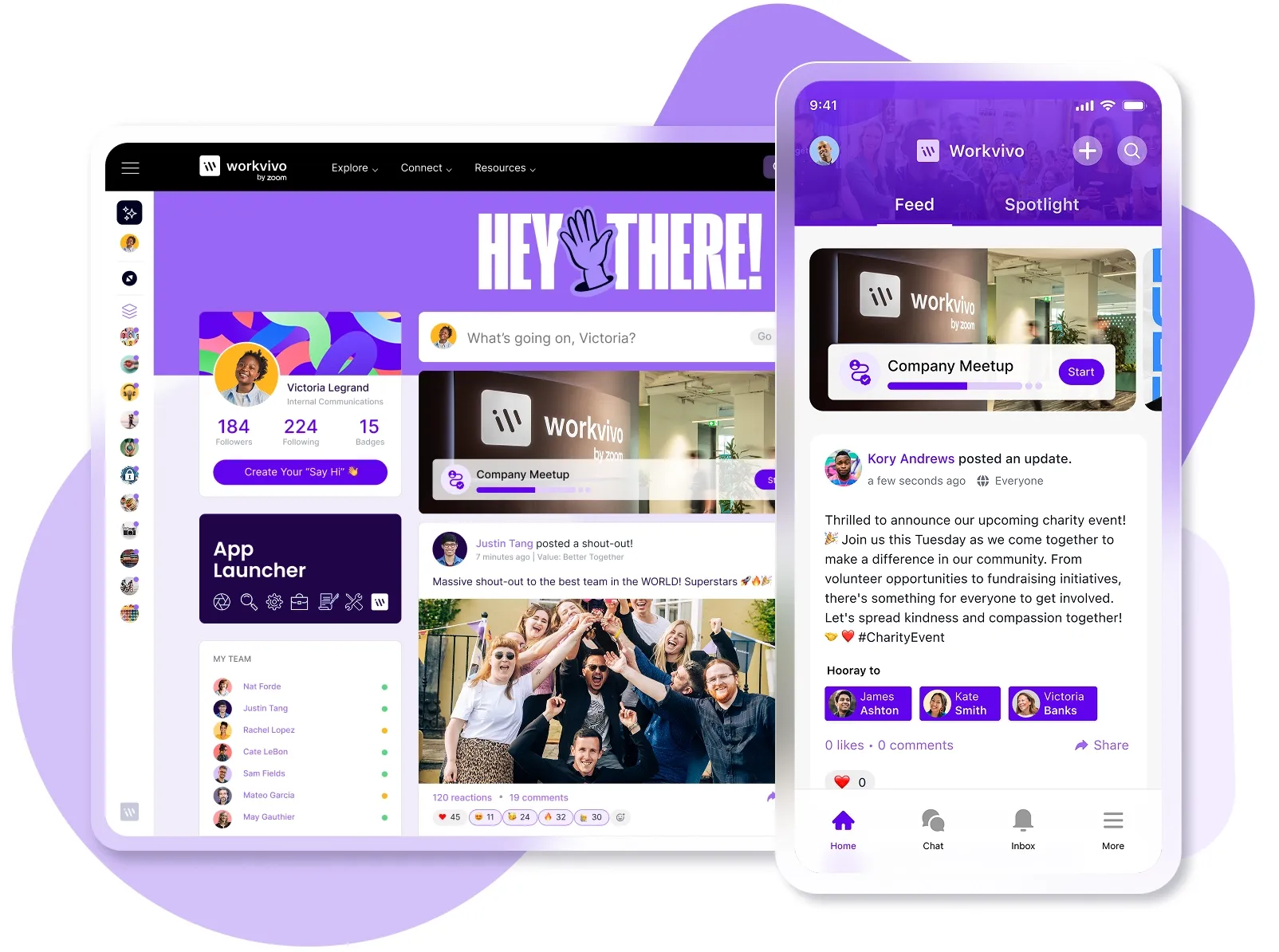
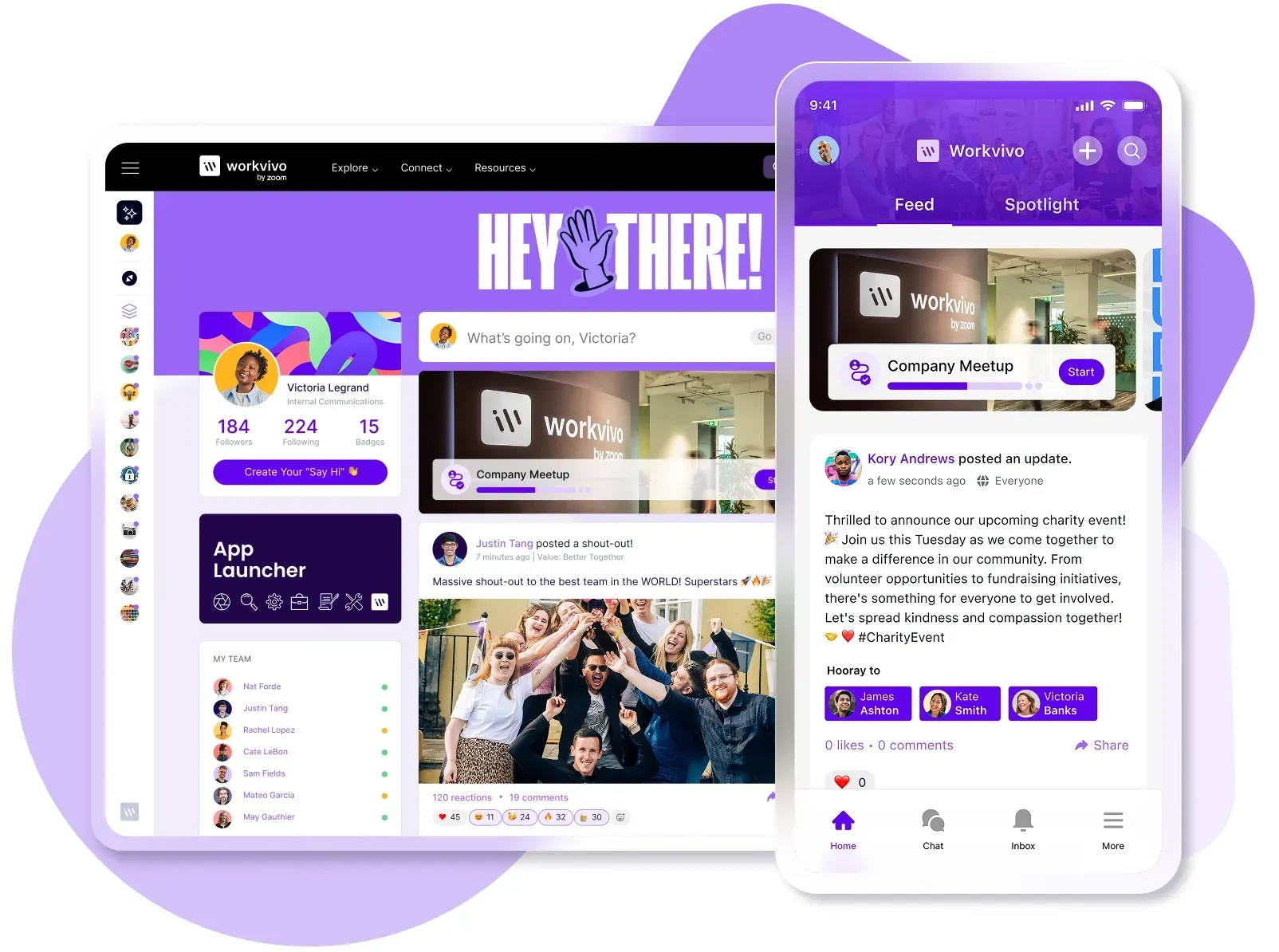
Workvivo is an all-in-one employee experience platform that unites internal communication, employee recognition, and workplace tools into one user-friendly mobile hub that employees can use as easily as Instagram or LinkedIn.
Now part of Zoom's ecosystem, it's built for everyone from frontline workers to C-suite executives.
Here’s exactly what Workvivo brings to your organization:
Seamless integrations with your existing tools: Connect Microsoft 365, Google Workspace, Slack, and 40+ other platforms so employees can access everything in one central hub.
Mobile-first design for your entire workforce: Reach every employee from HQ to the frontline with native mobile apps.
Community spaces and employee journeys: Micro-communities foster collaboration; automated journeys standardize onboarding and celebrate milestones.
Authentic leadership communication: Livestreaming, video messages, and podcasts connect executives and employees directly.
Document storage and knowledge wikis that people use: A document hub and searchable wikis place important information alongside daily conversations.
Plus dozens more features we don't have space to cover here – from peer recognition to pulse surveys and AI-powered auto-translations.
Workvivo works because it feels like the apps employees already use, not corporate software they're forced to learn. Book a demo to see how it fits your organization.
Intranet FAQs
How does an intranet improve internal communication in a company?
An intranet creates a single source of truth that stores all company information, so employees stop the endless search through emails and Slack channels for that one important update. Everyone sees the same announcements at the same time. Departments can share wins and updates company-wide. Remote workers stay just as connected as office staff.
Types of intranets
The difference between a thriving intranet and an abandoned one often comes down to which type you choose. Here's how they stack up:
Traditional/legacy intranets (Generation I): Static, IT-managed systems that mainly serve as document repositories. Limited search and interaction.
Social intranets (Generation II): User-generated content, activity feeds, likes and comments, and real-time notifications for information sharing and interaction.
Employee experience platforms (Generation III): All-in-one digital hubs combining internal communications, social networking, employee recognition, and workplace tools. Platforms like Workvivo report adoption rates over 90% because they feel like consumer apps.
Is an intranet secure?
Modern intranets use enterprise-grade security features like encryption, two-factor authentication, and role-based access controls that keep your data safer than scattered emails and shared drives. The best platforms hold certifications like ISO 27001 and SOC 2. Your IT team controls exactly who sees what, tracks all access and changes, and can instantly revoke access when employees leave.
Can an intranet be accessed remotely?
Yes, modern intranets work from anywhere with an internet connection through web browsers and mobile apps. Cloud-based platforms let employees access company resources, documents, and communications whether they work from home, travel for business, or work in the field. Most platforms also offer offline access to key documents.
What are examples of intranet software?
Workvivo: Social-first employee experience platform with a mobile-friendly, Instagram-like interface.
SharePoint: Deep Office 365 integration; often requires customization.
Confluence: Wiki-based platform for documentation-heavy teams.
Happeo: Google Workspace–optimized, blending social and knowledge management.
Simpplr: Modern intranet focused on AI-powered personalization and governance.