
Research from Gallup shows that only 12% of employees feel satisfied with how their company onboards new hires.
This happens because most companies still onboard new hires the same way they did 10 years ago, even though everything else about work has changed.
The typical first week looks like this:
- New employees waste their first days on paperwork and outdated orientation videos
- IT teams have to set up dozens of accounts across disconnected platforms manually
- Team introductions happen through awkward group emails or forgotten calendar invites
- Managers create training plans from scratch for every single hire
Modern intranets handle these problems with one central hub that organizes the entire onboarding process.
From day one, new joiners can access training materials, find company policies, connect with teammates, and complete onboarding tasks all in one place.
Below, we'll break down practical strategies for building better onboarding experiences using the tools and features modern intranets provide.
Why your intranet is the key to an effective onboarding experience
Onboarding determines whether your expensive new hire becomes a 10-year employee or a three-week mistake.
The difference usually comes down to how quickly they find information, form relationships, and feel capable of contributing. And your intranet directly impacts all three.
Streamlined information delivery
McKinsey found that employees spend nearly 20% of their week alone searching for basic information. For every five workers on payroll, you effectively have four.
The situation only gets worse for new hires who don't know where files are located, which colleagues can help, or whether information is current.
How an intranet solves this: Your intranet is the single, authoritative source where new employees find exactly what they need in seconds. They search once, get the current version of any document or policy, and move on with their work.
Example: A new employee needs the expense reimbursement process on their second day. They search the intranet, find the step-by-step guide with current forms, and submit their first report without bothering any senior members.
Consistency across all locations
Research shows that around two-thirds of remote workers say they didn't get proper training during onboarding.
What worked for 10 employees breaks at 50, and completely fails at 500. Each new location and remote hire stretches your manual onboarding process until it barely functions.
How an intranet solves this: Your intranet standardizes onboarding across every location and work arrangement. Everyone gets the same training modules, resources, and information on day one, whether they're sitting in headquarters or working from their kitchen table.
Example: A new hire in Tokyo and another in Toronto start Monday morning. Both access the same onboarding checklist, watch identical training videos, and connect with their teams through the intranet.
Automated onboarding workflows
Some studies have found that new hires juggle around 54 tasks during their onboarding process. That's 54 opportunities for something to fall through the cracks.
Without automation, you're asking managers and HR to play air traffic controller for every single new employee on top of their actual jobs.
How an intranet solves this: An intranet automates task assignment and tracking. New hires see their daily to-do list, managers get notified when training is due, and HR tracks completion rates in real time.
Example: Your new developer starts remotely on Monday. One new intranet workflow notifies IT about equipment, books stakeholder check-ins, assigns required training, and gives the new hire a simple roadmap to follow.
Maximized employee engagement from day one
You can have great pay, amazing benefits, and exciting projects, but still lose half your new hires if they feel like outsiders from day one. This Reddit comment explains it well:
Getting your new hire properly integrated into your company culture. Getting them to feel like they are a true part of the company and making them feel comfortable is one of your best resources when it comes to retaining your new guy.
“And the best way to do that is onboarding them properly. Most of the time, employees leave easily when they do not feel any lasting ties towards your company and often feel like they are isolated from the team.
How an intranet solves this: An intranet gives new employees immediate access to your company's social fabric. They find mentors through employee directories, participate in discussions, and absorb your culture through shared content and team interactions.
Example: Your newest engineer feels isolated until they find the intranet's "New Hires" group. They see others asking the same questions and veteran employees offering advice, and already feel like they've been there for months.
Adaptability for remote and hybrid work
Researchers studied 10,000 of Microsoft's new hires and discovered that even after six months, employees who joined remotely or in hybrid environments had major gaps in their digital workplace networks compared to their in-office peers.
These isolated employees don't know who to ask for help, can't navigate company politics and initiatives, and often quit before their first anniversary.
How an intranet solves this: Your intranet connects remote hires to the right people from day one. Employee directories show who does what, team spaces encourage collaboration, and discussion threads replace hallway conversations.
Example: A new remote hire discovers five potential mentors through the intranet's employee directory. They message them, set up virtual coffees, and within weeks have the same support network that takes office workers months to build.
7 must-have intranet features for high-quality employee onboarding
Not all intranets deliver the same onboarding experience. Here are the seven capabilities that separate basic intranets from onboarding powerhouses:
1. A centralized document hub
What it is: A searchable repository that houses every document new hires need. Policies, employee handbooks, forms, and guides all exist in one place with clear organization and easy access.
Why it matters: New employees shouldn't spend hours looking for the expense policy or working from last year's procedures. Centralize everything, and they find answers instantly without interrupting busy colleagues.
If you're searching for a centralized document hub, Confluence often tops the list. But it comes with limitations you should know about. As one Redditor described their experience:
I'm increasingly convinced that something about Confluence just breeds terrible documentation... aside from the search being pretty bad.
Where I work, most of our docs live in a series of badly maintained Confluence docs. Docs leave out key information, partially duplicate each other, and are often quite out of date. Most attempts to reorganize our Confluence docs and purge old content have just made it worse tbh.
How to best leverage this:
- Set up automatic archiving for outdated content so old versions don't confuse new hires
- Create clear ownership for each document category with designated reviewers who keep content current
- Build templates for common documents to maintain consistency across departments
- Set up version tracking so everyone knows they're looking at the latest information
- Add feedback buttons on documents so new hires can flag confusing or missing information immediately
Example: Your latest finance hire types "expense reports" and gets the current policy, submission deadlines, and reimbursement forms all in one place. The page shows who maintains it and when they last reviewed it for accuracy.
2. A dedicated onboarding workspace
What it is: A separate digital space built specifically for new hires where they find their personalized checklist, training materials, and first-week resources.
Why it matters: Dropping new hires into the full company intranet overwhelms them immediately. A dedicated workspace shows them exactly what to do today, tomorrow, and next week without the confusion.
How to best leverage this:
- Create personalized dashboards that show each new hire their specific tasks, deadlines, and progress
- Include quick links to the 10 things they'll need most during the first week – from parking info to Slack channels
- Set up automatic content that appears based on their timeline, like week-two training modules or day-30 check-ins
- Add a new hire forum where recent employees can ask questions and share experiences with other newcomers
- Keep the space simple and save the complex features for after they're settled
Example: Your new marketing hire opens their dashboard to find Monday's tasks already lined up: submit tax forms, read the brand guidelines, and join the team Slack channel. The workspace gradually introduces more complex tasks as they progress.
3. Interactive onboarding checklists
What it is: A dynamic task list that tracks every step of new employee onboarding. New hires check off completed items, the system notifies relevant people, and the next tasks automatically appear based on their progress.
Why it matters: Without automated workflows, new hires don't know if they're on track, and managers can't see where things stand. Interactive checklists show them exactly where they are in the process and what they should focus on.
Plus, nobody wants to feel like they're being processed through a factory line on their first day. This Redditor explained it perfectly:
Digital tools are such a game-changer for remote onboarding. I remember my first day at a new job where I was just thrown a bunch of paper forms to fill out. Now with everything online, it's way smoother and a lot less nerve-wracking. Plus, being able to personalize it a bit makes it feel less like you're just another newbie in the system!
How to best leverage this:
- Create workflows that automatically assign tasks to different departments when triggered by specific completions
- Build in conditional logic so different roles see different tasks based on their position and location
- Send alerts to managers if tasks sit incomplete for too long
- Explain what each task is and roughly how long it should take
Example: A new employee completes their security training at 10 am. The system immediately activates their building access, notifies IT to enable their email account, and adds "Set up two-factor authentication" as their next task.
4. An engaging employee directory
What it is: A searchable database of everyone in your company with photos, roles, contact info, and personal details. New hires can search by name, department, skills, or even interests to find the right person to connect with.
Why it matters: New hires can't build relationships with people they can't find or don't know exist. A good directory helps them put faces to names, discover who does what, and connect with people they'll work with.
How to best leverage this:
- Include both professional info and personal interests so people can connect over shared hobbies
- Map out the organizational structure so everyone knows who's in charge of what
- Give employees control of their profiles (they'll usually keep them more current than HR ever could)
- Make it searchable by skills, projects, and expertise, so new hires know who to ask for help
Example: Your new marketing hire needs brand assets for a campaign. They search "graphic design" and instantly find the design team's profiles, current projects, and availability. One quick message saves a week of working with outdated logos.
5. Self-service training modules
What it is: Online training courses that new hires can access anytime, with content that covers everything from company culture to role-specific skills. They control the pace, can replay sections, and learn without coordinating schedules.
Why it matters: Nobody retains eight hours of training delivered on their first day. Self-paced modules let them learn, practice, and review at a speed that they feel comfortable with.
How to best leverage this:
- Design short modules that take 10 to 15 minutes max
- Add knowledge checks after each section
- Provide videos, written guides, and downloadable resources
- Let employees mark favorites and build personal libraries
Example: A new engineer joins mid-sprint and starts learning your codebase immediately through self-service modules. They complete security protocols on day one, development standards on day two, and contribute their first code review by Friday.
6. Social & collaboration tools
What it is: Built-in communication features that let employees communicate without leaving the intranet. Team channels for projects, discussion boards for questions, and comment threads that keep conversations visible and searchable.
Why it matters: New employees can't learn from conversations they can't see. Open channels show them how teams communicate, what projects are priorities, and how their role connects to everyone else's work.
Companies are realizing that email isn't the answer for internal communication anymore. One Reddit user explained their solution:
Inboxes are way too crowded. That's why we switched to an internal company blog for all company news, announcements, surveys, knowledge sharing, and more.
So instead of mass email, we now publish a blog post in a certain category on the internal blog. It adds structure, permanency, and transparency to the whole thing. It works very well.
How to best leverage this:
- Tag new employees in relevant discussions
- Set up casual spaces for non-work chat
- Archive project discussions for searchable history
- Document decisions in channel summaries
Example: Your new product manager joins the product team channel and immediately sees three months of feature discussions, design decisions, and team celebrations.
7. A personalized homepage
What it is: A homepage that automatically adjusts to each employee's role and department. New hires in accounting see different onboarding tasks than new engineers. The Sydney office sees different announcements than Boston. Part-time workers see different benefits information than full-time staff.
Why it matters: New hires drown in company-wide announcements about things they don't understand yet. A filtered view shows them only onboarding content until they're ready for broader company information.
Just don't overthink the homepage design or pack it with content nobody wants. Focus on what people genuinely use, as this Redditor pointed out:
"Basically, if it's a splash page every time they open the browser, having shortcuts/hyperlinks to all the useful web apps they use is the only thing that's useful in my exp. Everything else will be ignored."
How to best leverage this:
- Display role-specific content
- Put time-sensitive information front and center
- Let employees hide or add widgets
- Provide device-appropriate layouts
Example: A new developer logs in Monday morning to see their coding environment setup checklist, quick links to GitHub and Jira, their team's sprint board, and a notification about tomorrow's architecture review.
The 3 phases of a successful intranet onboarding experience
Your new hire's experience should begin before day one and evolve over their first months. The intranet solution plays a different role in each phase:
Before day one
- Send intranet access immediately after offer acceptance: New hires can explore the company, read about their team, and familiarize themselves with resources.
- Complete all paperwork digitally through the intranet: Tax forms, emergency contacts, and direct deposit information get submitted and stored securely online.
- Create their employee profile and add them to team pages: Colleagues see who's joining and what role they'll fill.
- Ship equipment directly to their location: Remote workers receive laptops configured and ready; office workers have their badge waiting.
- Schedule their first week of meetings: Invites for IT setup, team introductions, and manager check-ins appear automatically.
When new hires complete these steps before starting, they arrive ready to learn and contribute.
During the first week
Week one shapes how new employees see your company for months to come. Make these days count with structured onboarding that balances learning with doing:
- Complete all system access and tool setup by day two: New employees should have working logins for email, Slack, project management tools, and any other platforms they need.
- Schedule meaningful introductions with key people: Set up 30-minute coffee chats with team members, important collaborators, and anyone they'll work with regularly.
- Start with small, achievable tasks that build confidence: Assign something they can complete successfully by Friday, like updating their profile, reviewing a document, or fixing a simple bug.
- Provide clear documentation about team processes: Show them where decisions get made, how work gets assigned, and what the communication norms are. They need the unwritten rules as much as the official policies.
- Check in daily without micromanaging: A quick morning chat to answer questions and set priorities helps more than a formal Friday review. Keep it casual but consistent.
By Friday, new hires should feel oriented and capable. They know their team, understand their tools, and have momentum for week two.
The first month and beyond
The extended onboarding period makes or breaks employee retention. Use this period to build competence, expand connections, and increase responsibility:
- Transition from structured training to independent learning: Week three means less hand-holding and more self-directed exploration. Employees should start finding answers themselves using the intranet software.
- Connect them with cross-functional partners: Set up meetings with the product manager they'll collaborate with, the designer who shares their projects, or the analyst who provides their data.
- Document their questions and pain points: Every confusion they experience will hit the next hire, too. Track common problems and optimize them in your employee onboarding process.
- Schedule formal check-ins at 30, 60, and 90 days: These meetings show what's working, what's confusing, and what support they still need. Use structured questions to get honest feedback about the onboarding experience.
- Gradually increase responsibility and complexity: First they shadow meetings, then contribute ideas, then run portions themselves. The progression should feel natural and earned.
After 90 days, properly onboarded employees function like experienced team members. They contribute ideas, handle complex tasks, and help newer hires settle in.
Workvivo: powering a world-class onboarding experience
Modern intranets handle the problems we discussed – new hires waste hours in old shared drives, managers rebuild training plans every time, and remote employees never get the same experience as office workers.
They provide one platform where employees find what they need without the usual first-week confusion.
And that’s exactly where Workvivo comes in.
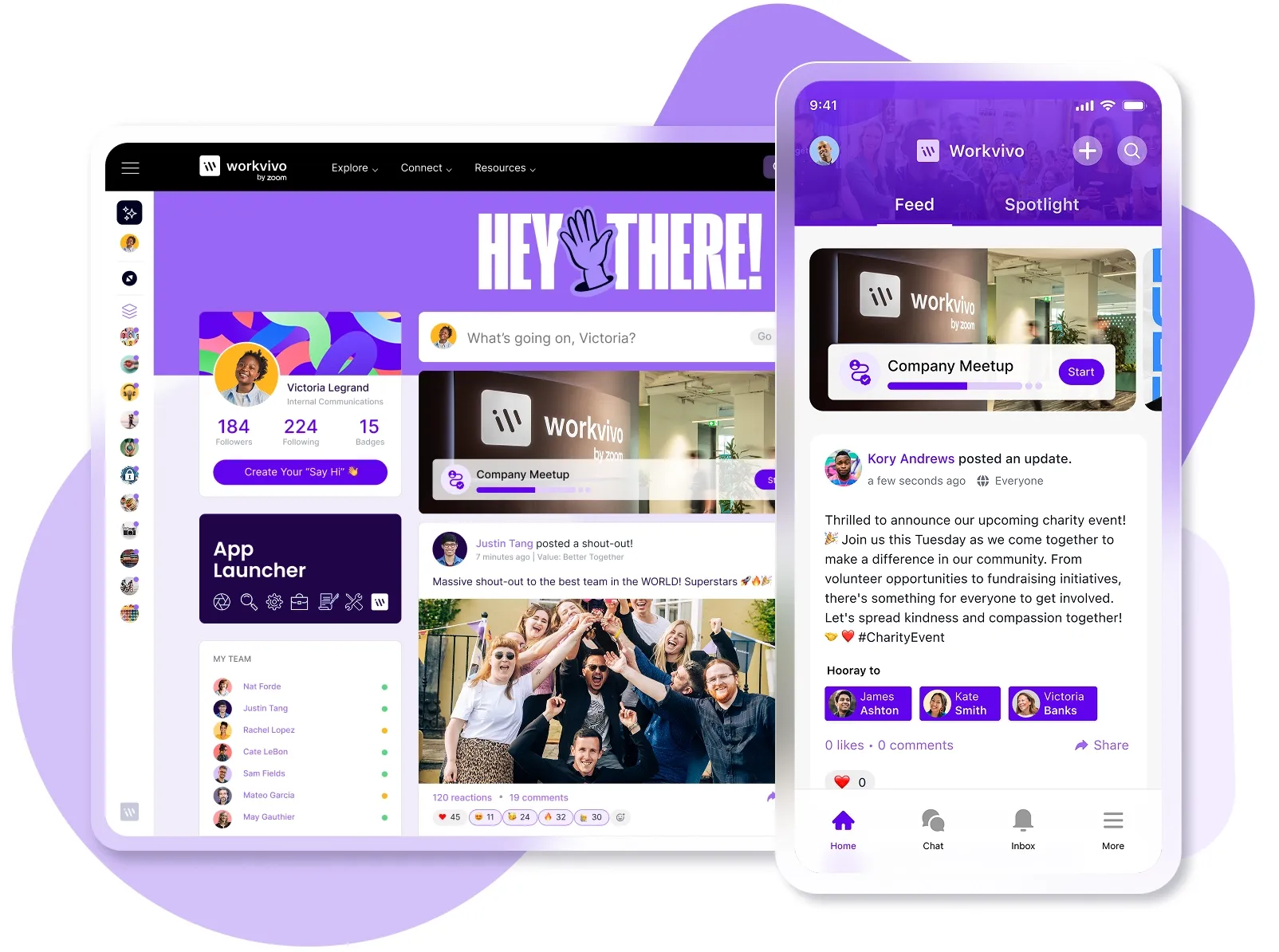
Workvivo is an all-in-one employee experience platform that combines your intranet, communication tools, engagement features, and analytics into a mobile-first hub that employees use because they want to, not because they have to.
- Centralized knowledge hub: New hires access every document, policy, and resource from one searchable platform that replaces scattered folders and outdated wikis. Version control and automatic updates mean they always see current information, not last year's procedures.
- Interactive onboarding workflows: Soon, the platform will assign each new hire their specific tasks in the right order – complete paperwork before IT setup, finish compliance training before system access. Every completed task will notify the next person who needs to act.
- Real-time analytics and insights: HR teams see exactly where new hires stand in their onboarding journey with dashboards that track task completion, engagement levels, and time-to-productivity metrics.
- Employee directory & connection tools: Team channels show months of discussions, decisions, and dynamics that new employees can review to understand team processes and priorities.
- Mobile-first design: Workvivo gives every employee equal access regardless of device – a delivery driver with a phone sees the same onboarding materials as an office worker with dual monitors. Forms, videos, and documents work properly on all screens.
- AI-powered assistant: Workvivo's AI companion helps new hires find answers instantly without bothering colleagues or waiting for HR responses. The assistant understands natural language queries like "How do I submit my first expense report?", and provides step-by-step guidance.
Your intranet can handle most of this onboarding work automatically. New hires get what they need, managers save time, and fewer people quit in their first month.
If you want to see how you can do this with Workvivo, book a demo and we'll walk you through it.
FAQs
How can an intranet help new employees understand company culture?
An intranet shows company culture through real examples and daily interactions. New employees can browse photo galleries from company events, read CEO posts about company values, and watch videos of team celebrations.
They also see culture in action through employee discussions, recognition posts, and the casual conversations that happen in social channels every day.
Can we integrate our intranet with other HR systems for onboarding?
Yes, most modern intranets (like Workvivo) connect directly with your existing HR tools, payroll systems, and IT platforms through APIs or built-in integrations.
What is the best way to get feedback on our onboarding process using the intranet?
The best practice is to build feedback directly into your onboarding workflow. Add quick pulse surveys after each milestone, comment sections on training materials, and anonymous feedback forms at 30, 60, and 90 days.
How can we use the intranet to onboard employees into a specific role?
Create role-specific onboarding paths that automatically adjust based on job title. So, developers see coding standards and repository access, while salespeople get CRM training and territory assignments.