
The Comms Show: Virgin Voyages’ Strategy for Connecting a Global Workforce | March 10th 11am EDT / 3pm GMT
I Spent 30+ Hours Comparing Intranet Platforms: Here Are the 9 Clear Winners
November 21st 2025
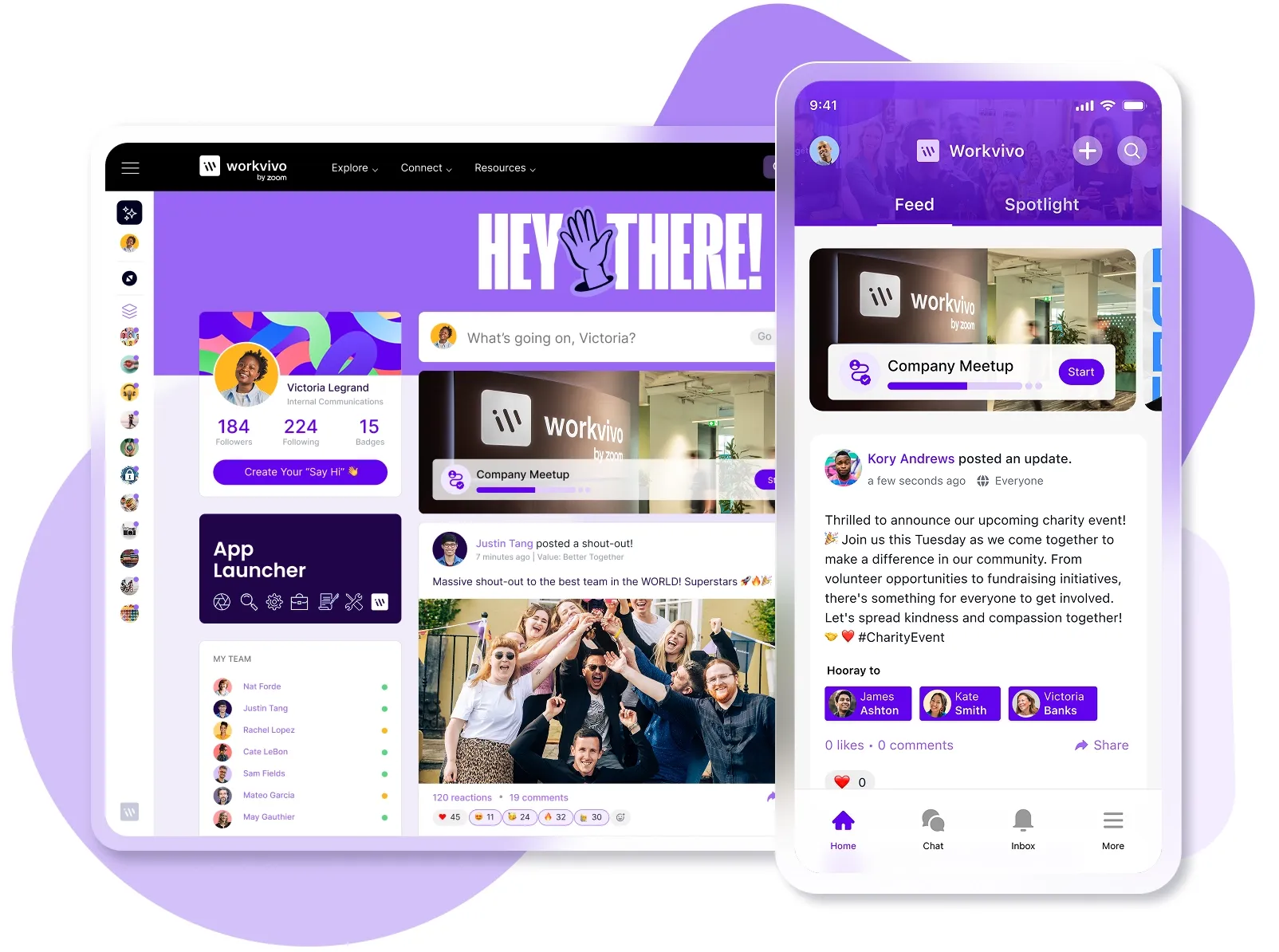
About a year ago, we noticed a growing problem with internal comms, particularly for our retail customers.
Workvivo has customers with thousands of employees spread across dozens of retail locations that are still relying on email chains, scattered documents, and a crusty old SharePoint site that is often outdated and lacks engagement.
It became clear that prospects were impressed by Workvivo’s ability to solve the problems caused by legacy intranets with its modern design and ability to bridge the communication gap between management and frontline retail staff.
Common complaints we heard from retail customers regarding legacy intranets:
- Frontline workers abandoned the site after waiting over three minutes for pages to load on the store's WiFi connection.
- Store managers couldn't access critical updates because the mobile experience was terrible.
- Executive leadership did not have confidence in the intranet. Announcements would get ignored due to one-way email communication.
- New safety protocols sat buried in corporate folders while floor staff continued to use outdated methods.
After hearing countless stories from prospective customers regarding their frustrations with platform evaluations and vendor pitches, we decided to take matters into our own hands.
So, over the next 35+ hours, we dug through G2 and Capterra reviews, read countless Reddit threads, and compared pricing and features across dozens of platforms.
Our research led us to nine platforms in the market worth considering. They're mobile-first, built for distributed teams, and get consistently good feedback on G2 and Reddit.
9 Best modern intranet solutions for 2025: Our top picks
Workvivo – The most comprehensive all-in-one platform we found. Combines everything from communication tools to employee engagement with a mobile-first design
→ BEST FOR: Companies looking for a true all-in-one solution that bridges the gap between frontline and corporate teams
Happeo – I was impressed by how seamlessly it integrates with Google Workspace and the AI search that understands employee context
→ BEST FOR: Organizations heavily invested in Google Workspace that need strong mobile capabilities for distributed teams
Microsoft SharePoint – While the mobile experience seems frustrating, I can't ignore that it's already included with most Microsoft 365 licenses, and the workflow automation is powerful
→ BEST FOR: Companies with strong IT resources and deep Microsoft 365 integration needs who can work around the poor mobile experience
Blink – I appreciate that they built this specifically for frontline workers with an interface that looks like the social apps employees already use daily
→ BEST FOR: Retail and hospitality companies with large frontline workforces who need simple, mobile-first communication
LumApps – The AI-powered personalization caught my attention, especially how it works with both Microsoft 365 and Google Workspace
→ BEST FOR: Large enterprises with complex integration needs and the budget to match
Igloo – What stood out to me was their customer support approach, with dedicated success specialists and pre-built templates that save months of setup time
→ BEST FOR: Companies that value strong customer support and need ready-made solutions they can implement quickly
Simpplr – I loved the clean, intuitive interface that reviewers compare to Apple products, plus it launches in weeks without any coding
→ BEST FOR: Organizations that prioritize simplicity and fast adoption over customization flexibility
Staffbase – we found their multichannel approach interesting, where you can create content once and it publishes everywhere from the employee app to digital signage
→ BEST FOR: Enterprise companies with thousands of employees and heavy Microsoft 365 usage who need sophisticated communication tools
Confluence – While it wasn't designed as an intranet, I included it because so many companies already use it, and the documentation capabilities are genuinely excellent
→ BEST FOR: Technical teams already embedded in the Atlassian ecosystem who need a documentation wiki more than a true intranet
Our take on what makes a good intranet solution
After watching one platform fail spectacularly, I knew exactly what to look for this time. These are the non-negotiables for any company with a large frontline workforce:
Dedicated collaboration spaces
Dedicated collaboration spaces let teams work together in one place. Your design team can share mock-ups and feedback, store managers can coordinate inventory, and finance can track budgets without the usual mess of disconnected tools.
With the right platform, you can create these spaces in minutes. You get file sharing, task management, and threaded discussions in one place.
Interestingly, we found research that shows that 85% of companies cite quicker information access as their intranet's main benefit.
Advanced content publishing tools
Our regional managers need to share information without going through IT, and those updates need to reach people during their pre-shift huddles, not while they're dealing with the lunch rush.
The best platforms we found let you write once but target different groups, track who's seen what, and handle videos and images without everything breaking. Sounds basic, but I think that most platforms mess this up.
Side note → If timing matters for your updates, look for platforms with intelligent scheduling. Workvivo, for example, lets you schedule content for specific times and target different employee groups.
People directory & org chart
I was tired of watching new employees struggle to figure out who handles what, especially across 50 different locations.
Our old system made it nearly impossible to find contact info for someone at another store or figure out the chain of command for different issues.
Almost every platform I researched had an employee directory, but the most powerful ones include photos, direct contact info, and clear reporting structures.
Intelligent search functionality
Nothing frustrated me more than watching employees give up trying to find information because our search was basically useless. People would type in obvious keywords and get either no results or hundreds of irrelevant documents from 2018.
The platforms I evaluated that got this right had a search that understood what people were looking for. They could find relevant policies, procedures, and updates even if you didn't use the exact wording from the title.
Knowledge management & sharing
The platforms that stood out make it simple to create one source of truth. Store managers can pull up procedures on their phones, and new hires can find answers without bothering their manager every five minutes.
McKinsey research I came across even showed that connected employees are 20-25% more productive than those working in silos, and good knowledge sharing is what creates those connections.
I also looked for ways to capture informal knowledge. Every store has that one person who knows how to fix the receipt printer when it cracks. That knowledge needs to be shared without creating a whole training manual about it.
Seamless integrations & Single Sign-On (SSO)
Password fatigue is real. Our store managers already juggle logins for the POS system, scheduling software, and training platform. Adding another password for the company intranet guaranteed they'd never use it.
SSO was non-negotiable in my research. Employees should sign in once and access everything. I also looked for integrations with tools we already use.
- Can it pull data from our HRIS so the directory stays current?
- Does it connect with our scheduling system so shifts appear automatically?
- Does it integrate with our ticketing system so IT requests go through one place?
Some platforms even sync with Slack or Teams, so important updates flow to where people already work.
Gamified employee recognition
I knew our frontline teams needed more recognition than the occasional "employee of the month" poster in the break room. Retail workers deal with difficult customers and long shifts, but good work often goes unnoticed.
The platforms that impressed me had built-in recognition systems where managers could give instant shout-outs, award points, or outline great customer service moments.
And I think the key is to make it optional but visible. Nobody wants forced fun, but visible recognition for real achievements does make a difference.
Side note → During my evaluation, I saw how Workvivo handles this through their Shoutouts feature and peer-to-peer recognition. Employees publicly recognize each other's wins, the system celebrates milestones automatically, and everyone can see it happening. It creates that culture of appreciation without feeling forced or corporate.

Mobile-first accessibility
If it doesn't work perfectly on mobile devices, retail employees won't use it. Our frontline teams get maybe 10 minutes between customers to check updates, and they're doing it on their personal devices during breaks.
The platforms I focused on were built for mobile from the ground up, and not just desktop sites squeezed onto smaller screens.
They loaded fast on spotty store Wi-Fi, worked offline when needed, and made it easy to read announcements or submit requests with just a few taps.
Actionable analytics
The best platforms track engagement patterns and search queries. If half your team searches for "expense policy" but can't find it, you know exactly what to fix.
When nobody reads the CEO's weekly updates, maybe it's time to try a different format.
9 Best intranet platforms we evaluated
Since testing 50+ platforms would take forever, I focused on thorough research instead.
I spent 35+ hours combing through reviews on G2 and Gartner, reading Reddit threads, and comparing features across dozens of platforms. I paid special attention to companies with similar frontline-corporate splits.
These 9 platforms checked all the boxes for what I learned matters in an intranet implementation:
1. Workvivo
We’re biased, but we whole-heartedly believe that Workvivo was the most comprehensive and all-in-one platform we found.
Now part of Zoom, it combines everything you need in a modern intranet – communication tools, employee engagement, knowledge management, social networking, mobile app functionality, and analytics all working together seamlessly.
The mobile-first design works equally well for frontline and desk workers. Store employees can access schedules, submit forms, watch training videos, and stay connected during breaks, all from their phones.

The social feed looks and works like Facebook or Instagram, which employees already know how to use. I saw in their Ryanair case study that 90% of employees registered on the platform, which is rare for any internal tool.
The platform also integrates with 40+ systems (including Microsoft 365, Slack, and Google Workspace), so it’s a true single sign-on experience.
I could write much more here, but they also have sophisticated analytics, advanced governance controls, automated translations for 90+ languages, podcasts and livestreaming capabilities, and more.
The platform genuinely feels like it was built by people who understand both internal comms and the reality of distributed workforces.
Verdict ⚖️: For companies looking for a true all-in-one solution, Workvivo covers every base. It's built for both frontline and desk workers, and handles everything from daily communications to employee engagement.
What I like about Workvivo
- Mobile-first design means frontline workers get the full experience on their phones without downloading separate apps
- The social media-style interface means that most employees will intuitively know how to use it
- You can create content once and distribute everywhere – news feeds, email, SMS, push notifications, and digital signage from one place
What real users like about Workvivo
“What I love most about Workvivo is how it brings people together and creates a real sense of connection at work. It makes it easy to share updates, celebrate achievements, and give teammates the recognition they deserve—all in one place.
It feels more like a social network than a typical work tool, which makes communication and messaging feel more natural, engaging, and fun.”
What I dislike about Workvivo
- Search functionality works, but could be a bit more powerful when looking for older content
- The feed moves quickly in active organizations, so important posts can get buried if you're not checking regularly
What real users dislike about Workvivo
“Workvivo is overall excellent, but one thing I’d improve is the notification system — sometimes important updates can get buried under lighter posts.”
2. Happeo
Happeo came up often in our research as a solid choice for companies heavily invested in Google Workspace. Teams can move across Gmail, Drive, and Slack from one search bar, which solves that constant tab-switching problem.
The page builder seems genuinely intuitive with drag-and-drop templates that regional managers could use without IT help.
I also liked their “Channels” feature for targeted communication. You can create spaces for specific stores, regions, or projects where teams work together.

Their AI-powered search understands context better than most. When someone searches "overtime," it finds both the overtime policy and the payroll FAQ mentioning overtime rates. That's huge for frontline staff who don't know corporate terminology.
However, the customization options are restrictive, and multiple reviews mentioned that the top menu navigation isn't flexible. The page layouts can feel "bulky" when you're trying to fit lots of information.
The notification controls also lack granularity, so you can't fine-tune alerts per channel, which means people either get overwhelmed or miss important updates.
Verdict ⚖️: Happeo makes sense if you're all-in on Google Workspace and need strong mobile capabilities for frontline workers. But the limited customization might frustrate companies that want more control over their intranet experience.
What I like about Happeo
- Seamless Google Workspace integration where employees can search across Gmail, Drive, and the intranet from a single search bar
- The template-based page builder lets departments create their own content with drag-and-drop tools
- The AI search understands context and synonyms, so searching "overtime" finds both overtime policies and payroll FAQs mentioning overtime rates
What real users like about Happeo
“The customer service and learning opportunities (webinars, FAQs, talking with outreach rep, etc.) have been helpful and easy to access. It is simple to use, can be as fun or serious as you want to make it (what fits best with your company’s culture), and has greatly increased our employee engagement.
We use Google Workspace, and the integration of calendar, documents, and email makes segmentation, communication, and search functions more robust.”
What I dislike about Happeo
- Page editing can get messy when trying to include large amounts of information on a single page
- The mobile app has limited functionality compared to the desktop version
- Pricing transparency is limited with quote-based pricing only, and costs can escalate with add-ons like advanced provisioning (for SAML/Okta SSO)
What real users dislike about Happeo
“We found that Happeo's features were not as smooth or error-free as Google’s products. In the end, now that we have a culture of ownership and collaboration, we decided to make the shift back to Google for our intranet needs.”
3. Microsoft SharePoint
SharePoint is interesting because it's already included with Microsoft 365 licenses that most companies already have. If you're paying for licenses anyway, why not use the "free" intranet that comes with it?
With the Microsoft 365 integration, teams can collaborate on documents in real-time, pull data from Power BI dashboards, and automate workflows with Power Automate without leaving the platform.
The search functionality spans across all connected Microsoft tools, so employees can find emails, documents, and intranet content from one search bar.

Although G2 reviewers say that the mobile user experience is frustrating for frontline workers. The SharePoint app feels like a shrunken desktop site, not a true mobile solution.
Plus, the user interface and navigation are consistently criticized as confusing and clunky, especially for non-technical users.
Verdict ⚖️: SharePoint works if you have strong IT resources, patient employees, and deep Microsoft 365 integration needs. But for companies with frontline workers who expect a consumer-grade mobile experience, SharePoint won’t cut it.
What I like about SharePoint
- Deep Microsoft 365 integration where employees can access documents, work together in real-time, and use familiar tools without any new interfaces
- The workflow automation through Power Automate removes manual approval processes and reduces the administrative burden on management teams
- It's included with most Microsoft 365 licenses, so there's no extra software cost for the basic intranet functionality
What real users like about SharePoint
“Microsoft SharePoint provides a seamless and centralized way to manage, store, and collaborate on documents across departments. Its tight integration with Microsoft 365 makes document sharing, co-authoring, and version control extremely smooth.”
What I dislike about SharePoint
- Employees, especially those who aren't tech-savvy, might find the user interface confusing
- Users say that the mobile app functions basically as a compressed desktop site
- You may need external consultants or dedicated IT resources to set it up
What real users dislike about SharePoint
“Although SharePoint is a very powerful tool, its initial learning curve can be a bit steep for users without prior experience. Some advanced configurations require technical knowledge or specialized support, especially when working with complex permissions or external integrations.”
4. Blink
Blink caught my attention because it's specifically built for frontline workers. It markets itself as a "super-app" that puts everything employees need into one mobile-first platform.
The mobile-first design is impressive. The interface looks and feels like the social media apps employees already use, which means adoption can happen even without extensive training.
I also appreciate the hub feature, which works as a single dashboard where employees can access pay stubs, swap shifts, submit forms, and find policies without jumping between multiple apps.

The single sign-on integration is useful if you want your employees to access Microsoft 365, SharePoint, and other tools without any separate licenses for frontline workers.
However, some G2 users mention integration complexity as a red flag. While Blink connects to other systems, they say that you need technical expertise to set up these integrations, which defeats the purpose of a simple solution for frontline teams.
They also say that the admin panel opens in a separate tab. This sounds like a minor issue, but it can frustrate administrators who consistently manage multiple tasks.
Verdict ⚖️: Blink delivers on its promise of mobile-first frontline communication, but the lack of advanced functionality and integration complexity might leave you wanting more robust capabilities.
What I like about Blink
- The mobile-first design works well on smartphones, so it’s practical for retail teams who primarily use phones during work
- The Hub centralizes all important documents, forms, and policies in one easily accessible location
- Single sign-on access to Microsoft 365 and other tools means that you won’t need separate licenses for frontline workers
What real users like about Blink
“Blink has allowed for internal communications to be transformed, particularly for front-line workers who have struggled with accessing important information quickly, and feeling connected to the rest of the business.
Communication and instant messaging across a multi-site business is challenging, but Blink has allowed for this to be overcome in a user-friendly, fun, and engaging way.”
What I dislike about Blink
- Notifications can quickly become overwhelming if you don’t know how to configure them, especially in fast-paced retail environments
- The platform offers mostly basic communication features, and its employee recognition tools and analytics don't bring much to the table
- Users say that you need technical expertise to integrate Blink with other systems
What real users dislike about Blink
“I despise hidden costs, and they have them. One of the things that bothers me is how nitpicky they are about the hidden cost. For example, they have the ability to set your custom domain, like pretty much all the competitors do for free.”
5. LumApps
LumApps showed up in my research as the platform for large enterprises, with AI-powered personalization built into every aspect of content delivery.
Store managers automatically see different content than corporate executives based on their role and location, and the system learns from user behavior to streamline content targeting over time.
The integration capabilities are also powerful. It works seamlessly with both Google Workspace and Microsoft 365 (not many platforms do both well), and the platform can integrate with complex enterprise systems like SAP and Workday.

Their recent acquisition of Beekeeper expanded their frontline features, and they launched a dedicated mobile app specifically for frontline workers.
However, LumApps proves its enterprise DNA through its complexity. Multiple reviews mentioned a steep learning curve. Even experienced administrators struggle with the page builder after months of use.
The platform is also very resource-intensive, and some users report that page editing brings their systems to a crawl.
Verdict ⚖️: LumApps works for large enterprises with complex integration needs and deep pockets. But the performance problems and technical complexity could make it frustrating for teams that need straightforward communication tools.
What I like about LumApps
- The dual ecosystem integration with both Microsoft 365 and Google Workspace prevents vendor lock-in and works with whatever collaboration tools you already use
- The AI-powered personalization and employee journey mapping could help deliver the right information to the right people without manual targeting
- The native Google Drive integration automatically syncs file changes without content managers having to manually update documents
What real users like about LumApps
“I like the integration with Google Workspace and the ability to customize the navigation and news items. The mobile app is helpful too. We recently updated our navigation and love the option to integrate videos.”
What I dislike about LumApps
- The page-building interface is consistently described as slow and resource-intensive
- Basic functionality, like table of contents widgets and intuitive style settings, is missing or poorly implemented compared to simpler platforms
- Organizations without strong IT resources will struggle to set up and manage the platform
What real users dislike about LumApps
“Its flexibility can also be its downfall. It can easily morph and change into a large behemoth if you don't have good oversight and understanding of what you want your intranet to be.”
6. Igloo
Igloo caught my attention because they've been around long enough to understand what modern organizations need from their digital workplace.
They have pre-built workspace solutions and offer ready-made templates for specific use cases like employee onboarding, department sites, and project rooms.
Plus, the platform recently launched Igloo Flex, which is built specifically for frontline workers with AI-powered content personalization that adapts based on how employees use the app.

What really impressed me was the customer support approach. Igloo provides personalized training through "Igloo University," implementation support, and even assigns customer success specialists who regularly check in with your team.
Multiple reviews mention that the search functionality is extremely poor, though. Users say that you wait several seconds for results that often aren’t relevant, which can be frustrating for retail teams trying to find information quickly.
Other users complained about the platform using confusing Igloo-specific terminology that makes basic functions hard to understand.
Verdict ⚖️: Igloo offers solid pre-built solutions and excellent customer support, but the poor search functionality, expensive pricing, and user interface issues could make it frustrating for daily use in a fast-paced retail environment.
What I like about Igloo
- Pre-built workspace templates let non-technical teams implement quickly without building from scratch
- Customer support provides dedicated success specialists, personalized training, and ongoing consultation
- The platform integrates with Office 365, Google Workspace, and other existing tools
What real users like about Igloo
“I love Igloo and its effectiveness in helping us promote more efficient communication and collaboration between employees and customers.
The adoption process of the software was relatively quick; it is a fluid communication platform, and its interface is intuitive.”
What I dislike about Igloo
- It’s one of the most expensive options, yet users say the key features don't justify the premium cost
- Calendar requests can get lost in the notification system, and the clunky interface makes daily use frustrating
- Users describe the search functionality as slow and ineffective
What real users dislike about Igloo
“Logging in is a cumbersome and sometimes annoying process that lacks logic. Being such an intuitive program to start with, the customization issue can be a bit more complex for users without CSS experience.”
7. Simpplr
Simpplr kept coming up in conversations about modern intranets. They've been building their AI-powered employee experience platform since 2014.
The AI Assistant seems to understand context perfectly. Store managers can type "what's our return policy for electronics?" and get accurate information pulled from across all systems.
Plus, the interface reminds reviewers of "an Apple product" – clean, intuitive, and you need less than an hour to train new managers.

The personalization engine delivers different content to different employees based on their role, location, and behavior patterns, so frontline workers aren't drowning in corporate announcements that don't apply to them.
However, the limited customization can be annoying. While the simplicity is great for adoption, you're stuck with Simpplr's way of doing things. Users mention that you can't modify the homepage layout much or rename navigation links to match your company terminology.
The mobile app is also described as "clunky," and it seems that managers can't make edits directly from it. This can be especially problematic for retail environments.
Verdict ⚖️: Simpplr works best for organizations that value simplicity and adoption over customization. Teams that need flexible layouts or strong mobile editing should look elsewhere.
What I like about Simpplr
- The platform launches in weeks with no-code configuration and pre-built templates, so you don't need IT resources for setup
- The unified interface puts employee and admin tools in the same window
- The personalization engine brings role-specific content to each employee, so frontline workers don't get buried in corporate announcements
What real users like about Simpplr
“What impressed me most was how Simpplr created a centralized hub that doesn't just store information, but makes it genuinely discoverable and nice to look at.
The AI-powered search functionality cuts through the noise to surface exactly what you're looking for, while the intuitive organization structure means our team members can find what they're looking for.”
What I dislike about Simpplr
- The mobile app lacks editing features for managers, which is problematic when store managers need to make quick updates from the floor
- It can cause downtime during Salesforce outages (because it's built on Salesforce infrastructure)
- Limited customization means you can't modify homepage layouts or rename navigation to match your company terminology
What real users dislike about Simpplr
“It's not very customizable. The design is quite simple and doesn't allow for many creative features to be explored, leaving with a more basic visual design.”
8. Staffbase
While so many other platforms try to be everything at once, Staffbase focuses specifically on employee communications.
The multichannel approach makes sense for distributed teams. You create content once and publish it across an employee app, intranet, email, SMS, and even digital signage.
The Microsoft 365 integration goes deeper than most platforms. The platform creates a two-way flow where employees see company news in their Microsoft tools and can jump back into Microsoft 365 from Staffbase.

The platform splits the employee app and intranet into separate modules, which seems odd since they're complementary. It seems like you end up paying for overlapping features across different plans.
Users also mentioned clear limits in customization. While you get many features out of the box, you hit walls when trying to adapt the platform to specific organizational practices.
Verdict ⚖️: The platform is best for enterprise companies with thousands of employees and heavy Microsoft 365 usage. But the price and complexity rule out most smaller organizations.
What I like about Staffbase
- You can create content once and publish across the employee app, intranet, email, SMS, and digital signage from a single platform
- Deep Microsoft 365 integration creates a two-way content flow where employees see news in Teams and SharePoint without leaving their workflow
- The analytics dashboard provides metrics with color-coded traffic charts that show which content resonates with employees
What real users like about Staffbase
“Staffbase excels with its ease of use and simple implementation, making it accessible for everyone. The customer support is outstanding, ensuring quick and helpful assistance. Its rich features and user-friendly design encourage frequent use, making it a valuable tool for any organization.”
What I dislike about Staffbase
- Higher-end pricing immediately excludes small and medium businesses from considering the platform (third-party sources say it’s $30,000 per year)
- Employee app and intranet are sold as separate modules with overlapping features
- Administrative interfaces for managing things like form recipients have frustrating limitations that can't be worked around
What real users dislike about Staffbase
“I don't think the file manager is sophisticated enough. Uploading files in folders, which you can then access when editing pages with the individual widgets, would be great.”
9. Confluence
Many companies choose Confluence for their intranet because they're already in the Atlassian ecosystem. The platform started as a team wiki but has expanded its capabilities over the years.
Confluence handles knowledge management and documentation better than most platforms. Teams can create pages for practically anything (meeting notes, project plans, procedures, etc.), and the real-time collaboration works smoothly.
The integration with other Atlassian products like Jira is seamless, which makes sense for software development teams who operate in that ecosystem.

But the problem is that Confluence wasn't designed to be an intranet. Multiple reviewers noted it works well for technical users, but regular employees find it clunky and difficult to use.
The formatting is extremely limited compared to other tools. You can't even properly work with spreadsheets – you have to attach files and download them to view.
Verdict ⚖️: Confluence works as a documentation wiki for technical teams already embedded in the Atlassian ecosystem. But companies looking for a top intranet with communication features, user-friendly interfaces, and frontline accessibility should look at purpose-built platforms instead.
What I like about Confluence
- Deep integration with Jira and other Atlassian products creates a connected ecosystem for development teams
- Version control tracks every change, so you can always revert to previous versions if something goes wrong
- 70+ pre-built templates for HR, marketing, and product management give teams a starting point for documentation
What real users like about Confluence
“Confluence has become our go-to place for anything the team needs to reference: project plans, meeting notes, how-to guides, you name it.
It’s easy to update, and the search works well, so I can find what I need without digging through emails or Slack threads. I like that I can link Jira tickets, add diagrams, or drop in code snippets right into a page.”
What I dislike about Confluence
- Built as a documentation wiki, not an intranet, so it lacks basic social features like news feeds and employee engagement tools
- Formatting limitations make simple tasks frustrating – you can't work with spreadsheets directly or format tables properly
- Regular employees find the interface clunky and technical
What real users dislike about Confluence
“The new editor is very limited in terms of document management, lacking customization options. This loss of fine-tuning abilities makes it challenging to transition from the previous version, which offered granular design and control that content writers appreciated.
The tool should reconsider the thought process behind removing options and making documents appear uglier than they need to be.”
Questions to ask when evaluating intranet software vendors
After evaluating all these platforms, I learned that the right questions matter more than feature lists. Here's what you need to know before choosing your platform:
Product & features
Why it matters: You need to know if the platform can handle your specific use cases, not just check boxes on a feature list. These questions show whether the functionality works the way your teams need it to.
Questions to ask:
- Can frontline workers access and update content from their phones without downloading a separate app?
- How does content publishing work across different channels (app, email, desktop) – do we create once and distribute, or recreate for each?
- What types of content can we create natively versus what requires attachments or external tools?
- Can non-technical managers create and edit pages without IT support or HTML knowledge base?
- How does the search function handle misspellings, synonyms, and partial matches?
- What happens to our content if we need to migrate away from this platform in the future?
- Can we set different permission levels for viewing, editing, and publishing content by team or location?
Implementation & support
Why it matters: Long implementations drain budgets and kill employee enthusiasm. You also need reliable support after launch, not just during setup. Know what you're signing up for on both fronts.
Questions to ask:
- How long does a typical implementation take for a company of our size, and what causes delays?
- Who handles the implementation – your team, ours, or external consultants – and what does that cost?
- What training do you provide for administrators and regular employees?
- How do we reach support when something breaks – phone, chat, email, or tickets only?
- What are your actual response times for critical issues versus standard requests?
- Do you charge extra for ongoing support after the first year?
- Which features require professional services to set up, versus what we can configure ourselves?
Pricing & contract
Why it matters: Hidden costs and contract traps can double your budget and lock you into platforms that don't work. Get the complete picture now to avoid budget battles later.
Questions to ask:
- What's included in the base price versus what costs extra (SSO, storage, integrations, support)?
- How does pricing support scalability as we add more users – are there tiers or is it per-user?
- Can we add or remove users monthly, or are we locked into annual commitments?
- What happens to our data if we cancel or don't renew?
- Are there setup fees, implementation costs, or mandatory professional services charges?
- Do prices increase at renewal, and if so, by how much historically?
- What are the penalties for early termination or downgrading our plan?
- Which features move to higher pricing tiers if we grow past certain user thresholds?
My advice on how to find the right intranet software for your team
After evaluating all of these platforms, I learned that there's no universal 'best' intranet, only the best fit for your specific workforce.
You need something that works from day one without months of setup, connects your frontline workers as easily as your office staff, and integrates with the tools you already use.
Ideally, the platform should feel familiar enough that employees adopt it naturally, but powerful enough to handle complex organizational needs.
For my specific needs, I kept coming back to platforms that had mobile-first design, built-in employee recognition, multichannel distribution, and comprehensive integrations with my existing tools.
If your goals are similar, especially if you're trying to bridge the gap between frontline and corporate teams, I'd recommend starting with Workvivo.
Workvivo also has a tailored demo that shows exactly how the platform would work for your specific industry and workforce. It’s worth checking out before you make any decision.
FAQs
What’s the difference between a traditional intranet and an employee experience platform (EXP)?
Traditional intranets are centralized, typically web-based repositories where companies store and organize documents, policies, procedures, and announcements.
Employees access this static system primarily from desktop computers to find company information, with content flowing one-way from leadership to staff through basic publishing tools.
Employee experience platforms (EXPs) are comprehensive digital workplace solutions that combine content management with communication tools, social intranet features, and mobile accessibility.
EXPs bring personalized content delivery, two-way communication, employee feedback mechanisms, and integration with existing workplace tools.
Key difference: While traditional intranets focus on top-down information distribution, EXPs create interactive digital workplaces where employees can collaborate, provide feedback, and access everything they need from any device.
How do I convince my leadership to invest in a new intranet?
Show your leadership what poor communication currently costs. For example, hours lost searching for information or duplicate work across teams. Prepare case studies from similar companies that saw ROI through faster onboarding and better retention.
Then tie it directly to whatever keeps them up at night. Whether that's digital transformation, employee experience scores, or operational efficiency. You can test with one department first to prove the value.
How long does a typical intranet implementation take?
Modern cloud-based SaaS platforms launch much faster than traditional on-premise systems. You can get a simple, out-of-the-box solution running in a few weeks, while large enterprises with complex integrations might take several months.
The best approach is to ask each provider on your shortlist for a detailed timeline based on your specific needs, including phases for setup, content migration, training, and full rollout.
Can't we just use Microsoft Teams or Slack as our employee intranet?
Teams and Slack work brilliantly for daily conversations and team collaboration, but they weren't built to serve as your company's central hub.
They can't deliver official company news to all employees, create structured resource libraries, or build lasting cultural connections across distributed teams.
Discover more content on modern intranet:
- The Modern Intranet for 2026: Core Elements, Features + Benefits
- Advantages and Disadvantages of Intranets: Complete Guide for 2026
- 9 Intranet Alternatives to Modernize Your Digital Workplace This Year
- Intranet Pricing Guide: How Much Does An Intranet Really Cost?
- Traditional vs. Modern Intranet: What's the Difference?
- How to Choose the Best Intranet Platform for Your Organization
- Your 9-Step Plan for a Successful Intranet Implementation
- How to Improve Intranet Adoption With These Proven Methods
- Intranet vs. Digital Workplace: What’s the Difference?
- Intranet Replacement: Modern Alternatives to SharePoint and Legacy Platforms
- On-Premise Intranet vs. Cloud-Based Intranet: Comparison Guide for IT Teams and Enterprises
- The Buyer's Guide to a Scalable Intranet: Key Considerations and Evaluation Tips
- How a Modern Intranet Improves Employee Onboarding Experiences
- How to Develop an Intranet Knowledge Management Strategy
- The 10 Best Hybrid Workplace Solutions (Ranked & Rated)
- Intranet Governance Framework for a Successful Company Intranet
- 7 Secure Intranet Software Vendors for Security-Focused IT Teams
- Intranet Hosting & Deployment Options: Which Do You Need?
- The 5 Most Important Intranet Integrations for Maximizing Your Digital Workplace
- How to Create an Intranet Content Strategy
- 14 Real Company Intranet Examples for Different Industries
- What is an Intranet Portal? Everything You Need to Know
- What Is Intranet CMS + 6 Best Options
- 15 Best Intranet Platforms & Solutions on the Market Right Now
- Top 6 Social Intranet Solutions (+ Benefits, Features & Best Apps)
- Enterprise Intranet: Use Cases & Top Rated Vendors for 2026
- 15 Intranet Best Practices for Better Employee Engagement
- 10 Top Use Cases and Benefits of an Intranet
- The Ultimate Guide to Intranet Security: Best Practices, Threats & Solutions
- Using Intranet for Effective Internal Communications: Advantages, Best Practices and Top Tools to Get Started
- What is a SaaS Intranet? Benefits, Features & Best Intranet Solutions
- Intranet Analytics: Best Practices for Measuring Adoption and Success
- Are Intranets Still Relevant? (And How They're Evolving)
- Top 25 Intranet Features for a Connected Workplace
- Exploring the Value of Intranet Benchmarking: What To Know
- The Definitive Guide to Measuring Intranet ROI In 2026
- Intranet Requirements Checklist to Support an Intranet Needs Analysis
- 10 Reasons Building Your Own Intranet Is a TERRIBLE Idea
- Intranet Metrics: Top 6 KPIs to Track (+Real Examples)
- How To Implement an Intranet Migration Without the Headache