
The Comms Show: Virgin Voyages’ Strategy for Connecting a Global Workforce | March 10th 11am EDT / 3pm GMT
How to Improve Intranet Adoption With These Proven Methods
November 21st 2025
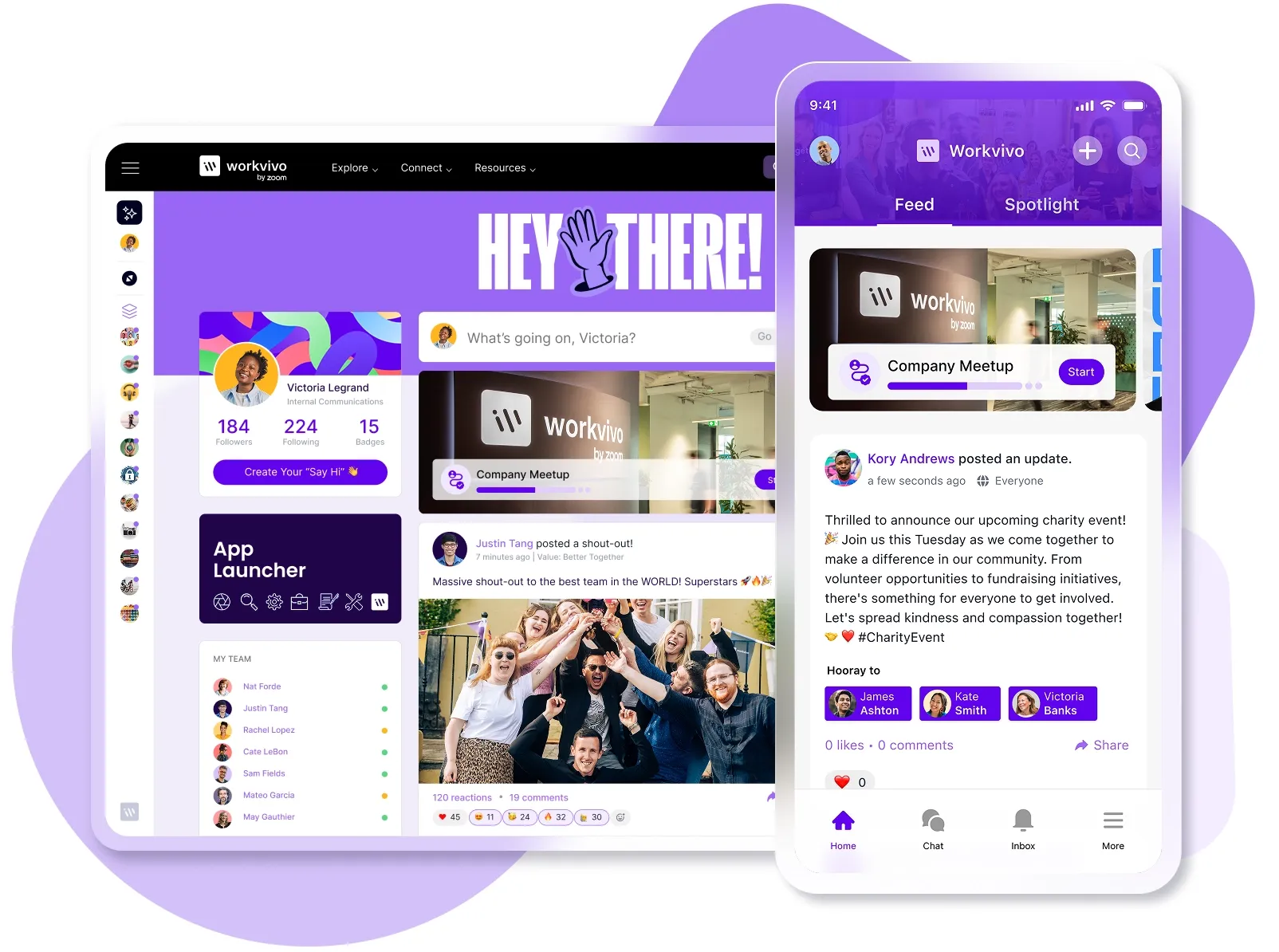
Back in 2012, a social intranet study showed just how bad the problem was: only 13% of employees spent time on their company intranet each day, while 31% never used it at all.
That was over a decade ago, sure. But intranet adoption is still a major headache for most companies.
Organizations spend a fortune on sophisticated intranet platforms, yet most still struggle to get employees to log in regularly, let alone make it part of their daily workflow.
This is usually due to things like:
- Employees not being able to find what they’re looking for, so they stop trying after a few frustrating searches
- The interface feeling like it was designed in 2005, while employees expect the same intuitive experience they get from Instagram or LinkedIn
- Platforms not integrating well with the tools people already use every day
- Every employee seeing the exact same generic content, whether they’re in sales, engineering, or HR, meaning nothing feels relevant to their specific role
- No one bothering to ask employees what would make their work easier before setting up the platform
But it doesn’t have to stay that way.
Below, we’ll break down what works when it comes to getting employees to use their intranet consistently. We’ll cover everything from making your platform easier to navigate to building information systems that employees find genuinely useful.
The adoption challenge: Why intranets go unused
Most companies choose their intranet platform with high hopes and big budgets. Six months later, they’re looking at usage reports that barely register a blip.
This isn’t limited to obscure platforms either. Here’s what a Reddit user said about SharePoint:
“In my experience, people have to be dragged kicking and screaming into SharePoint Online (where they continue to scream and kick when on the platform since they’ve already been spoiled by the slick UX and experiences provided by more polished consumer-facing products).
“Adoption will always be **** for SharePoint unless you make mandates for people to use it (and if you get resentment from your user base in exchange for that).”
Most intranet adoption plan failures can be traced back to these core issues:
- Outdated and unreliable content: When employees waste 20% of their week looking for information, an intranet that’s loaded with old information and broken links defeats the whole purpose. After a couple of bad experiences with stale information, people just give up on the platform.
- Poor user experience drives people away: When it takes five clicks to find basic information like the vacation policy, or the platform doesn’t work on mobile, people abandon it for email.
- Leadership doesn’t use it: When executives send major announcements via email after pushing everyone else to use the intranet, employees notice the disconnect. McKinsey found that 70% of change programs fail when management doesn’t lead by example.
- No obvious benefit to daily work: People can’t figure out how the intranet makes their job easier or faster, so they stick with the tools they already know work. Email and messaging apps might be messy, but at least employees understand how to use them effectively.
7 actionable strategies to boost intranet adoption
The good news is that these problems have proven solutions.
Below, we’ll show you seven proven strategies that tackle content problems, user experience issues, leadership gaps, and more.
1. Secure visible leadership buy-in
What it is: Getting stakeholders and managers to use the intranet for their own communications. This means leaders post announcements, share updates, and engage with content directly on the platform where everyone can see their activity.
Why it matters: People follow their leaders’ example. If executives check the intranet every morning and mention it in meetings, employees will too. If leaders ignore it, everyone else will follow suit.
Research shows that this is still a major issue. HR reports that the top obstacle they run into with engagement programs is getting buy-in from senior management.
How to implement:
- Have executives post all company announcements directly to the intranet first before sending email notifications
- Set up weekly “Ask Me Anything” sessions where different executives answer submitted questions live on the platform
- Create a reverse-mentoring program where younger employees who grew up with social media teach executives how to use features
- Make sure executives mention intranet discussions during all-hands meetings to drive traffic back to specific posts
- Get managers to comment on and engage with employee posts to show the platform is actively monitored
Common pitfalls to avoid:
- Assistant-written updates full of buzzwords and corporate jargon that everyone knows the CEO didn’t write
- Don’t announce the intranet launch with fanfare, but then let leadership disappear from the platform after the first month
- Don’t let managers treat intranet engagement as optional while expecting their teams to participate actively
- Avoid having different communication standards for leadership and employees on the same platform
Example: Instead of sending a company-wide email about quarterly results, the CEO posts the announcement on the intranet with a video message, then responds to employee questions and comments throughout the day.
Department heads follow suit by sharing their team updates and celebrating wins directly on the platform, so it’s clear that important conversations happen there first.
2. Make it the single source of truth
What it is: Your documentation becomes the definitive reference that everyone trusts and turns to first when they have questions. No more conflicting information scattered across emails, Slack threads, or outdated wikis.
Why it matters: People won’t use your intranet if they can’t trust it. One bad experience with outdated info sends them straight back to tapping shoulders and flooding Slack channels.
Studies show that employees already spend about two hours a day just looking for the information they need to do their jobs. Conflicting sources make this problem worse.
And remember to organize intranet content around how people work, not how your org chart looks, as one Reddit user explained:
“Focus on a structure based on how people will go looking for stuff. For example, onboarding involves HR for pay, finance for company credit cards, facilities for building access, and IT for new PCs and phones.
“So, don’t let all those bits be scattered across departments for a new user to try to work out – bang those department heads together and make them work together in a shared space.”
How to implement:
- Migrate all existing documentation into one centralized platform that everyone can access and search easily
- Set up clear governance rules about who can edit what and how changes get approved
- Create redirects from old documentation locations to the new central hub, so nothing gets lost
- Define a regular audit schedule to catch and fix outdated or conflicting information before it causes problems
- Make the documentation searchable with good tagging, categorization systems, and metadata that help people find answers
Common pitfalls to avoid:
- Teams keep their own wikis running because they promise to migrate “next quarter”
- Old versions stay live after updates go up, so people find conflicting information everywhere
- The same business process gets documented three different ways in three different places
- You put off migrating old docs because the project feels overwhelming and never-ending
- People create new docs wherever they want because no one enforces the centralization rules
Example: An employee needs to submit an expense report but isn’t sure about the meal limits. Instead of finding last year’s policy in email or an outdated PDF on the shared drive, they go to one place → intranet/finance/expenses. The current policy is right there with “Updated this month” at the top.
PRO TIP 💡: With Workvivo’s extensive integrations, you don’t have to manually migrate everything – the platform connects directly to your existing tools like Google Drive, Microsoft 365, and HR systems to surface information in one place. Employees search once in Workvivo and get results from across all your connected platforms.
3. Empower a network of content champions
What it is: You recruit and train volunteers from different departments who take ownership of keeping their team’s documentation fresh and useful. These champions become your eyes and ears across the organization, and they know exactly what their colleagues search for daily.
Why it matters: A small intranet team can’t possibly know what every department needs or when their processes change. Champions understand their department’s real workflows and can update documentation immediately when needed.
Someone in the intranet community wrote on Reddit:
“I’d prioritize building this community and identifying site owners/contributors for each respective site. If just an admin or a single team is managing the intranet, it will go stale. Content governance is key, and you’ll want to build a strategy around this.”
How to implement:
- Look for employees who are already helpful, share knowledge naturally, or seem excited about new tools and processes
- Give champions early access to new features so they can learn the intranet system and help others when it launches
- Create templates and guidelines that make updating content as easy as writing an email
- Set up regular check-ins where champions can share what questions they’re hearing and recommend improvements
- Give them special badges or profiles that show they’re go-to people for intranet help
Common pitfalls to avoid:
- Picking champions based on seniority or job titles instead of genuine enthusiasm for helping others
- Making the champion role feel like an official job responsibility with deadlines and requirements
- Expecting champions to work out every intranet problem instead of escalating technical issues to the right people
- Not giving champions any real influence over how the platform develops or what content gets added
Example: A tech company recruited content champions from each product team and gave them ownership over their team’s documentation. The champions started running monthly “documentation sprints” where they’d update everything together. Soon, other teams began asking how to join the program because they saw how much easier it made onboarding new hires.
4. Launch with a bang (and keep the momentum)
What it is: You create genuine excitement around your intranet launch with a memorable rollout that gets people talking and using it from day one. Then you keep that energy alive with regular updates and ongoing initiatives that remind people why the intranet makes their work easier.
Why it matters: You only get one shot at a first impression. If people try your intranet and it’s boring or broken, they’ll write it off as another useless corporate thing. According to Gartner, 60% of employees feel frustrated when their company rolls out new software.
How to implement:
- Plan a multi-channel launch campaign with teasers, demos, and countdown messaging that builds anticipation
- Host launch-week events like treasure hunts, training sessions, and drop-in clinics where people can get hands-on help
- Encourage people to use the intranet for tasks they can’t avoid, like booking a room for their meeting or requesting their vacation days
- Set up a content calendar with weekly features, employee spotlights, or department news to keep things fresh
Common pitfalls to avoid:
- Launching before you’ve tested whether basic features work properly
- Planning launch activities during your company’s busy season, when everyone is already working extra hours
- Generic “we’re so excited” messaging that never explains how this makes employees’ work easier
- Death-by-PowerPoint sessions that could have been a two-minute video or a quick reference guide
Example: A nonprofit introduces its intranet gradually, starting with just the employee handbook and expansion policies that everyone constantly asks about. Each month, they bring one new section with proper training, and by year-end, staff naturally check the intranet first instead of emailing HR or IT with basic questions.
5. Keep content fresh, relevant, and engaging
What it is: Your intranet grows and changes with your organization. You update pages when processes change, delete old information before it confuses anyone, and add new sections based on current end-user needs.
Why it matters: People stop visiting the moment they hit a dead link or find information from three years ago that no longer applies. When employees know they’ll find current, useful information every time they visit, checking the intranet becomes as natural as checking email.
How to implement:
- Build a retirement process for outdated content so old information doesn’t clutter search results or confuse users
- Monitor search queries to see what people can’t find and create content to fill those gaps
- Publish regular features like employee spotlights, team wins, or process improvements to give people reasons to visit
- Set up automated reminders for content owners to review their pages every quarter or when key dates approach
Common pitfalls to avoid:
- You launch with perfect content and then never touch it again until someone complains about outdated information
- Content reviews become massive annual projects instead of manageable ongoing maintenance
- The same three people end up maintaining everything because no one else takes ownership
- Updates happen randomly without any system, so some sections thrive while others rot
Example: A software startup connects its intranet updates to its product release cycle. Whenever they ship a new feature, they update all related internal documentation automatically. They track the “age” of every page publicly, and content older than six months gets a yellow warning banner that triggers immediate review.
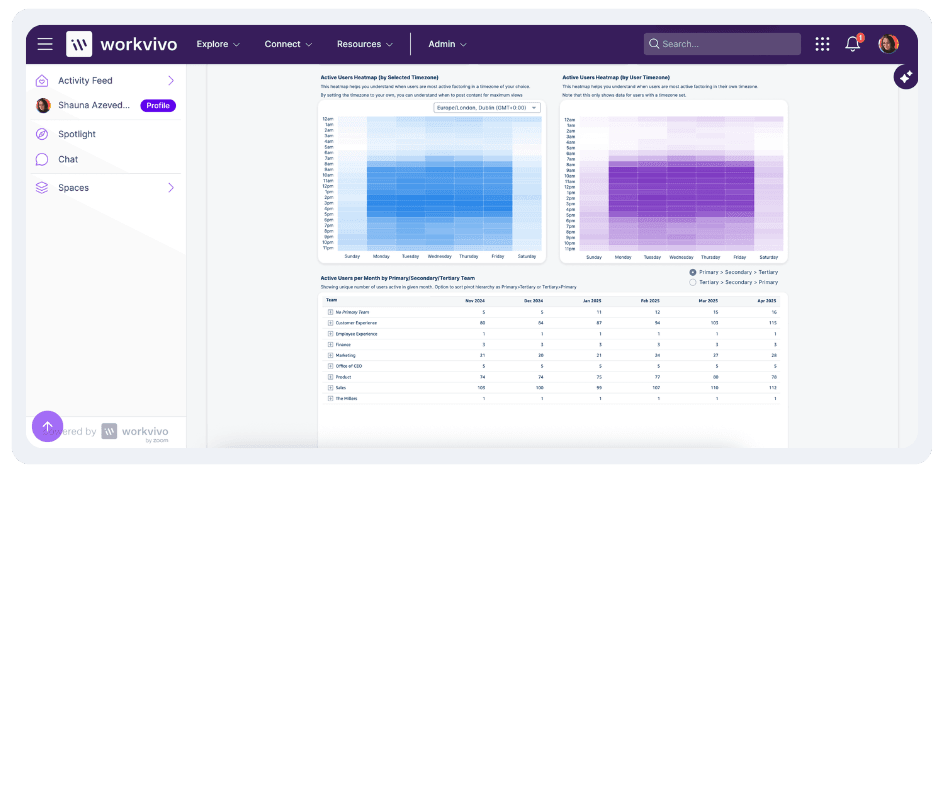
PRO TIP 💡: Workvivo’s feed keeps your intranet fresh with employee-generated content like posts, shout-outs, and comments with company updates, so new content appears daily without manual work. The platform’s analytics dashboard tracks engagement metrics for every piece of content, so you can see which pages get ignored and need updating (or removal).
6. Train, train, and train again
What it is: You create multiple ways for people to learn the intranet at their own pace, from quick video tutorials to live workshops to desk-side support. Training becomes an ongoing process where you introduce new features gradually and make sure every new hire knows the basics from day one.
Why it matters: Most people use maybe 10% of what your intranet software can do because no one ever showed them the rest. As someone pointed out in an intranet discussion on Reddit:
"Too often, organizations focus on the what – building and migrating intranet solutions – without investing in the why and how that resonates with their users. It’s not a technical problem; it’s a cultural one."
How to implement:
- Create short video tutorials that show people how to do specific tasks like finding documents, updating their profiles, or posting content
- Build training into onboarding so new employees learn the intranet alongside other key systems
- Train your content champions and power users first so they can help their colleagues when they get stuck
- Record two-minute video tutorials for common tasks and embed them right where people typically struggle
- Send monthly “Did you know?” emails that outline one underused feature that saves time
Common pitfalls to avoid:
- You do one big training session at launch and assume everyone absorbed everything perfectly
- Training covers every possible feature instead of focusing on the basics that people need right now
- The training is too technical and scares away people who just want to find the vacation policy
- You rely only on documentation to train people when most learn better by doing or watching
Example: A retail chain creates “Intranet Minute” videos, with 60-second tutorials on specific tasks like finding schedules or submitting time-off requests. Store managers play one video at each morning huddle. Six months later, support tickets drop 70% because employees know how to find information themselves.
7. Listen, measure, and iterate
What it is: You track how people use the intranet, ask them what drives them crazy, and watch where they struggle to find information. Then, you make improvements every week or month based on this intelligence.
Why it matters: Your intranet will never be perfect on day one because you can’t predict every need or problem until people start using it daily. Organizations that listen and adapt quickly build intranets people love, while those that “set it and forget it” watch usage drop month after month.
The key, as someone explained on Reddit, is to:
“Build a system to listen, adapt, and evolve as users engage with the solution.”
How to implement:
- Set up basic analytics to track which pages get visited, what people search for, and where they give up
- Run monthly pulse surveys with just three questions about what’s working, what’s broken, and what’s missing
- Create a visible feedback button on every page that goes to someone who actually responds within 48 hours
- Monitor search queries to see what people can’t find, then make those things easier to locate
Common pitfalls to avoid:
- Asking for feedback but never telling people what you did with their suggestions
- Collecting so much data that you get overwhelmed and don’t act on any of it
- Only listening to feedback from your most vocal users and ignoring data about what most users actually need
Example: A small company noticed people kept calling IT to ask where to find forms instead of using the intranet's forms section. They watched users try to navigate and realized the forms were buried under three different menu layers. After moving forms to the main menu, support calls dropped by 80% and people started using other sections more too.
PRO TIP 💡: With Workvivo’s real-time Insights dashboard, you can track activation rates during onboarding, monitor usage trends by department, and measure campaign success all in one place. The platform’s Content Analytics shows engagement for every piece of content, from posts to podcasts.

Key metrics for measuring intranet adoption & engagement
Your intranet probably comes with hundreds of KPIs, but only three categories predict whether it’ll survive or become another abandoned corporate tool.
You need to know who’s using it, what they’re struggling with, and whether they trust it enough to come back. These three metric categories tell you everything:
User adoption metrics (are people showing up?)
Why they matter: These numbers tell you if employees are finding and accessing your intranet when they need something. If people aren’t showing up in the first place, none of your other improvements matter.
Which metrics to track:
- Daily/monthly active users (DAU/MAU): Track how many unique employees log in each day and month to understand your baseline adoption. If your DAU is 500 but you have 2,000 employees, you know 75% of your workforce isn’t even showing up.
- Adoption rate by department: Measure what percentage of each team actively uses the intranet to spot pockets of resistance. Sales might have 90% adoption, while warehouse staff sits at 10%.
- Ghost user percentage: Find out how many employees haven’t logged in for a month, two months, or three months. If more than 20% of people disappear after the first three months, you have a problem.
- Time to first visit: Track how long it takes new employees to access the intranet after joining the company. If people wait weeks to log in, your onboarding process isn’t communicating the platform’s value early enough.
Engagement metrics (are people interacting?)
Why they matter: You can’t build workplace culture with silent observers. Engagement metrics show whether employees are comfortable enough to post, comment, and contribute to conversations.
Which metrics to track:
- Search success rate: Calculate what percentage of searches lead to clicked results versus abandoned searches. If 60% of searches end with no clicks, your content either doesn’t exist or is labeled in ways people don’t expect.
- Top search terms: Track what people search for most to understand their biggest needs and gaps in your content. When “expense policy” has 100 searches per week, but the page barely gets visited, you have a findability problem.
- Pages per session: How many pages people view during a typical visit to understand navigation patterns. One page per session means people land and leave, while 20 pages might mean they’re lost and clicking randomly.
- Comment and reaction rates: How many posts get comments, likes, or reactions compared to total views. If 1,000 people see an announcement but nobody responds, you’ve created a one-way communication channel.
- Social features usage: Monitor use of @mentions, follows, group joins, and peer recognition tools. Low social activity means employees don’t see the intranet as a place to connect with colleagues.
Business impact metrics (is it making a difference?)
Why they matter: All the logins and engagement in the world mean nothing if your intranet doesn’t improve your bottom line. These metrics can show you if your platform saves time, reduces costs, and improves productivity.
Which metrics to track:
- Support ticket reduction: Compare help desk tickets before and after the intranet launch for questions about policies, procedures, and resources. If these tickets drop 30%, employees are finding answers on their own.
- Time to information: Measure how long it takes employees to find information through surveys or task testing. Reducing search time from 10 minutes to two minutes across 1,000 employees saves over 130 hours daily.
- Onboarding speed: Track how quickly new hires become productive when they have access to comprehensive intranet resources. If new employees start contributing two weeks faster, that’s money saved on training and ramp-up time.
- Process completion rates: Monitor how many employees successfully complete tasks like expense reports or leave requests through the intranet. Higher completion rates mean fewer errors, less back-and-forth, and smoother operations.
- Cross-department collaboration: Track how often teams share documents, comment on content, or work together through the intranet. Increased collaboration usually leads to faster project completion and better outcomes.
The Workvivo difference: a platform built for adoption
You can implement every strategy in this guide perfectly, but if your intranet platform fights against natural user behavior, you’ll still struggle with adoption.
The platform itself needs to work the way people already work, not force them to learn new habits.
Workvivo was built from the ground up with this principle in mind. It’s an all-in-one employee experience platform (EXP) that connects social networking, internal communications, knowledge management, and employee engagement tools in a centralized mobile-first hub.
Here are just some of the features you can expect to see:
- Wide range of employee recognition features: Workvivo’s peer recognition system has public shoutouts, milestone celebrations, and achievement badges. Recognition creates a positive cycle where employees stay active to both give and receive acknowledgment from their colleagues.
- Social-style activity feed that mirrors consumer apps: Your employees get a personalized feed with company news, peer updates, and recognition in a familiar scrollable format. The algorithm balances corporate communications with employee-generated content, so people have a reason to check daily because there’s always something new and relevant.
- Employee listening tools that reveal adoption gaps: Workvivo’s pulse surveys and sentiment tracking help you understand exactly where employees get stuck or frustrated with the platform. The analytics show you which features people avoid and why, so you can manage these barriers.
- Mobile apps that bring frontline workers into the conversation: The mobile platform provides warehouse staff, retail employees, and field workers the same access to company news, recognition, and discussions that office workers receive.
- Modern intranet functionality without the traditional friction: All your documents, wikis, and resources are in one searchable place with version control and clear permissions. Automated workflows handle routine requests, and the people directory helps employees connect across departments.
You shouldn’t have to convince employees that your intranet is worth their time.
Book a demo and see why our customers never have to beg employees to use their intranet.
FAQs
How long does it take to see good intranet adoption?
Most organizations see initial adoption within 30 to 60 days, but meaningful, sustained usage typically takes three to six months to snowball across the entire workforce.
Key factors that determine adoption speed include:
- Leadership engagement from day one, and whether executives actively use and promote the platform in their daily communications
- Content quality at launch, such as having useful, up-to-date information available immediately
- User experience with the mobile app, intuitive navigation, and whether the platform feels familiar to employees
- Training and support approach from comprehensive onboarding programs to ongoing help and feature education
You'll see some positive signs within the first month. But adoption happens when people automatically think ”I’ll check the intranet” when they need something, and that usually takes three to six months to become second nature.
What is the single most important factor for driving adoption?
Getting your CEO to actually post content on the platform. When the person at the top shares weekly updates or celebrates team wins directly through the intranet, it sends a clear message that this isn’t optional.
Skip this step, and you’ll spend months trying to convince people to use something their own leadership ignores.
How do we re-launch a failed intranet?
Most employees will assume your “new” intranet is just the old broken one with a fresh coat of paint. Here’s how to prove them wrong:
- Find out exactly why the first one failed: Survey employees to understand exactly why they stopped using the previous platform. Was it too slow, hard to navigate, or missing features? You can’t fix problems you don't fully understand.
- Give it a completely different name and visual identity: The old intranet name carries baggage that will hurt the intranet adoption strategies before you even start. A new brand signals this is genuinely different technology and approach, not just version 2.0 of something they already hate.
- Launch with one feature that works perfectly: Pick something employees desperately need that the old system couldn’t deliver (e.g., finding accurate contact information or accessing pay stubs easily).
What key intranet features are most important for driving intranet engagement?
It depends on your company, but employees everywhere want the same basics – search that works, mobile access that feels seamless, and the ability to interact with content through comments and reactions.
How can a new intranet help with onboarding a new employee?
A good intranet puts everything new hires need in one spot.
They can fill out paperwork online, watch welcome videos, and see who works on their team before their first day. The employee directory helps them figure out who does what without any awkward questions.
New people can read company policies and find answers to basic questions on their own time instead of bothering their busy manager. Plus, they see real posts from coworkers, which gives them a better sense of what the workplace is like than any HR presentation could.
Discover more content on modern intranet:
- The Modern Intranet for 2026: Core Elements, Features + Benefits
- Advantages and Disadvantages of Intranets: Complete Guide for 2026
- 9 Intranet Alternatives to Modernize Your Digital Workplace This Year
- I Spent 30+ Hours Comparing Intranet Platforms: Here Are the 9 Clear Winners
- Intranet Pricing Guide: How Much Does An Intranet Really Cost?
- Traditional vs. Modern Intranet: What's the Difference?
- How to Choose the Best Intranet Platform for Your Organization
- Your 9-Step Plan for a Successful Intranet Implementation
- Intranet vs. Digital Workplace: What’s the Difference?
- Intranet Replacement: Modern Alternatives to SharePoint and Legacy Platforms
- On-Premise Intranet vs. Cloud-Based Intranet: Comparison Guide for IT Teams and Enterprises
- The Buyer's Guide to a Scalable Intranet: Key Considerations and Evaluation Tips
- How a Modern Intranet Improves Employee Onboarding Experiences
- How to Develop an Intranet Knowledge Management Strategy
- The 10 Best Hybrid Workplace Solutions (Ranked & Rated)
- Intranet Governance Framework for a Successful Company Intranet
- 7 Secure Intranet Software Vendors for Security-Focused IT Teams
- Intranet Hosting & Deployment Options: Which Do You Need?
- The 5 Most Important Intranet Integrations for Maximizing Your Digital Workplace
- How to Create an Intranet Content Strategy
- 14 Real Company Intranet Examples for Different Industries
- What is an Intranet Portal? Everything You Need to Know
- What Is Intranet CMS + 6 Best Options
- 15 Best Intranet Platforms & Solutions on the Market Right Now
- Top 6 Social Intranet Solutions (+ Benefits, Features & Best Apps)
- Enterprise Intranet: Use Cases & Top Rated Vendors for 2026
- 15 Intranet Best Practices for Better Employee Engagement
- 10 Top Use Cases and Benefits of an Intranet
- The Ultimate Guide to Intranet Security: Best Practices, Threats & Solutions
- Using Intranet for Effective Internal Communications: Advantages, Best Practices and Top Tools to Get Started
- What is a SaaS Intranet? Benefits, Features & Best Intranet Solutions
- Intranet Analytics: Best Practices for Measuring Adoption and Success
- Are Intranets Still Relevant? (And How They're Evolving)
- Top 25 Intranet Features for a Connected Workplace
- Exploring the Value of Intranet Benchmarking: What To Know
- The Definitive Guide to Measuring Intranet ROI In 2026
- Intranet Requirements Checklist to Support an Intranet Needs Analysis
- 10 Reasons Building Your Own Intranet Is a TERRIBLE Idea
- Intranet Metrics: Top 6 KPIs to Track (+Real Examples)
- How To Implement an Intranet Migration Without the Headache