
The Comms Show: Virgin Voyages’ Strategy for Connecting a Global Workforce | March 10th 11am EDT / 3pm GMT
9 Intranet Alternatives to Modernize Your Digital Workplace This Year
November 21st 2025
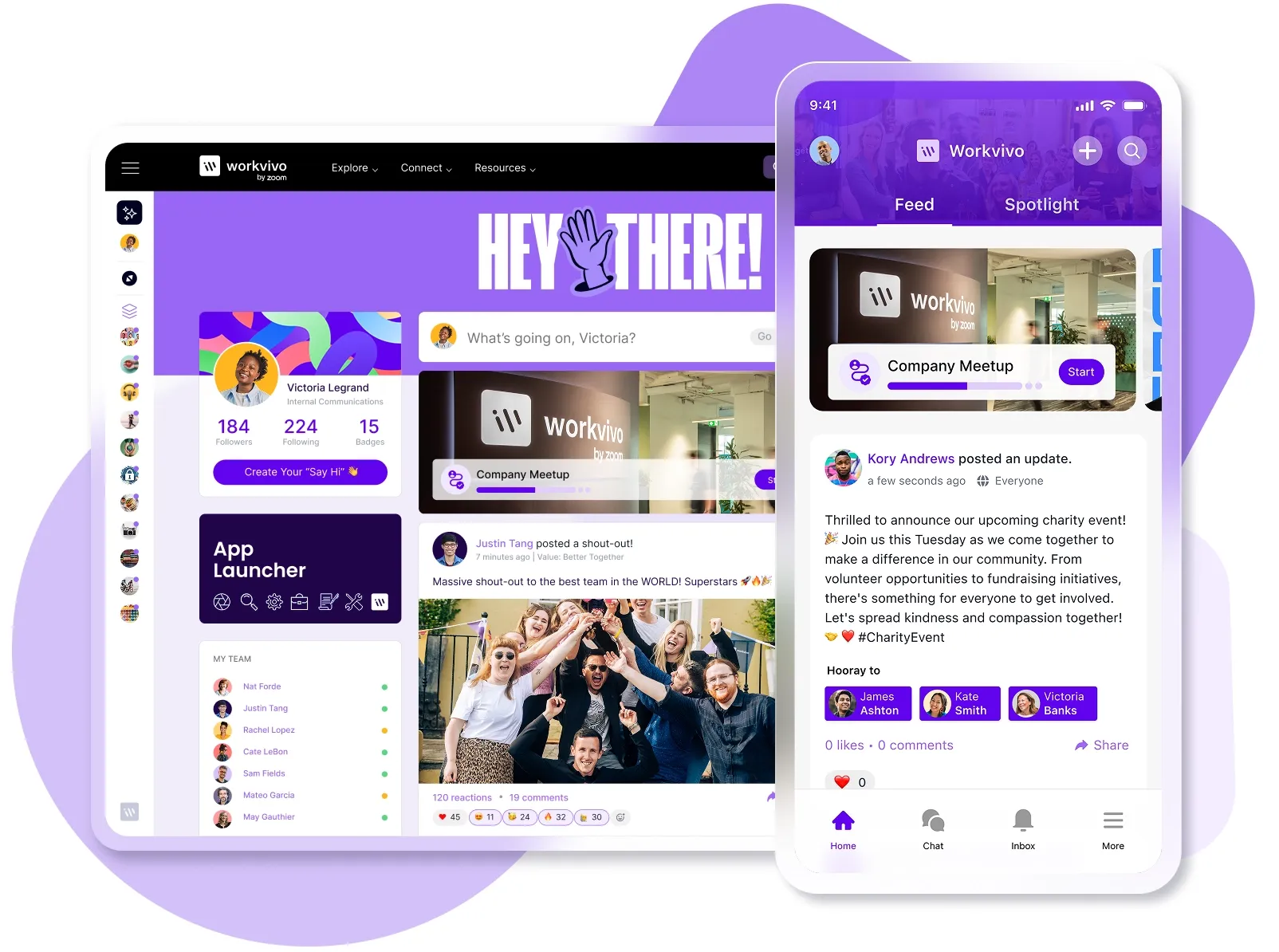
Most company intranets were built for a different era of work. They made sense when everyone worked from the same office and communication flowed top-down.
But with hybrid teams, mobile workforces, and employees who expect consumer-grade digital experiences, these platforms feel increasingly out of step.
Legacy intranets simply can't keep pace, and the pain points are obvious:
- Remote workers need VPN access just to check basic company updates
- One-way communication that treats employees like passive recipients
- Mobile experiences feel like desktop sites forced onto phone screens
- No integration with the tools teams use daily (Slack, Teams, etc.)
- Static pages that give employees zero reason to visit regularly
Fortunately, you don't have to settle for outdated intranets anymore.
Modern intranet platforms unite communication, recognition, and workplace tools into mobile-first hubs that employees can use as easily as social media.
And after evaluating dozens of solutions, reading through user feedback on G2 and Reddit, and comparing feature sets across platforms, we've outlined the alternatives worth your time and budget.
The limitations of a traditional intranet
Most intranets still operate like digital filing cabinets with a news feed attached.
They were built for a simpler time when everyone worked from the same building and checked the same homepage each morning.
Here's why legacy intranets can't keep up:
- No mobile optimization: Most traditional intranets are desktop-only experiences. When employees try to access them on phones, they're stuck pinching through interfaces that were never meant for small screens.
- One-way communication only: Traditional intranets broadcast from the top down with no way for employees to engage, ask questions, or contribute. According to McKinsey, organizations with well-connected employees see 20–25% higher productivity than companies where teams work in silos.
- Zero personalization: Every employee sees the same homepage whether they're in sales, engineering, or HR. Relevant updates get buried under department news that doesn't apply to 90% of your workforce.
- Lacks integration with modern tools: Your team works in Slack, Teams, and Google Workspace, but the intranet system sits isolated. Employees have to constantly switch contexts and remember to check yet another platform.
- Poor search functionality: Even simple searches fail to find obvious documents. Employees learn to bypass search entirely and memorize file paths because the search feature can't do its one job. Workers lose 20% of their time each week just looking for information or finding the right person to help them.
- Constant IT involvement: Making even simple updates means submitting a ticket and waiting for IT to get to it. Most intranets need technical knowledge or developer support for basic content changes that should take minutes.
9 Modern intranet alternatives to consider
Not all modern intranets are created equal.
We spent days researching the market – comparing features, reading Reddit threads, checking G2 reviews, and watching YouTube walkthroughs to see how these platforms work day-to-day.
Here are the platforms that made the cut.
Employee experience platforms (EXPs)
Employee experience platforms combine internal communications, employee engagement tools, knowledge management, and workplace integrations into a digital hub that connects everyone from remote workers to frontline staff.
Companies with scattered teams need them most, but they can help any organization where communication feels broken or people feel disconnected.
1. Workvivo
Workvivo is a complete employee experience platform that combines newsfeeds, recognition tools, knowledge management, and workplace analytics in a mobile-first hub that connects desk workers, remote teams, and frontline staff.
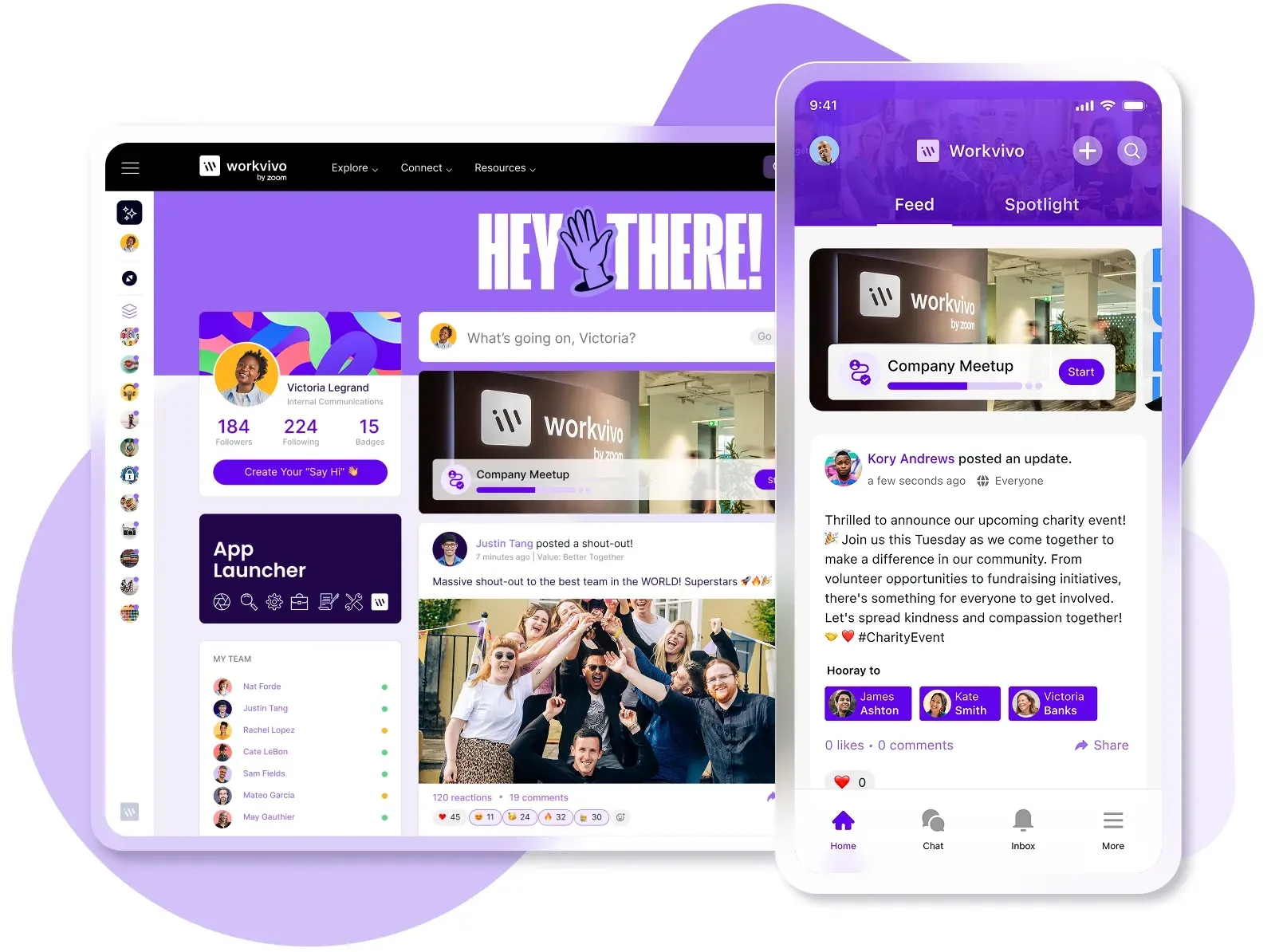
It stands out as the best intranet replacement because it offers the most complete feature set in the market, but stays simple and social enough for high adoption.
Key features
- Integration that brings everything together: With 40+ integrations, Workvivo becomes your single source of truth. Employees can access documents from Slack, see updates from Teams, and check their schedule from your HR system, all without leaving the platform.
- Mobile-first design that reaches every worker: Your frontline staff gets the same experience as office workers through native iOS and Android apps. Offline access means employees can catch up on company news even without connectivity.
- Recognition and culture tools that build connection: Workvivo includes peer shoutouts, milestone celebrations, community spaces, podcasts, and livestreaming for company-wide events.
- Consumer-grade experience in enterprise software: The platform feels like consumer social media rather than enterprise software, with activity feeds, comments, and reactions that employees already know.
- Actionable analytics on workforce health: You can track sentiment trends, content success, and communication gaps between teams and locations.
- Enterprise security that doesn't slow employees down: ISO 27001 and SOC 2 certified with SSO support, role-based permissions, and content governance controls. Despite these robust security features, the platform remains fast and intuitive.
What real users like about Workvivo
What I love most about Workvivo is how it brings people together and creates a real sense of connection at work. It makes it easy to share updates, celebrate achievements, and give teammates the recognition they deserve—all in one place.
It feels more like a social network than a typical work tool, which makes communication feel more natural, engaging, and fun.
What customers are saying about Workvivo
Ryanair is Europe's largest airline, carrying half a million passengers on 3,000 flights every single day across 40 countries.
Before Workvivo, Ryanair struggled to connect over 20,000 employees across cockpits, cabins, and support offices.
With plans to hire an extra 10,000 people each year, the company was on the market for a platform that would modernize its approach to recruitment, talent management, and internal comms.
Their existing internal communications relied on one-way broadcasts from leadership with no way for pilots and cabin crew to communicate with each other.
Here's what changed after Ryanair adopted Workvivo:
- 90% of all staff registered within six weeks: That's 21,500 users actively using the platform, from pilots to cabin crew to engineers and support staff.
- 13,000 active users per week: Employees check Workvivo regularly to stay connected with company news and each other
- 30% increase in internal applications for head office roles: The platform made internal opportunities visible to all employees.
Here's what Mark Duffy, Director of Talent at Ryanair, shared about their experience:
We are a low-cost airline, so to invest in something like this was a big deal for us. So we did a lot of due diligence. We wanted to make sure that whoever we brought on board for our internal comms platform was working with big players out there as well.
Pricing
Workvivo offers custom pricing for companies with 250+ employees, with two main tiers:
- Business Plan (250–2,000 employees): Core features including communication tools, knowledge base, integrations, mobile apps, and livestreaming. Starts around $20,000 annually.
- Enterprise Plan (2,000+ employees): Everything in Business plus dedicated support, advanced analytics, and unlimited storage. Custom pricing.
Both plans include standard features like campaigns, surveys, recognition tools, and security certifications. Add-ons include chat, digital signage, and advanced analytics.
You should contact Workvivo for a custom quote based on your needs.
2. Simpplr
Simpplr is an AI-powered employee experience platform that uses intelligent personalization to deliver relevant content, automate routine communications, and connect remote teams through a centralized digital workplace.
Key features
- AI-powered personalization and search: The platform uses AI to personalize content, automate workflow assistance, and provide instant answers across all enterprise data with intelligent search capabilities.
- Auto-governance and content management: Automatically archives outdated content, recommends updates for stale pages, and maintains a clean knowledge base without manual intervention.
- Multi-channel communication hub: Centralized communications platform supporting announcements, newsletters, SMS, chat, and digital signage to reach employees regardless of how they work.
What real users like about Simpplr
What impressed me most was how Simpplr created a centralized hub that doesn't just store information, but makes it genuinely discoverable and nice to look at.
The AI-powered search functionality cuts through the noise to surface exactly what you're looking for, while the intuitive organization structure means our team members can find what they're looking for.
What real users dislike about Simpplr
As a small to mid-size non-profit, we found that their implementation plan and onboarding support did not align with the realities of our workflow and the many, many different hats our staff wear.
They struggled to adjust their approach to better suit our organization's structure and capacity, oftentimes making it seem like they were rushing us to get things done simply so they could check it off on their own to-do lists.
Pricing
Simpplr creates custom quotes based on your company size and what intranet features you need. Your subscription covers the platform itself, plus training, customer support, and four updates per year.
Companies with 500+ employees can get volume discounts, and they offer 14-day trials (though spots seem to be limited).
3. Unily
Unily is an enterprise-grade employee experience platform that brings intranet functionality, advanced content management, multi-brand support, and extensive customization for complex global organizations.
Key features
- Multi-brand and multi-site architecture: You can create digital workplaces for different brands, regions, or divisions, and manage everything from one central platform with shared resources.
- Advanced content targeting and governance: Sophisticated targeting rules based on location, department, role, and custom attributes, with approval workflows and compliance controls.
- Advanced AI-powered automation: Governed artificial intelligence features that include AI publishing, translation, personalization, search, and summarization to streamline workflows.
What real users like about Unily
Unily has been a great partner. We're able to take advantage of the many options, features, and functionality that they offer for their internet.
We love that it is easy to use, customizable within reason, and user-friendly. We're very happy with the customer service that we've received from both the customer service teams and the technical teams from Unily.
What real users dislike about Unily
Tickets take a long time to process – it might take up to a week to get the issue resolved. Also, it'd be great to have access to more customizable features without paying additional cost.
Pricing
Unily prices their platform based on which modules you choose (Reach, Engage, Amplify, Extend) and how many users you have.
They include core services like onboarding, customer success, support, and security in every plan, with add-ons available for extra features.
You'll need to request a custom quote based on your specific needs.
4. Microsoft SharePoint
SharePoint is Microsoft's web-based collaboration platform that includes document management, intranet sites, workflow automation, and team workspaces in a highly customizable system.
Key features
- Document libraries with version control: Advanced document management with check-in/check-out, version history, co-authoring, metadata tagging, and automated retention policies.
- Power Automate workflows: Build complex approval processes, document routing, and automated tasks without code using pre-built templates or custom flows.
- Deep Microsoft 365 integration: Teams can edit Office 365 documents directly in the browser, sync automatically with Teams and OneDrive, and search seamlessly across all Microsoft services.
What real users like about Microsoft SharePoint
Microsoft SharePoint intranet provides a seamless and centralized way to manage, store, and collaborate on documents across departments. Its ease of use and tight integration with Microsoft 365 make file sharing, co-authoring, and version control extremely smooth.
The ability to build custom intranet portals and workflows with minimal coding is a huge plus for enterprise-level teams.
What real users dislike about Microsoft SharePoint
One of the challenges with SharePoint is that it can feel overwhelming for new users. The user interface isn’t always intuitive, especially when it comes to configuring permissions and customizing sites. It often requires additional training and support to use effectively.
Pricing
SharePoint comes with several tiers:
- SharePoint Plan 1: $5 per user/month (annual subscription) and includes basic SharePoint features with 1TB storage.
- Microsoft 365 Business Standard: $12.50 per user/month and includes SharePoint plus full Office suite, Teams, and business email.
- Microsoft 365 Business Standard (no Teams): $10.25 per user/month and works the same as above, but without Teams.
- Microsoft 365 Copilot: $30 per user/month with an AI-powered add-on that demands a qualifying base plan.
All plans require annual commitments and include free trials.
5. Google Workspace
Google Workspace is a cloud-native productivity suite that combines Gmail, Drive, Docs, Meet, and Sites into an integrated platform where teams work together in real-time on documents and communicate easily across channels.
Key features
- Real-time collaborative editing: Multiple users can simultaneously edit documents, spreadsheets, and presentations with instant updates, comments, and suggestion modes.
- AI-powered assistance with Gemini: Built-in AI features include Help Me Write in Gmail and Docs, AI-generated meeting notes, image editing tools, and smart replies.
- Advanced video conferencing with Meet: Supports up to 500 participants (depending on plan), call recording, noise cancellation, breakout rooms, hand raising, and call moderation features.
What real users like about Google Workspace
Google Workspace makes team collaboration seamless. I love how easily I can create, share, and edit documents, spreadsheets, and presentations in real-time with my colleagues.
The integration between Gmail, Google Drive, Calendar, and Meet keeps everything in sync and organized. It's reliable, user-friendly, and works across all my devices. Overall, it's a must-have for remote work and productivity.
What real users dislike about Google Workspace
I do find that some features feel a bit too basic — especially in Google Docs and Sheets compared to other tools in the market.
Also, occasional syncing issues or lag in Google Meet can be frustrating during important calls. And managing permissions across shared drives can get a bit confusing at times.
Pricing
Google Workspace offers four main tiers:
- Business Starter: $6.30 per user/month (30 GB storage per user, 100-participant video meetings).
- Business Standard: $12.60 per user/month (2 TB storage per user, 150-participant video meetings with recording).
- Business Plus: $22 per user/month (5 TB storage per user, 500-participant video meetings with advanced security).
- Enterprise Plus: Custom pricing with unlimited features and enterprise-grade controls.
Annual commitments provide discounts, and all plans come with a 14-day free trial.
6. Confluence
Confluence is Atlassian's collaborative wiki and knowledge management platform that creates interconnected workspaces where teams document processes, share information, and build searchable knowledge forums.
Key features
- Native Jira integration: You can embed Jira issues, roadmaps, and reports directly in pages with live updates to create documentation that instantly shows the current development status.
- Structured page trees and templates: Organize content in hierarchical spaces with customizable templates for meeting notes, product requirements, retrospectives, and technical documentation.
- Enterprise-grade security and compliance: Granular permissions, external user management, SSO API, and data residency controls to meet corporate policies and compliance requirements.
What real users like about Confluence
Confluence has become our go-to place for anything the team needs to reference: project plans, meeting notes, how-to guides, you name it. It’s easy to update, and the search works well, so I can find what I need without digging through emails or Slack threads.
It makes it much easier to keep everyone (developers, designers, and stakeholders) on the same page without jumping between tools.
What real users dislike about Confluence
The reporting features could be more robust. Exporting bug summaries or generating trend analysis reports requires manual work or external tools.
It would also be helpful if there were stronger integrations with JIRA or Git, especially for teams using hybrid tracking.
Pricing
There are four main tiers:
- Free: $0 for up to 10 users (2GB storage, basic features, community support),
- Standard: $5.16 per user/month (advanced permissions, 250GB storage, 9/5 support, up to 150,000 users),
- Premium: $9.73 per user/month (unlimited storage, AI-powered features, 24/7 support, 99.9% uptime SLA),
- Enterprise: Custom pricing (advanced analytics, multiple sites, 24/7 support, 99.95% uptime SLA),
There are 17% savings if you choose annual billing, and free trials are available for paid plans.
7. Staffbase
Staffbase is a mobile-first internal communications platform built specifically for reaching non-desk and frontline workers through native apps.
Key features
- Branded native mobile apps: Custom iOS and Android apps with your company branding, push notifications, and offline content access for employees without desk access.
- Multichannel publishing: Create content once and distribute across mobile apps, email, intranet platforms, and digital signage with channel-specific formatting.
- Real-time analytics and read receipts: Track who read what, when, and where with heat maps, engagement metrics, and confirmation tracking for critical employee communications.
What real users like about Staffbase
One of its biggest strengths is its user-friendly interface. Even team members who aren't very tech-savvy can quickly learn how to use it without much training. The platform's design is intuitive, making it simple to create and send out emails.
What real users dislike about Staffbase
Some of the specific features could be more sophisticated, such as the file manager. I'm hoping for more functionality in the software in the future.
Pricing
Custom pricing based on product plans selected and number of licensed users, with bundle discounts available for customers purchasing multiple channels (employee app, new intranet, email).
8. Firstup
Firstup is an intelligent communication platform that uses AI-powered orchestration to deliver personalized employee experiences across email, web, and mobile devices.
Key features
- Omnichannel campaign management: Create and deploy campaigns across mobile apps, email, web, SMS, Microsoft Teams, and digital displays from one interface.
- Personalized employee journey automation: Custom communication pathways for different employee segments (C-suite, departments, new hires) that automatically launch based on each employee's specific situation and lifecycle stage.
- Multi-language support and global reach: Automatic translation tools across 40+ languages, including Arabic, Chinese, Japanese, and European languages for global workforce communication.
What real users like about Firstup
It actually works for everyone. From employees in a factory to field techs working miles from the nearest office, our field gives everyone a voice. It’s quick to use, easy to access on the go, and doesn’t assume you’re sitting behind a desk all day.
The simple translation option means we can reach our Global employee base very easily across all platforms and devices with easy-to-set-up apps and integration into other platforms.
What real users dislike about Firstup
They recently changed the app notification options to make it less likely to send a push notification and more likely to just put a notification within the app. I don’t think as many employees engage with the notifications now.
Pricing
Firstup has three tiers (Essential, Professional, Premier) with custom pricing per user per month based on annual commitments.
9. Blink
Blink is a frontline-focused super-app that integrates internal communications, task management, scheduling, and document sharing into a centralized mobile platform.
Key features
- All-in-one mobile hub: Combines newsfeed, chat, schedules, tasks, forms, and documents in one app that frontline workers can adopt and use daily.
- Digital forms and checklists: Replace paper processes with mobile forms for inspections, incident dashboards, and compliance checks with photo uploads and digital signatures.
- Shift management and scheduling: Built-in schedule viewing, shift swapping, and time-off requests that integrate with existing HR and workforce management systems.
What real users like about Blink
Blink has allowed for internal communications to be transformed, particularly for front-line workers who have struggled with accessing important information quickly, and feeling connected to the rest of the business.
Communication across a multi-site business is challenging, but Blink has allowed for this to be overcome in a user-friendly, fun, and engaging way.
What real users dislike about Blink
I don't like that you can't search for previous messages in chats, and there isn't an archive of files/photos sent. If there could be a function that does this, similar to WhatsApp, it would be brilliant.
Pricing
Blink has a Business plan at $4.50 per user per month for organizations up to 1,000 users, with custom Enterprise pricing for larger deployments.
The Business plan includes core features like branded apps, chat, content management, and surveys, while Enterprise adds advanced analytics, integrations, and dedicated support.
Why an employee experience platform is the best option
Team collaboration tools work great when everyone sits at a desk and operates in the same ecosystem. But they fall apart when you need to reach warehouse workers on their phones or share company-wide updates that don't get buried in project channels.
Internal communication platforms solve the mobile access problem, but they swing too far in the other direction. They're built for broadcasting messages, not building knowledge sharing bases or managing documents.
Employee experience platforms don't force you to pick between deep functionality and wide accessibility. They deliver both in a single platform built for diverse workforces.
Here's why an EXP beats other options for replacing your legacy intranet:
- They focus on engagement, not just information delivery: While other platforms help you share news or manage projects, EXPs track whether employees understand company goals, feel connected to their teams, and can find what they need.
- Single source of truth: No more jumping between Teams for chat, SharePoint for documents, and some random portal for HR updates. EXPs unite all your workplace tools, communications, and resources into a single hub.
- IT sets it up once and then gets out of the way: Other platforms need IT involvement for every new page, permission change, or content update. EXPs give HR, communications, and team leaders the tools to manage their own content – no coding, no tickets, no waiting.
- They adapt to how people work today. EXPs are mobile-first, social-media-inspired, and built for the modern hybrid workforce, not outdated assumptions about how work happens.
- It works for everyone, not just desk workers: Collaboration tools assume everyone has a laptop and reliable internet. But what about your warehouse team, retail staff, or field technicians? EXPs give these frontline workers the same access through mobile apps that work offline and don't need VPNs.
- Culture reaches everyone, not just headquarters: EXPs bring peer recognition, leadership Q&As, and team celebrations to every employee's screen, whether they're at headquarters or halfway around the world.
5 key steps for replacing a legacy intranet
Switching from a legacy intranet to a modern platform feels overwhelming, but it doesn't have to be. You need a clear plan, the right stakeholders, and a phased approach that doesn't disrupt your team's daily work.
Here are some best practices you can follow to make the transition smoothly:
- Start with an honest audit of your current process: Document every system employees use for communication, collaboration, and information. Include the obvious ones like your intranet and email, but also the unofficial solutions teams adopted on their own, like Slack workspaces, WhatsApp groups, and shared drives.
- Map out your non-negotiables and nice-to-haves: List the features you absolutely need (mobile access, document management, org-wide announcements) versus what would be helpful (peer recognition, workflow automation, AI search). Get input from IT, HR, communications, and most importantly, end users from different departments and locations.
- Run a realistic pilot before going all-in: Choose a diverse test group, such as frontline workers, remote staff, and change-resistant veterans. Give them 30–60 days with the new platform while keeping the old system running to gather feedback on issues you hadn't considered.
- Migrate strategically, not comprehensively: Don't dump everything from your old intranet into the new platform. Start with the 20% of content that gets 80% of traffic – usually policies, benefits info, and commonly used forms. Add more content gradually based on what employees search for and request.
- Plan for organization-wide adoption: Launch with strong executive sponsorship and clear communication about why you're changing. Create champions in each department who can provide peer support. Most importantly, show employees what's in it for them.
Bring your digital workplace to life with Workvivo
You know your legacy intranet needs replacing, and an employee experience platform is the logical next step. And if you're ready to make the switch, Workvivo should be at the top of your list.
Workvivo is an all-in-one employee experience platform that brings internal comms, knowledge management, employee recognition, and workplace analytics in a mobile-first platform that integrates with your entire tech stack.
It's the only platform that delivers both high engagement and enterprise control, with a social intranet experience that employees naturally adopt.
Here's exactly what Workvivo brings to your organization:
- Connect your entire tech stack with 40+ integrations so employees can access everything from one platform
- Reach frontline and remote workers through native mobile apps with push notifications and offline access
- Build culture digitally with peer recognition, community spaces, podcasts, and livestreamed town halls
- Give employees a social media experience they already know how to use
- Track sentiment trends and engagement metrics to spot and fix problems before they impact retention
- Get enterprise-grade security and compliance without sacrificing speed or user experience
From frontline workers to remote teams to corporate offices, everyone gets the same opportunity to participate, contribute, and feel valued.
Book a demo to see how Workvivo can bring your workplace to life.
FAQs
Are intranets still a thing?
Yes, though the old static intranets that served as static, document-heavy systems are nearly extinct.
Modern versions function as employee experience platforms that connect communication, culture, and collaboration in one mobile-first hub. The need for a centralized digital workplace has never been stronger, especially with remote and hybrid work.
What makes a good intranet?
A good intranet becomes part of employees' daily habits rather than another tool they're forced to check:
- Employees can post updates, share wins, and recognize colleagues just like they would on social media
- Frontline workers can access everything from their phones without needing VPN connections or desktop access
- Company news, team updates, and important documents all exist in one place instead of scattered across email, chat, and file drives
- Remote employees can join livestreames, listen to company podcasts, and participate in culture activities from anywhere in the world
- The platform learns what each employee needs to see based on their department and role without manual configuration
- HR and communications teams can publish content directly without waiting for IT support or learning to code
How much does an intranet solution typically cost?
Modern intranet software typically costs between $5–30 per employee per month, though enterprises often pay much more for advanced features and support.
Key factors that determine pricing include:
- Number of employees and whether vendors charge for all users or just active ones
- Feature depth like advanced analytics, AI capabilities, workflow automation, and custom integrations
- Implementation complexity, such as data migration, system integration, and customization needs
- Support level from self-service to dedicated customer success managers
- Cloud-based SaaS versus on-premise deployment needs
Most vendors have tiered pricing with discounts for annual contracts and larger user counts. Though many have custom quotes for enterprise deployments.
Discover more content on modern intranet:
- The Modern Intranet for 2026: Core Elements, Features + Benefits
- Advantages and Disadvantages of Intranets: Complete Guide for 2026
- I Spent 30+ Hours Comparing Intranet Platforms: Here Are the 9 Clear Winners
- Intranet Pricing Guide: How Much Does An Intranet Really Cost?
- Traditional vs. Modern Intranet: What's the Difference?
- How to Choose the Best Intranet Platform for Your Organization
- Your 9-Step Plan for a Successful Intranet Implementation
- How to Improve Intranet Adoption With These Proven Methods
- Intranet vs. Digital Workplace: What’s the Difference?
- Intranet Replacement: Modern Alternatives to SharePoint and Legacy Platforms
- On-Premise Intranet vs. Cloud-Based Intranet: Comparison Guide for IT Teams and Enterprises
- The Buyer's Guide to a Scalable Intranet: Key Considerations and Evaluation Tips
- How a Modern Intranet Improves Employee Onboarding Experiences
- How to Develop an Intranet Knowledge Management Strategy
- The 10 Best Hybrid Workplace Solutions (Ranked & Rated)
- Intranet Governance Framework for a Successful Company Intranet
- 7 Secure Intranet Software Vendors for Security-Focused IT Teams
- Intranet Hosting & Deployment Options: Which Do You Need?
- The 5 Most Important Intranet Integrations for Maximizing Your Digital Workplace
- How to Create an Intranet Content Strategy
- 14 Real Company Intranet Examples for Different Industries
- What is an Intranet Portal? Everything You Need to Know
- What Is Intranet CMS + 6 Best Options
- 15 Best Intranet Platforms & Solutions on the Market Right Now
- Top 6 Social Intranet Solutions (+ Benefits, Features & Best Apps)
- Enterprise Intranet: Use Cases & Top Rated Vendors for 2026
- 15 Intranet Best Practices for Better Employee Engagement
- 10 Top Use Cases and Benefits of an Intranet
- The Ultimate Guide to Intranet Security: Best Practices, Threats & Solutions
- Using Intranet for Effective Internal Communications: Advantages, Best Practices and Top Tools to Get Started
- What is a SaaS Intranet? Benefits, Features & Best Intranet Solutions
- Intranet Analytics: Best Practices for Measuring Adoption and Success
- Are Intranets Still Relevant? (And How They're Evolving)
- Top 25 Intranet Features for a Connected Workplace
- Exploring the Value of Intranet Benchmarking: What To Know
- The Definitive Guide to Measuring Intranet ROI In 2026
- Intranet Requirements Checklist to Support an Intranet Needs Analysis
- 10 Reasons Building Your Own Intranet Is a TERRIBLE Idea
- Intranet Metrics: Top 6 KPIs to Track (+Real Examples)
- How To Implement an Intranet Migration Without the Headache