
The Comms Show: Virgin Voyages’ Strategy for Connecting a Global Workforce | March 10th 11am EDT / 3pm GMT
Intranet Hosting & Deployment Options: Which Do You Need?
November 21st 2025
Hosting seems like it should be a straightforward decision. Cloud versus on-premise – check the box and move on. Then, you start the evaluation and realize there's more to unpack than you thought.
Cost models that look similar on paper work completely differently in practice. Security frameworks use the same words but mean different things depending on the vendor.
What seemed like a simple technical decision turns into a maze of variables that don't compare cleanly.
Pick the wrong model and you might face higher costs than you budgeted for, more IT overhead than your team can handle, or constraints that make future changes harder than they need to be.
In this guide, we’ll walk you through each hosting model, what the options mean for your day-to-day operations, and how to match the right approach to your organization's specific situation.
Intranet deployment options explained
You have three main deployment options for your intranet. Each one draws a different line between what the vendor handles and what your team owns.
On-premise hosting
What it is: On-premise hosting means the intranet software platform runs on servers you own and operate in your data center. Your IT team installs, configures, and maintains the infrastructure. When employees access the intranet, they connect to your servers, and all data stays within your network.
Infrastructure requirements: You need servers for the web application, databases, search indexing, and file storage, plus backup systems and network infrastructure. Storage and capacity scale with your user count and content volume. You also need technical staff to manage the servers, databases, and security.
Who manages what: Your IT team handles everything: software updates, security patches, backups, performance monitoring, scaling, and disaster recovery. The vendor provides the software and may offer installation support, but operational responsibility stays with you. When something breaks or needs expansion, your team manages it.
Pros and cons:
Pros
- Complete control over data location and security configurations
- Meets strict data residency and compliance requirements
- No ongoing vendor hosting fees
- Can customize infrastructure to exact specifications
- Works in environments with limited internet connectivity
Cons
- High upfront infrastructure costs for servers and equipment
- Needs dedicated IT staff for maintenance and operations
- Updates and patches happen on your timeline, which can lag
- Scaling requires hardware procurement and setup time
- Your team owns all uptime and disaster recovery responsibilities
Cloud hosting
What it is: Cloud hosting means the intranet system runs on the vendor's servers in their data centers. You access the platform through a web browser or mobile app, and the vendor handles all the technical infrastructure behind the scenes.
Infrastructure requirements: You need reliable internet connectivity for your employees to access the platform. Other than that, the infrastructure requirements are minimal on your end. The vendor provisions and scales all servers, storage, and networking components.
Who manages what: The vendor owns the technical operations from servers to security to scaling. Your team focuses on administration tasks like managing users, setting permissions, and connecting the platform to your other tools. If the servers go down or performance lags, the vendor fixes it.
Pros and cons:
Pros
- Minimal IT overhead for infrastructure management
- Fast deployment with no hardware procurement delays
- Automatic updates and security patches
- Vendor handles scaling, backups, and disaster recovery
- Predictable monthly or annual costs
- Access from anywhere with an internet connection
Cons
- Less control over data location and security configurations
- Requires reliable internet connectivity for access
- Ongoing subscription costs instead of a one-time infrastructure investment
- Dependent on the vendor's uptime and service reliability
- May not meet specific data residency rules
- Customization is limited to what the vendor's platform allows
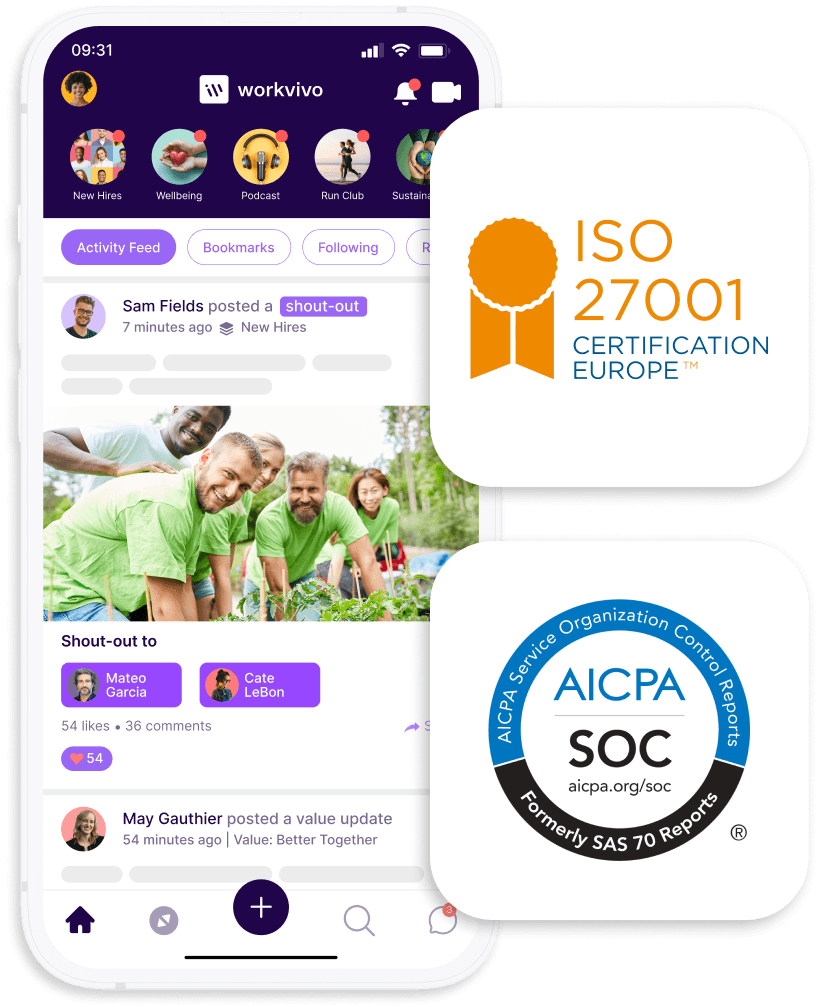
PRO TIP 💡: Workvivo operates as a cloud-based platform with SOC-2 Type 2 certification, which means you get enterprise-grade security without the infrastructure burden. Organizations typically deploy in weeks rather than months since there's no hardware to procure or configure.
Hybrid hosting
What it is: Hybrid hosting splits the platform between cloud and on-premise infrastructure. The core intranet typically runs in the vendor's cloud while specific components like file storage, authentication systems, or sensitive data remain on your servers.
Infrastructure requirements: You need on-premise servers for whatever components you're hosting locally, plus the network infrastructure to connect them securely to the cloud platform. The vendor handles infrastructure for their cloud components.
Who manages what: The vendor manages their cloud infrastructure, including updates and security for those components. Your IT team manages the on-premise portions plus the integrations that connect everything together. Both teams share responsibility for making sure that the system works smoothly.
Pros and cons:
Pros
- Keep sensitive data on-premise while using cloud for other features
- Balance control with reduced IT burden
- Can meet specific compliance needs without full on-premise deployment
- Flexibility to move components as business needs change
- Vendor handles updates for cloud portions
Cons
- More complex architecture with multiple points of failure
- Demands management and coordination across two environments
- Integration between cloud and on-premises can create performance bottlenecks
- Higher costs than pure cloud, often without full on-premise control
- Troubleshooting issues can be harder when problems span both sides
Planning your new intranet deployment
The best hosting model is the one your organization can support long-term.
Before you commit, you should work through the factors that separate a smooth deployment from one that drains resources and creates headaches:
- IT team capacity and expertise: Assess whether your team has the bandwidth and skills to manage on-premise infrastructure or hybrid integrations. If your IT staff is already stretched thin, cloud hosting removes a major burden from their workload.
- Budget structure and constraints: Determine whether your organization prefers capital expenditures for infrastructure or operational expenses through subscriptions. Cloud typically means predictable monthly costs, while on-premise needs a larger upfront investment.
- Data residency and compliance requirements: Outline any regulations that dictate where your data must be stored or how it needs to be managed. Some industries or regions have strict rules that narrow your hosting options.
- Internet reliability and bandwidth: Evaluate your network infrastructure and whether employees can reliably access cloud services. Organizations with spotty connectivity or remote locations may need on-premise or hybrid solutions.
- Integration complexity: Map out which systems your intranet solution needs to connect with and where those systems sit. Heavy integration with on-premise tools might make hybrid or on-premise hosting more practical.
- Scalability expectations: Think about how your organization might grow or change over the next few years. Cloud makes it easier to scale up or down without hardware constraints.
- Security and control preferences: Understand what level of control your security team needs over configurations and data. Some organizations need hands-on infrastructure control that only on-premise provides.
7 alternatives to SharePoint (main vendor list)
For a long time, SharePoint was the default intranet choice. It came bundled with Microsoft licenses, IT teams already knew how to deploy it, and it handled document management well.
The problem is that SharePoint requires heavy customization to function as a modern intranet, and even then, it falls short on user experience and engagement features.
Today's intranet platforms were designed from the ground up for employee communication and collaboration, which makes them better suited for organizations that want more than a glorified file server.
1. Workvivo
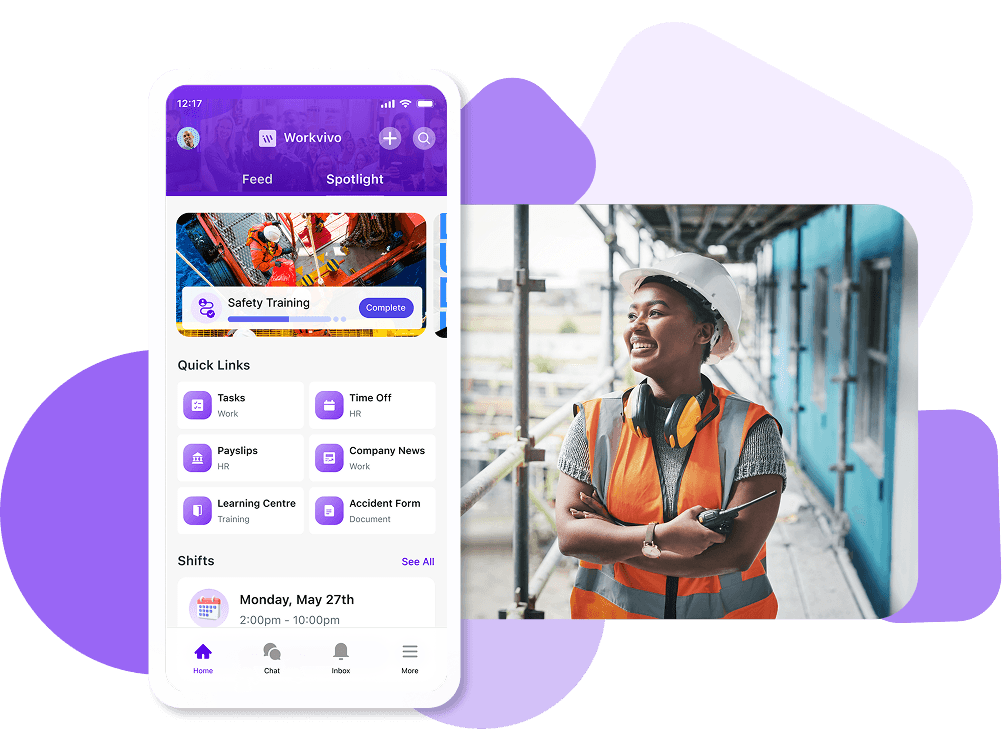
Best use case: Workvivo suits organizations of any size or industry looking for an all-in-one employee experience platform that combines communication, engagement, and culture.
Whether you have office workers, frontline teams, or distributed employees, the mobile-first platform provides an experience that works for every type of employee.
Key features
- Social intranet with activity feeds: Employees interact through personalized newsfeeds where they can like, comment, and share posts just like social media.
- Complete mobile functionality for any location: Employees get full platform capabilities on their phones or tablets, not a stripped-down mobile version.
- Multiple communication channels in one platform: Organizations reach employees through activity feeds, internal podcasts, live video streams, newsletters, push notifications, and chat.
- Unified hub that consolidates your tools: The platform integrates with 40+ systems, including Microsoft 365, Google Workspace, Slack, Zoom, and major HR platforms.
- Searchable knowledge base with unlimited storage: Companies build a central repository for policies, procedures, training materials, and resources with unlimited document storage.
Deployment options
The platform is cloud-hosted with SOC-2 Type 2 certification and zero infrastructure for you to manage. Workvivo takes care of servers, security, and updates while your employees access everything through web browsers or mobile apps.
Benefits for employee experience
- The social media-style interface feels familiar, so employees adopt it quickly without any extensive training.
- Public shoutouts and recognition make employees feel valued when peers celebrate their work.
- Different communication channels reach employees, whether they prefer text, audio, or video.
- Document search works across the entire platform so employees find answers in seconds.
- Mobile access means employees stay connected whether they're at headquarters, working remotely, or on the move.
What real companies say about Workvivo
Trysilhus is a Norwegian construction company that handles everything from land acquisition to apartment sales. The company has 160 employees split evenly between office staff and frontline construction workers, with many Swedish workers who commute across the border each week.
Before Workvivo, Trysilhus used Workplace by Meta successfully until Meta shut down the platform. The company needed a stable replacement that could keep engagement high while bridging the gap between office teams and construction crews.
Newer employees felt detached from the company's culture, and COVID-19 restrictions plus Norway's tough real estate market made it harder to gather teams in person.
The migration from Workplace to Workvivo took just six weeks from kickoff to rollout. Here are the key results from Trysilhus' implementation:
- 160 employees successfully migrated from Workplace with a seamless transition.
- 50% of frontline workers actively engaged across construction sites despite working outdoors.
- High activation and content rates compared to industry benchmarks.
- Mobile-first platform reached construction workers without computer access.
- Two-way communication reduced redundant questions across teams.
- Integrated menu system connects their entire tech stack in one place.
Eli Strindeberg, Communications Manager, described the onboarding process:
It was really professional. I liked how we were challenged to answer strategic questions at the beginning – really asking the difficult questions about what we wanted to achieve and putting that down on paper as a foundation.
2. Simpplr
Best use case: Simpplr works well for mid-to-large enterprises that want an AI-powered employee experience platform with minimal IT overhead.
Key features
- AI-powered enterprise search: The platform includes unified search across the company intranet and integrated third-party systems with AI-generated smart answers and recommended actions.
- Low-code extensibility: Organizations can customize the platform and build seamless integrations without heavy development work. Pre-built connectors work with popular collaboration tools like Workday, ServiceNow, and Salesforce.
- Newsletter and campaign tools: Integrated communication tools let teams create targeted newsletters and multi-channel campaigns without leaving the platform.
Deployment options
Simpplr operates as a cloud-based SaaS platform. The vendor manages all infrastructure, hosting, updates, and maintenance.
Organizations access the platform through web browsers and mobile apps without having to manage any servers.
Benefits for employee experience
- Unified search pulls results from all connected systems, so employees spend less time hunting for information.
- Mobile-first design gives employees access from any device without compromising functionality.
- Recognition tools and social networking features help employees build stronger relationships across teams.
- Personalized feeds show employees relevant content that matters to their role instead of everything at once.
- Single sign-on lets employees move between tools without managing multiple passwords.
3. Happeo
Best use case: Happeo fits organizations that use Google Workspace and want a digital workplace that works natively with Google apps.
Key features
- Template-based page builder: Organizations create branded departmental and team pages using pre-built templates without code.
- Channels for targeted communication: Teams use Channels to organize project discussions, department updates, and topic-specific conversations.
- Google Workspace integration: The platform connects deeply with Google Drive, Calendar, and Gmail. Employees can search across these tools directly from Happeo and attach Google files to posts without switching between applications.
Deployment options
The platform is cloud-hosted on Google Cloud Platform with all technical operations managed by Happeo. Organizations connect through web browsers without provisioning hardware or managing backend systems.
Benefits for employee experience
- Search pulls results from multiple systems, so employees find answers without checking several tools.
- Google Workspace integration means employees work in familiar user interfaces they already know.
- Mobile access works smoothly, which means that remote and frontline workers stay connected from any device.
- Channel-based organization helps employees follow only the conversations relevant to their work.
- Page templates make it easy for any employee to contribute content without design skills.
4. Confluence
Best use case: Confluence works best for organizations that prioritize documentation, knowledge management, and structured content management.
Teams that need deep integration with other Atlassian products, like Jira for project tracking, also benefit from the platform.
Key features
- Template library and page builder: The platform includes over 150 templates for common use cases like meeting notes, project plans, task management, and product requirements.
- Spaces for content organization: Organizations structure content using Spaces, which act as containers for related pages and blog posts.
- Real-time collaborative editing: Multiple team members can edit the same page simultaneously, with changes appearing in real-time.
Deployment options
Confluence offers both cloud and self-hosted options. Confluence Cloud runs on Atlassian's infrastructure, with the vendor managing all hosting, updates, and maintenance.
Confluence Data Center is the self-hosted version, where organizations install and manage the platform on their own servers or preferred cloud infrastructure like AWS or Azure.
Benefits for employee experience
- Templates reduce the time employees spend formatting documents and let them focus on content.
- Spaces organize information logically, so employees find what they need without searching across scattered locations.
- Real-time editing means teams collaborate without version control headaches or conflicting edits.
- Page history gives employees confidence to make changes, knowing they can always revert if needed.
- Search works across all content to help employees locate information quickly.
5. LumApps
Best use case: LumApps works best for large enterprises using Google Workspace or Microsoft 365 who need sophisticated content personalization across different employee groups.
Key features
- AI-powered personalization: The platform tailors content, tools, and resources for each employee based on their role, location, department, and interests.
- Seamless productivity suite integration: LumApps connects deeply with Google Workspace and Microsoft 365 as both a Google-recommended platform and a Microsoft Gold Partner.
- Targeted content delivery and campaigns: Organizations create multi-channel communication campaigns that reach specific employee segments through web, mobile, and email.
Deployment options
LumApps is built on Google Cloud and Microsoft Azure, and it delivers fully managed cloud hosting. The provider takes care of security, updates, and infrastructure while organizations simply log in through browsers or mobile apps.
Benefits for employee experience
- Content personalization filters out irrelevant information so employees see only what applies to their work.
- Single sign-on gives employees access to all integrated tools through one login.
- Full mobile functionality means frontline and remote workers get the same experience on any device.
- Automatic translation delivers content in the language each employee prefers without manual work.
- Comments and social sharing features keep distributed teams connected despite physical distance.
6. Staffbase
Best use case: Staffbase fits enterprises with large numbers of frontline workers in warehouses, stores, or field locations who need consistent communication.
Key features
- Multi-channel communication platform: Organizations manage content across employee apps, desktop intranet, email, SMS, and digital signage from a single platform.
- Campaign project management and planning tools: Mission Control provides a centralized dashboard for planning, tracking, and measuring content performance across all channels.
- Employee AI and chatbot: AI-powered assistants answer common employee questions, help complete tasks, and provide information across text and voice interfaces.
Deployment options
Staffbase runs as a cloud-based intranet software hosted on Microsoft Azure with regional options. Organizations select hosting in the US (Virginia), EU (Frankfurt), or Australia (Sydney) based on their compliance needs.
The vendor handles all infrastructure management, security, and updates with ISO 27001 and GDPR compliance.
Benefits for employee experience
- Frontline and deskless workers get access to company information without having to open corporate email accounts.
- Content translates automatically into each employee's language preference across 110+ languages.
- Multiple communication channels mean employees can engage however works best for their role.
- Key updates reach employees instantly through push notifications or text messages.
- Feeds display only content that applies to each employee's role and location.
7. Unily
Best use case: Large organizations with complex communication needs and heavy Microsoft 365 usage usually get the most value from Unily.
Key features
- Seamless Microsoft 365 integration: Built on Microsoft Azure, Unily connects deeply with the Microsoft ecosystem, including Microsoft SharePoint, Teams, and Office 365.
- Enterprise search and AI capabilities: Powerful search functionality finds content across the intranet and integrated systems with AI-powered assistance.
- Mobile app and responsive design: Native iOS and Android apps provide full functionality for deskless and frontline workers.
Deployment options
Unily provides cloud deployment on Microsoft Azure with full infrastructure management by the vendor. ISO 27001 and SOC 2 Type II compliance come standard.
Benefits for employee experience
- AI assistance helps employees complete tasks and find information without submitting customer support tickets.
- Customizable dashboards let employees configure their workspace to match their daily workflow.
- Engagement automation delivers coordinated messages across multiple touchpoints over time.
- Comparative reporting shows how your user adoption rates stack up against industry peers.
- Content governance tools automatically prompt authors to review and update outdated information.
Key considerations for a successful deployment
The right deployment model depends on your organization's technical setup, business constraints, and workforce needs.
Use these criteria to determine which digital workspace and hosting approach works best for your specific situation.
| Consideration | Key questions to ask | Why it matters |
|---|---|---|
| Scalability & flexibility | Can the platform handle growth without a complete overhaul? Does it add new users, content, and integrations easily? | Cloud platforms scale automatically, while on-premise needs hardware planning. Your choice affects whether you can adapt to acquisitions, expansion, or workforce changes. |
| Integration capabilities | Does it connect smoothly with Microsoft 365, Google Workspace, Slack, and your HR systems? Can you build custom integrations through APIs? | Employees won't use an intranet if they have to constantly switch between disconnected systems. |
| Employee adoption & usability | Is the interface user-friendly? Does it work well on mobile, and can you easily share information? Can employees find what they need quickly? | A confusing platform fails no matter how many features it has. Look for templates, dashboards you can customize, and designs that need minimal training. |
| Communication workflows | Can you target messages to specific audiences? Does it support social features, news distribution, and notifications? | Your internal comms strategy needs tools that reach employees through the channels they prefer and let you measure what works. |
| Deployment model | Does your IT team have the capacity to manage on-premise systems? Do you have data residency requirements? | Cloud removes the IT burden but offers less control. On-premise gives you control but needs dedicated resources and modules. Hybrid brings more complexity but solves specific compliance needs. |
| Security & compliance | What certifications does your industry require? Do you need specific data residency options or detailed access controls? | Some regulations need on-premise hosting. Others accept cloud with proper certifications like ISO 27001, SOC 2, or GDPR compliance. |
| Total cost of ownership | What will this cost over 3-5 years when you include implementation, maintenance, and IT time? | Cloud provides predictable monthly costs. On-premise demands upfront capital plus ongoing infrastructure expenses. Hidden costs include integrations and custom development. |
| Customization capabilities | Can you brand it fully? Can non-technical users customize it? Do you need custom widgets or workflows? | Some platforms offer extensive low-code customization. Others limit you to templates. Match customization options to your brand standards and specific processes. |
No single factor makes or breaks your deployment. Pay attention to the ones that tackle your biggest pain points. The effort you put into this decision now prevents much bigger headaches down the line.
Make the right choice with Workvivo
Your deployment decision matters, but the platform you choose matters even more. The best hosting model won't save a clunky intranet that employees avoid, and even cloud-based simplicity loses value if the platform itself creates friction.
This is the gap Workvivo bridges.
Workvivo is a cloud-based employee experience platform that unifies internal communications, social engagement, knowledge sharing, and culture-building into a single mobile-first interface.
Here’s exactly what it brings to the table:
- Full mobile experience delivers every feature on phones and tablets, so location never limits what employees can access or accomplish.
- Searchable content repository consolidates scattered resources into a single source of truth with unlimited storage capacity.
- Engagement dashboards track metrics on what content resonates, so communication teams can refine their approach.
- Different communication formats let organizations choose the right medium for each message – text, audio, video, or live broadcasts.
- Integration ecosystem connects existing tools into one access point, so employees work across their entire tech stack seamlessly.
- Quick pulse surveys and polls collect honest employee input from any device without asking for lengthy form completions.
- Consumer-app experience creates instant familiarity through interactions that employees already understand from their daily digital lives.
The platform works from day one, whether your employees sit at desks, work on factory floors, or split time between both.
Schedule a demo and learn how Workvivo can bring your whole workforce together.
FAQs about intranet hosting & deployment
Should I choose a cloud-based or an on-premise intranet software provider?
Cloud-based intranets work better for most organizations. They need less IT maintenance, scale automatically as you grow, and let employees access everything from anywhere.
On-premise solutions make sense only if you have strict data residency rules or regulatory constraints that prevent cloud deployment. Cloud platforms also get you up and running faster since you skip hardware procurement and setup, which means your employees start benefiting from the intranet in weeks.
How have intranet deployment options changed from traditional to modern platforms?
Traditional intranets were infrastructure projects where IT teams provisioned servers, configured databases, and planned ongoing maintenance. The hosting decision was heavy because everything depended on internal capacity to build and manage complex systems.
Modern platforms remove that complexity through cloud-native architecture that handles updates and patches automatically. While the hosting choice still exists, what you're weighing has changed.
Today's three deployment options (cloud, on-premise, and hybrid) simply draw different lines between what the vendor handles and what your team owns.
How does a mobile intranet streamline employee engagement for frontline workers?
Frontline workers rarely sit at desks, so a mobile intranet gives them the same access to company information that office employees get.
Here's how mobile functionality makes the difference:
- Employees check updates during breaks or commutes instead of waiting until they find a computer.
- Push notifications deliver urgent messages instantly, no matter where workers are located.
- Mobile access lets field teams submit requests and complete tasks from their phones.
- Recognition features work on mobile, so frontline workers celebrate wins and feel valued.
- Two-way communication becomes possible when employees can comment and ask questions from anywhere.
- Company culture reaches everyone when all employees can see and participate in the same conversations.
What is the best intranet platform for hybrid deployments?
Hybrid workforces need platforms that work equally well whether employees are in the office, at home, or moving between both.
Workvivo's mobile-first design brings complete functionality on any device with highly-rated apps (4.9 on iOS, 4.5 on Android), so remote workers get the same experience as desk-based staff.
Multiple communication channels (from activity feeds and live streams to push notifications and chat) make sure that messages reach everyone regardless of location.
Discover more content on modern intranet:
- The Modern Intranet for 2026: Core Elements, Features + Benefits
- Advantages and Disadvantages of Intranets: Complete Guide for 2026
- 9 Intranet Alternatives to Modernize Your Digital Workplace This Year
- I Spent 30+ Hours Comparing Intranet Platforms: Here Are the 9 Clear Winners
- Intranet Pricing Guide: How Much Does An Intranet Really Cost?
- Traditional vs. Modern Intranet: What's the Difference?
- How to Choose the Best Intranet Platform for Your Organization
- Your 9-Step Plan for a Successful Intranet Implementation
- How to Improve Intranet Adoption With These Proven Methods
- Intranet vs. Digital Workplace: What’s the Difference?
- Intranet Replacement: Modern Alternatives to SharePoint and Legacy Platforms
- On-Premise Intranet vs. Cloud-Based Intranet: Comparison Guide for IT Teams and Enterprises
- The Buyer's Guide to a Scalable Intranet: Key Considerations and Evaluation Tips
- How a Modern Intranet Improves Employee Onboarding Experiences
- How to Develop an Intranet Knowledge Management Strategy
- The 10 Best Hybrid Workplace Solutions (Ranked & Rated)
- Intranet Governance Framework for a Successful Company Intranet
- 7 Secure Intranet Software Vendors for Security-Focused IT Teams
- The 5 Most Important Intranet Integrations for Maximizing Your Digital Workplace
- How to Create an Intranet Content Strategy
- 14 Real Company Intranet Examples for Different Industries
- What is an Intranet Portal? Everything You Need to Know
- What Is Intranet CMS + 6 Best Options
- 15 Best Intranet Platforms & Solutions on the Market Right Now
- Top 6 Social Intranet Solutions (+ Benefits, Features & Best Apps)
- Enterprise Intranet: Use Cases & Top Rated Vendors for 2026
- 15 Intranet Best Practices for Better Employee Engagement
- 10 Top Use Cases and Benefits of an Intranet
- The Ultimate Guide to Intranet Security: Best Practices, Threats & Solutions
- Using Intranet for Effective Internal Communications: Advantages, Best Practices and Top Tools to Get Started
- What is a SaaS Intranet? Benefits, Features & Best Intranet Solutions
- Intranet Analytics: Best Practices for Measuring Adoption and Success
- Are Intranets Still Relevant? (And How They're Evolving)
- Top 25 Intranet Features for a Connected Workplace
- Exploring the Value of Intranet Benchmarking: What To Know
- The Definitive Guide to Measuring Intranet ROI In 2026
- Intranet Requirements Checklist to Support an Intranet Needs Analysis
- 10 Reasons Building Your Own Intranet Is a TERRIBLE Idea
- Intranet Metrics: Top 6 KPIs to Track (+Real Examples)
- How To Implement an Intranet Migration Without the Headache