
Choosing an intranet platform shouldn't require a 27-tab spreadsheet, but here you are.
You've got stakeholders from twelve departments, each with its own non-negotiable requirements. The CFO wants cost breakdowns for the next five years, and HR insists on specific features that may or may not exist.
And somehow you're supposed to balance all of this into a decision that will affect every single employee for years to come.
The sheer weight of getting this wrong is enough to make you consider just sticking with email and shared drives forever.
The good news is that this decision becomes much simpler once you know what to look for. You just need the right framework to evaluate your options.
Below, we'll break down the must-have intranet features and the nice-to-haves, and explain how to pick a platform that fits your company. By the end, you'll know exactly what questions to ask and what red flags to watch for.
The modern intranet: what to expect in 2026
Back in 2005, traditional intranets made perfect sense. Employees sat at assigned desks, used company computers, and worked standard hours. The intranet was a digital bulletin board – IT posted updates, employees read them, end of story.
Fast forward to now. Your team might be spread across six countries and fifteen time zones. Important discussions happen in Slack threads, project updates live in Asana, and documents float between Google Drive and Dropbox. Half your employees have never met in person.
Traditional intranets broke under this pressure. They were built when "mobile" meant BlackBerry and "cloud" meant bad weather.
These systems assumed everyone would log in from the office network at predictable times. Nobody imagined employees would need to check policies from their couch or approve expenses while waiting for their kids at soccer practice.
Here are some of the major changes that took place:
- Mobile became the primary access point: With 80% of the workforce now deskless (retail workers, healthcare staff, field technicians), intranets have to work perfectly on phones. Modern intranets focus on mobile-first platforms with offline access, push notifications, and smooth interfaces.
- AI-powered search finds relevant links in seconds: AI-powered search understands intent. Employees can ask "How do I request time off?" and get a direct answer, not a link to the HR policy manual.
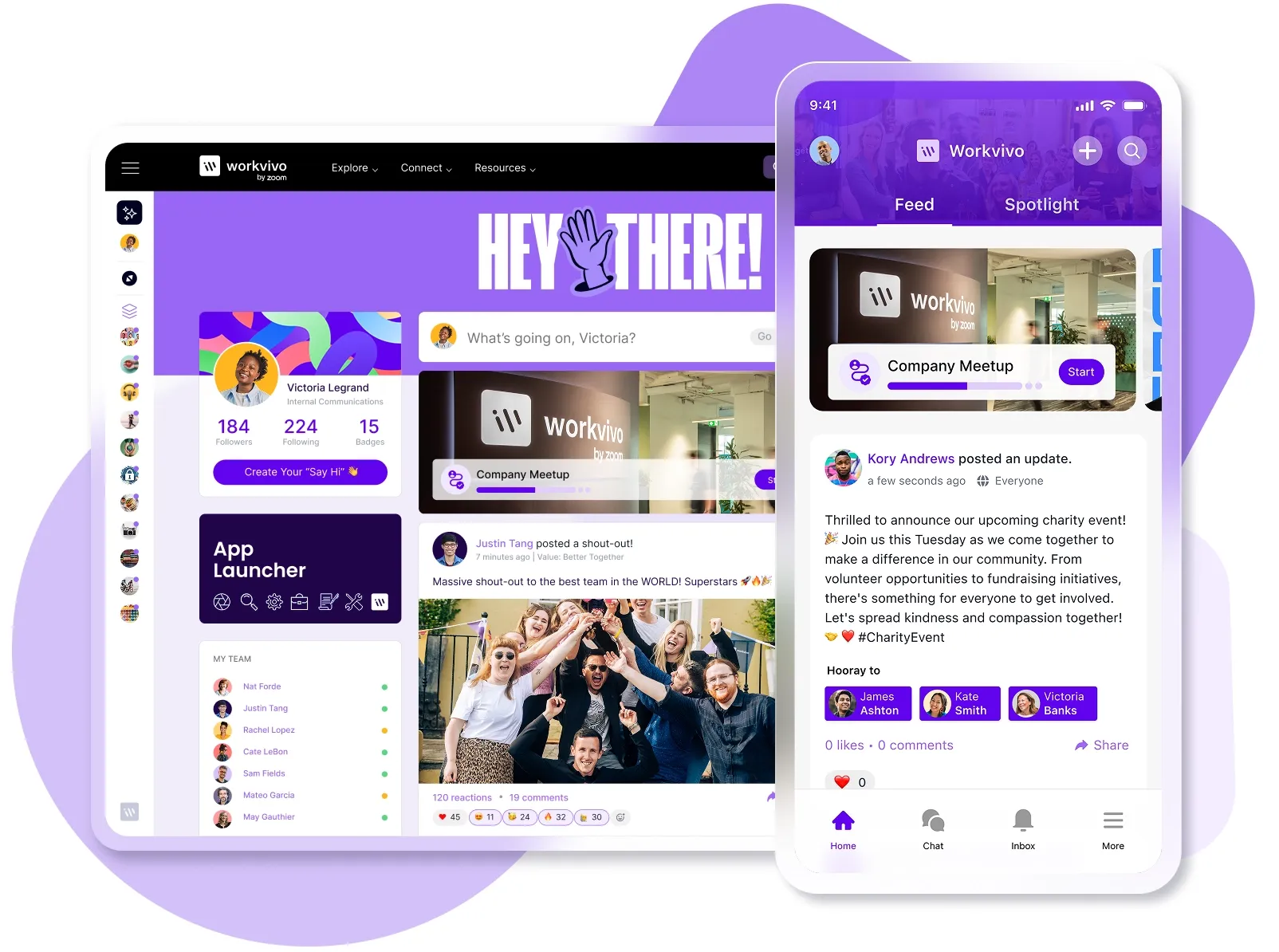
- Social features make work feel human again: Traditional intranets were bulletin boards where only IT could post. Modern platforms bring social feeds, peer recognition, and post reactions. Employees can celebrate achievements through public shout-outs and build community through discussion spaces.
- Integration centralized the workflow: Modern intranets connect your entire tech stack, and you can check Teams messages, update Salesforce, and review Google Docs in one place. Single sign-on means employees access all their work tools through one login, while data flows automatically between systems.
- Content creation became democratized: Instead of waiting for IT to post updates, employees can stream live videos, share podcasts, create wikis, and collaborate on documents in real-time.
These changes created what we now call employee experience platforms. They are the modern intranets that combine communications, knowledge sharing, employee engagement, and workflow automation in one place.
If this sounds overwhelming, don't worry. We'll break down each feature below and show you what to look for.
What to look for when evaluating an intranet
Based on what works across different organizations and industries, here are 11 capabilities to prioritize in your selection process.
1. An engaging, social user experience
What it is: A platform that feels more like LinkedIn or Facebook than a corporate database. Employees can post updates, comment on announcements, react with emojis, and recognize colleagues publicly.
Why it matters: Employees already spend hours on social platforms that have trained them to expect interactive, dynamic content.
If your intranet feels static and one-directional, they'll ignore it and build their own communication channels elsewhere. Studies show that 85% of businesses report faster access to information as a major benefit of their intranet.
What to look for:
- News feeds that update in real-time with fresh content throughout the day
- Comment threads where employees can ask questions and share perspectives
- Recognition features that let anyone give kudos to colleagues
- Interest groups or communities where teams can gather around topics or projects
- Rich media support for videos, GIFs, and images in posts
Red flags:
- Only executives and HR can publish content
- Static pages with no way for employees to interact or contribute
- Comments need IT approval before appearing
- The homepage looks the same whether you visit daily or monthly
Example: A warehouse worker posts a photo of a safety improvement they implemented. Other locations see it, share their own solutions, and operations leadership notices the trend. What started as one person's idea spreads across 20 facilities because the platform makes sharing easy and visible.
2. A true mobile-first app
What it is: A native mobile app designed for phones first, not a desktop site squeezed onto a smaller screen. The layout, navigation, and features are built specifically for touchscreens. They work offline and sync automatically when you reconnect.
Why it matters: Most employees check their phones dozens of times per day but rarely open laptops outside work hours. If they can't access the intranet from their phone as easily as checking Instagram, they won't use it at all.
What to look for:
- Native mobile app available in app stores
- Offline access to key intranet features and documents
- Push notifications for important updates and announcements
- Touch-optimized interface with easy navigation
- Fast loading times, even on slower mobile networks
- Camera integration for easy photo and video sharing
Red flags:
- Only offers a mobile website that's slow and clunky on phones
- Requires VPN or complex login processes on mobile devices
- Features that don't work properly on touchscreens
- No offline capabilities, so mobile users are left in the dark without internet
Example: A retail manager gets a push notification about a new product recall while commuting home. They can immediately access the details offline, share the information with their team through the app, and even record a quick video message for their staff, all from their phone.
3. Personalized communication tools
What it is: Communication features that let you target specific audiences with relevant content. No more blasting everyone with the same message. You can segment by department, location, role, or custom groups, so employees see only the information that matters to them.
Why it matters: Employees have learned to ignore the constant stream of company-wide emails. Personalized tools serve up only relevant information, which means employees actually pay attention and take action.
What to look for:
- Audience targeting by department, location, role, or custom groups
- Personalized company news feeds that filter content based on employee interests
- Multi-channel delivery through email, mobile push, and in-app notifications
- Analytics showing who opened and read each message
- Templates and scheduling tools for consistent communication
- Two-way communication options for feedback and questions
Red flags:
- Only supports company-wide broadcasts with no targeting options
- No way to track whether important messages were seen
- Complex approval workflows that delay time-sensitive communications
- Limited formatting options that make messages look unprofessional
Example: Your London office gets updates about their building renovation while the Tokyo team sees information about Golden Week schedules. A developer sees technical documentation trending in their feed while HR sees compliance updates.
Each employee opens the intranet to find content that matters to their specific job, not a wall of irrelevant announcements they have to sort through.
4. Integrated employee recognition
What it is: Built-in tools that let employees and managers publicly recognize achievements, celebrate milestones, and give peer-to-peer kudos directly within the intranet platform. Recognition can include badges, points, custom awards, or simple shout-outs that appear in company-wide feeds.
Why it matters: Employees want to feel valued, but traditional recognition programs are too formal and slow. Employees who believe they influence company culture are nearly 5x more likely to do their best work.
What to look for:
- One-click kudos or thanks that anyone can give to anyone
- Public recognition feeds where achievements are visible company-wide
- Integration with existing rewards programs or points systems
- Milestone automation for work anniversaries and birthdays
Red flags:
- Only managers can give recognition
- Complex forms or approval processes to recognize someone
- No way to see or celebrate recognitions publicly
- Points or rewards that expire or have complicated redemption rules
Example: A customer service rep resolves a particularly difficult case, and their manager sends a quick recognition through the intranet app. The achievement appears in the company feed with details about the great customer feedback, colleagues can add congratulations, and HR automatically logs it for the upcoming performance review.
5. Powerful universal search functionality
What it is: AI-powered search that scans across your intranet, connected apps, and document repositories to find information using natural language queries. It knows the difference between searching for a person and a document, and learns what you're most likely looking for.
Why it matters: Workers sacrifice 20% of their week to find information scattered across systems or find a person who can help with questions. When search works properly, people find answers in seconds and don’t have to interrupt colleagues.
What to look for:
- Results from all connected systems (Google Drive, SharePoint, Slack) in one search
- Filters for date, department, file type, and author
- Search suggestions and auto-complete as you type
- Personalized results based on your role and past searches
Red flags:
- Exact file name matching only
- Search that only covers documents (not people or conversations)
- No filters to narrow down hundreds of results
- Different search boxes for different types of content
Example: A new manager types "performance review process" and gets the evaluation form, the timeline document, and contact info for the HR specialist who handles reviews. The search understands context and shows this year's process first, not outdated versions from 2019. She finds everything needed in a single search.
6. Robust integration capabilities
What it is: The ability to connect seamlessly with all your existing tools – from Microsoft 365 and Google Workspace to Slack, Salesforce, and your HR systems. Data flows between platforms automatically without manual updates or duplicate entries.
Why it matters: Your employees already jump between dozens of tools, so another disconnected platform only makes work harder. True integration means the intranet becomes the central hub where everything comes together.
McKinsey found that well-connected employees are 20-25% more productive compared to organizations where workers operate in silos.
What to look for:
- Pre-built connectors for major platforms (Office 365, Google Workspace, Slack)
- Single sign-on that works with your identity provider
- Two-way data sync that updates information across systems
- API access for custom integrations with proprietary tools
- Embedded functionality so you can use other tools without leaving the intranet
- Real-time updates when information changes in connected systems
Red flags:
- "Integration" that's really just embedding links to other tools
- One-way data flow that creates inconsistencies
- Limited to only one ecosystem (Microsoft OR Google, not both)
- Expensive add-ons for each integration
- Manual CSV imports instead of automatic syncing
Example: When someone updates their job title in the HR system, it automatically appears in their intranet profile, email signature, and team directory. They can start a Slack conversation, join a scheduled Teams meeting, and edit a shared Google Doc all from within the intranet interface.
7. Actionable analytics and insights
What it is: Analytics that track the full employee journey. You can see which departments never open benefits content, where people abandon expense forms, and how long they spend on company updates before clicking away.
Why it matters: Without data, you don't know if employees read policy updates, use the tools you build, or find the resources they need. Nearly a third of intranet implementations fail due to poor governance, according to industry studies.
What to look for:
- Real-time dashboards that include engagement metrics, popular content, and user activity
- Segmented analytics by department, location, or role to spot trends
- Content performance metrics, including views, shares, comments, and time spent reading
- Automated reports that outline key insights without manual data crunching
Red flags:
- Only basic page view counts with no engagement or behavior data
- Analytics that need technical expertise to interpret or access
- No ability to segment data by different employee groups
- Reports that take days or weeks to generate, with no real-time insights
Example: Your analytics show the vacation policy gets 500 views, but people only stay for 10 seconds. You check the search data and see everyone's looking for "rollover rules" but can't find them. You add a clear rollover section at the top, and within a week, time on page triples and support tickets about vacation drop by half.
8. Dedicated collaboration tools & spaces
What it is: Built-in spaces where teams can work together on projects, share files, have discussions, and manage tasks without leaving the platform. Think of them as private workrooms within your larger digital workplace.
Why it matters: Teams can't focus when project updates mix with company-wide chatter and random conversations. Private channels organize information, speed up decisions, and keep sensitive data where it belongs.
What to look for:
- Private spaces for departments, projects, or interest groups
- File sharing with version control and co-editing capabilities
- Discussion threads that preserve context and decisions
- Task management or integration with existing project tools
- Member management with role-based permissions
- Activity feeds that show what changed since your last visit
Red flags:
- Only public spaces with no privacy controls
- File sharing that creates duplicate versions everywhere
- No way to organize conversations by topic or project
- Everyone sees everything with no permission settings
Example: The marketing team creates a private space for their Q1 campaign where they optimize creative assets, discuss strategy in threaded conversations, and assign tasks with deadlines. When new members join, they can review the entire project history instead of asking for context.
9. Knowledge management tools
What it is: Centralized systems for organizing and maintaining company knowledge through wikis, FAQs, process documentation, and searchable databases. Employees can contribute expertise and access institutional knowledge without relying on specific individuals or outdated documents.
Why it matters: Companies lose millions in productivity when employees can't find answers to common questions or repeat work that's already been done. Good knowledge management reduces repetitive questions to busy colleagues and speeds up onboarding.
What to look for:
- Wiki-style pages that anyone can create and update with proper permissions
- Version control and approval workflows for critical documentation
- Templates for common document types like processes, FAQs, and guides
- Analytics showing which knowledge articles are most useful and which gaps exist
- Expert identification that shows who knows what in your organization
Red flags:
- Only IT or HR can create knowledge articles
- No search function within the documentation
- Outdated content with no review dates or owners
- Knowledge is scattered across different systems
Example: A support agent runs into an unusual customer issue. She searches the knowledge base and finds a solution another agent documented last month, complete with screenshots and troubleshooting steps. She resolves the issue in minutes and doesn’t have to escalate to senior staff.
10. A dynamic people directory & org chart
What it is: An interactive employee directory that includes skills, expertise, project involvement, and reporting relationships. The directory automatically updates from HR systems, and employees can find the right person for questions or approvals.
Why it matters: In distributed organizations, employees often don't know who handles what or how to reach the right person for help. A robust directory reduces time wasted on "who should I ask" questions and helps people connect across departments for better collaboration.
What to look for:
- Searchable profiles with skills, expertise areas, and current project involvement
- Visual org charts that show reporting relationships and team structures
- Integration with HR systems for automatic updates of roles, departments, and managers
- Contact preferences that explain the best way to reach each person
- Project and team associations so people can see who's working on what
Red flags:
- Static PDF org charts updated quarterly
- No search function other than the basic name lookup
- Profiles that miss key information, like location or department
- Manual updates that create inconsistencies
Example: A marketing manager in Berlin needs someone who speaks Portuguese for a Brazil campaign. She searches the directory for "Portuguese + marketing" and finds three colleagues who can help. She sees their time zones and current availability. Within minutes, she messages the right person directly through the platform.
11. Simple content publishing & governance
What it is: User-friendly content creation tools with built-in approval workflows, publishing schedules, and governance controls that let employees contribute content. Non-technical users can create professional-looking pages and documents without IT involvement.
Why it matters: IT and comms teams can't handle every update request, so content often sits in queues while employees work with outdated information. When teams can publish directly (with the right guardrails), information stays current without risking quality or compliance problems.
What to look for:
- Drag-and-drop content editors that work like familiar tools such as Word or Google Docs
- Customizable approval workflows based on content type, audience, or author role
- Publishing schedules and content calendars for planning and coordination
- Brand guidelines and templates are built into the creation process
- Automated content archiving and expiration dates for time-sensitive information
Red flags:
- Only IT can publish or edit content
- No approval process leading to incorrect information spreading
- No way to set expiration dates on announcements
- No templates or guidelines for content creators
Example: A department manager needs to announce a new policy change. They use a pre-built announcement template and submit it for legal review. The system automatically routes it to the right approver, schedules it to publish after approval, and sends targeted notifications to affected employees.
How to choose the right intranet: your 5-Step evaluation plan
You need a way to compare effective intranet platforms without getting lost in feature lists and sales pitches. This five-step process helps you evaluate what matters:
Step 1: Develop a compelling business case
Many intranet projects fail before they even start. Teams pitch vague ideas about "improving employee communication" or "modernizing systems" without backing them up.
If you can't show specific problems and attach dollar amounts to them, your project becomes an easy target for budget cuts.
You need to define and quantify your organization's specific pain points before you look at any vendor demos:
- Information hunting: Employees spend 2.5 hours daily searching for information. For 1,000 employees at $35/hour, that's $21.8 million annually in lost productivity.
- Duplicate work: Teams recreate documents and processes that already exist somewhere else. If 10% of your projects repeat existing work, you're burning money on problems you've already dealt with.
- Email chaos: Key updates disappear in overflowing inboxes. Employees miss deadline changes, policy updates, and project decisions. Then they make expensive mistakes based on old information.
- Shadow IT: Teams buy their own collaboration tools without IT approval. You end up paying for 15 different platforms that don't connect, plus you've got data scattered everywhere
- Remote worker turnover: Disconnected employees quit faster than connected ones. It costs $50,000-$150,000 to replace a mid-level employee. If poor communication drives away 10 extra people yearly, that's over a million dollars
- Slow onboarding: New hires can't find basic information or figure out who does what. Every extra week before they're productive costs $2,000-4,000 in salary with zero output.
Simple calculations tell you everything you need to know. Take your employee count, multiply by average hourly cost (salary + benefits ÷ 2,080 hours), then calculate time waste.
For example, let’s say 500 employees waste just one hour weekly finding information. That's 26,000 hours annually. At $50/hour fully loaded cost, you're losing $1.3 million.
Now add the other costs, such as project delays from miscommunication or time wasted switching between disconnected tools.
Stack these losses together, and you might be bleeding $3-4 million annually. And suddenly, that $200,000 intranet investment looks like a bargain.
You can use this template to build your own ROI case. Fill in your actual costs to see how much you could save:
Current Costs (Annual)
| Category | Your Numbers | After Intranet | Potential Savings |
|---|---|---|---|
| Time searching for information | $_____ | $_____ | $_____ |
| Employee turnover costs | $_____ | $_____ | $_____ |
| IT support tickets | $_____ | $_____ | $_____ |
| Redundant/overlapping tools | $_____ | $_____ | $_____ |
| Project delays from poor communication | $_____ | $_____ | $_____ |
| Onboarding inefficiencies | $_____ | $_____ | $_____ |
| Total Annual Costs: | $_____ | $_____ | $_____ |
| Platform Investment (Year 1): | $_____ | ||
| Expected Payback Period: | _____ months |
With these numbers in hand, you're ready to make your case. When executives see millions in potential savings, that intranet investment suddenly makes perfect sense.
Step 2: Create a feature & capability scorecard
Feature lists are useless when every vendor claims to do everything.
You'll stare at comparison charts where everyone has green checkmarks for "mobile app" and "search functionality," but those features might work completely differently across platforms.
Ideally, you should categorize the features into three tiers based on your specific needs and business goals:
Must-haves (deal-breakers):
- Mobile-first app that works offline
- Universal search across all connected tools
- Integration with your existing tech stack (Office 365, Workspace, etc.)
- Single sign-on with your identity provider
Should-haves (important but somewhat flexible):
- Social features (comments, reactions, recognition)
- Personalized content delivery by role/location
- Collaboration spaces for teams
- Knowledge and content management tools
- Simple content publishing for non-technical users
Nice-to-haves (bonus features):
- AI-powered content recommendations
- Automated translation for global teams
- Advanced workflow automation
- Sentiment analysis on employee engagement
Note that your categorization might be completely different based on your priorities.
For example, a company with 80% remote workers might put social features in "must-haves" while a manufacturing company might prioritize mobile access and safety communications.
Another good idea is to translate your priorities into numbers so you can compare vendors objectively. You can use this scoring template to evaluate each vendor:
| Feature Category | Weight | Vendor A Score (1-5) | Weighted Score | Vendor B Score (1-5) | Weighted Score |
|---|---|---|---|---|---|
| Must-Have Features | 50% | ___ | ___ | ___ | ___ |
| Should-Have Features | 35% | ___ | ___ | ___ | ___ |
| Nice-to-Have Features | 15% | ___ | ___ | ___ | ___ |
| Ease of Implementation | 20% | ___ | ___ | ___ | ___ |
| User Experience | 20% | ___ | ___ | ___ | ___ |
| Vendor Support | 15% | ___ | ___ | ___ | ___ |
| Total Cost (inverse) | 15% | ___ | ___ | ___ | ___ |
| Future Scalability | 10% | ___ | ___ | ___ | ___ |
| Security & Compliance | 20% | ___ | ___ | ___ | ___ |
| TOTAL SCORE | 100% | ___ | ___ |
Don't score in isolation. Include IT for technical specs, HR for employee experience needs, and department heads for specific use cases.
Have each stakeholder group score independently first, then compare results to spot gaps. If IT gives a platform 5/5 but actual users rate it 2/5, you've found a problem. The platform that wins on paper needs to win in practice, too.
Step 3: Assess your technology partner for the long term
You need to properly vet vendors, but nobody has three months for deep due diligence. The good news is you can learn what matters most in a few focused days of investigation.
Financial stability takes 30 minutes to verify. Check if they've raised funding recently (Crunchbase tells you this), look for layoff news in the past year, and see if they're acquiring companies or being acquired.
If they just laid off half their support team or their CEO left suddenly, proceed with caution.
Also, check out customer references and reviews to get the full picture. Go to G2 and Capterra for recent reviews, search Reddit for "vendor name + problems," and look for customers like you – similar size, industry, and use case.
When you get references on calls, ask specific questions:
- "What took longer than expected?"
- "What hidden costs surprised you?"
- "Which features don't work as advertised?"
Even happy customers will share the rough patches if you ask directly.
Support quality is easy to test before buying. Submit a support ticket pretending to be a prospect with a technical question. Time their response. If they take three days to answer prospects, imagine how they'll treat you after the contract is signed.
And check if support costs extra after year one. Many vendors try to hook you with "free support" that becomes a $25,000 annual line item.
While you're investigating vendors, watch out for patterns that might point to deeper problems. These warning signs don't automatically disqualify anyone, but they deserve extra scrutiny before you sign:
- Multiple leadership changes in the past two years
- No product updates in the last quarter
- References who won't discuss specific features or problems
- Support that redirects questions to "schedule a call with sales"
- Contracts that demand full payment upfront
- Reluctance to provide sandbox access for testing
- Current customers actively looking for alternatives (check software reviews)
- Vague answers about data security or compliance certifications
Remember that vendors are on their best behavior before you sign. If they're slow, unclear, or pushy during sales, it only gets worse after you're locked into a contract. Trust your instincts when something feels off.
Step 4: Conduct tailored, problem-solving demos
Every platform looks amazing when the vendor controls the narrative, but you need to see how it handles your specific workflows.
Send vendors your real-world scenarios before the demo. Ask them to show how you'd post a company holiday schedule that needs manager approval.
Share your actual use cases so they can prepare examples. The more specific your scenarios, the better you'll understand if the platform fits.
Key scenarios to include:
- Your most common employee request (finding a form, checking policy, etc.)
- A typical content publishing workflow from creation to approval
- How do remote employees access information on phones with poor connectivity
- Integration with your specific tech stack (not just "we integrate with Microsoft")
- Real permission scenarios (contractor access, department restrictions, etc.)
- How you'd migrate existing content and maintain links
Your team also needs hands-on time with the platform. Ask for sandbox access with sample data that mirrors your organization. Give different stakeholders specific tasks to complete without vendor assistance.
Test assignments by role:
- End users → Find a policy, submit a form, post an update, search for a colleague, update their profile
- Content creators → Upload a document, create an announcement, schedule a post, archive old content
- IT administrators → Set permissions, configure SSO, test integrations, manage security settings
- Executives → Access dashboards, view analytics, check mobile intranet experience, export reports
- HR team → Post job openings, update policies, send targeted messages, manage confidential files
- Remote workers → Use the mobile app, work offline, access all features remotely
Take detailed notes during each demo and compare how different vendors handle the same scenarios.
And remember, impressive features mean nothing if your team can't figure out how to use them for their daily tasks.
Step 5: Make the final decision (build vs. buy & TCO)
Companies still consider building their own intranet for understandable reasons. You get complete control over features, perfect integration with internal systems, and no vendor lock-in.
Your developers know your business better than any vendor. Plus, you avoid annual licensing fees that seem to increase every renewal. It sounds perfect… until you see the actual build costs:
- Developer salaries and ongoing maintenance: You'll need 2-3 developers for 12-18 months to build basic functionality. That's $400,000-600,000 in salaries before you have a working platform. After launch, you need at least one developer for maintenance, updates, and bug fixes.
- Security and compliance burden: Every security patch, GDPR update, and SOC 2 requirement is your responsibility. Vendors handle these automatically across all customers, but you'll need dedicated resources to stay compliant and secure.
- You'll be years behind modern platforms: By the time you build basic features, vendors have moved three generations ahead. You can’t catch up to companies that dedicate hundreds of developers to intranet innovation.
We put together a cost comparison template based on what companies typically spend. Your numbers might vary, but the ratio usually stays similar:
| Cost Category | Build In-House | Buy Platform |
|---|---|---|
| Initial development/setup | $750,000-1,500,000 | $50,000-100,000 |
| Annual licenses | $0 | $100,000-200,000 |
| Ongoing development (2 FTE) | $300,000/year | $0 |
| Maintenance & updates | $150,000/year | Included |
| Security & compliance | $100,000/year | Included |
| Training & support | $75,000/year | $20,000/year |
| Infrastructure & hosting | $50,000/year | Included |
| 3-Year Total | $2,775,000+ | $410,000-720,000 |
Building might make sense if you're a tech company with specific organization needs that no vendor can meet, strong development resources, and intellectual property concerns that prevent using external platforms.
For the other 99% of organizations, these scenarios don't apply.
Buying wins because the economics and timeline make more sense for most organizations. Modern platforms have matured to the point where building your own means reinventing something that already exists, costs less, and works better.
Here's why buying typically beats building:
- Vendors spread millions in development costs across thousands of customers, so you pay a fraction of what building would cost
- You get features like AI search and mobile apps that would take your team years to develop
- Enterprise security, compliance, and patches come standard without dedicating internal resources
- Implementation takes weeks with cloud platforms instead of 18+ months for custom builds
- Your IT team works on more important projects and doesn’t have to maintain yet another platform
- Budget exactly what you'll spend each year with no surprise maintenance costs
When employees expect consumer-grade experiences at work, building your own intranet is like building your own email server – technically possible, but practically pointless.
Best modern intranet platforms at a glance
This list covers the most popular and highly-rated intranet solutions in 2025, though it's not exhaustive.
These eight platforms consistently appear in buyer comparisons and have proven track records across different industries:
| Platform | Best For | Main Value Proposition | Pricing | G2 Rating |
|---|---|---|---|---|
| Workvivo | Organizations that want a complete digital workplace solution | The most complete employee experience platform that combines social intranet features, internal comms, document management, and analytics in one mobile-first hub | Custom pricing for 250+ employees; starts around $20K annually | 4.8/5 |
| Simpplr | Mid-to-large enterprises that prioritize AI automation | AI platform that automates content cleanup and personalizes employee experiences while it maintains an organized knowledge base | Custom pricing based on company size and features | 4.6/5 |
| Unily | Complex global enterprises with multiple brands | Enterprise platform that supports multi-brand setups with advanced content targeting and governance for diverse organizations | Module-based custom pricing (Reach, Engage, Amplify, Extend) | 4.5/5 |
| Microsoft SharePoint | Organizations already in the Microsoft ecosystem | Document-focused collaboration platform that integrates deeply with Microsoft tools for file management and workflow automation | $5/user/month (Plan 1) or included in Microsoft 365 Business ($12.50/user/month) | 4.0/5 |
| Google Workspace | Cloud-first teams that need real-time collaboration | Browser-based productivity suite that enables simultaneous document editing with integrated communication across Gmail, Drive, and Meet | $6.30-$22/user/month (Business tiers); Enterprise custom pricing | 4.6/5 |
| Confluence | Technical teams that use Atlassian tools | Wiki-style knowledge base with native Jira integration for teams that need structured documentation alongside project management | Free (up to 10 users); $5.16-$9.73/user/month (paid plans) | 4.1/5 |
| Staffbase | Organizations with large frontline workforces | Mobile-first internal communications through branded native apps built specifically to reach non-desk and field workers | Custom pricing based on modules and user count | 4.6/5 |
| Firstup | Global enterprises that need multi-language support | An orchestration platform that delivers personalized campaigns across channels with 40+ language translations | Three tiers (Essential, Professional, Premier) with custom per-user pricing | 4.4/5 |
Workvivo: the #1 modern intranet platform for connection and engagement
The platform you choose will shape how your employees communicate, collaborate, and connect with your company culture for years to come. No pressure, right?
Well, Workvivo takes that pressure off your shoulders.
Workvivo is a leading employee experience platform that combines internal communications, social collaboration features, knowledge management, and workforce analytics in a mobile-first digital workplace.
Here are some of the key features that Workvivo brings to your organization:
- Social-first news feed that drives engagement: Workvivo's activity feed works like the social media platforms your employees already use, with posts, comments, reactions, and shares that make company updates feel less like broadcasts and more like conversations.
- Mobile experience that reaches every employee: With native iOS and Android apps, Workvivo ensures your frontline workers, remote teams, and office staff all get the same rich experience. The platform works offline, sends smart push notifications, and adapts perfectly to any screen size.
- Recognition tools that strengthen company culture: Built-in peer recognition, milestone celebrations, and achievement badges help employees feel valued. Teams can create dedicated spaces for their projects, host live podcasts for company updates, and run livestreamed events.
- Integrations that connect your entire tech stack: With 40+ pre-built integrations, Workvivo brings together content from Microsoft 365, Google Workspace, Slack, and your HR systems in one place.
- Enterprise security without the enterprise complexity: Despite being ISO 27001 and SOC 2 certified with security features like SSO, role-based permissions, and content governance controls, Workvivo maintains the speed and simplicity of consumer apps.
- Analytics that prove ROI and guide strategy: Workvivo's dashboards show you who's reading what, which content drives engagement, and how employees feel about company updates.
Book a demo and we'll show you how the platform works, discuss your specific needs, and help you figure out if Workvivo is the right fit.
Frequently Asked Questions (FAQs)
What's the difference between an intranet and an employee experience platform (EXP)?
Traditional intranets are company websites where IT posts documents and announcements. You visit them to download forms or check policies, then leave.
Employee experience platforms are interactive workspaces with social feeds, recognition tools, and two-way communication. Instead of just reading company updates, employees can comment, share updates, celebrate achievements, and collaborate with colleagues.
How long does it take to implement a new employee intranet?
Most modern platforms take 8-12 weeks from kickoff to launch for a basic setup, though complex enterprises might need 3-6 months. The timeline depends on how much you want to customize, how much integration you need, and how organized your content is going into the project.
Cloud-based platforms like Workvivo can go live in 4-6 weeks since they don't demand any IT infrastructure changes.
How do I convince my leadership to invest in a new intranet?
Start with the problems your current system creates and put dollar amounts on them. Calculate how much time employees waste searching for information, the cost of communication breakdowns, and productivity lost to poor collaboration.
Present these costs alongside the ROI a new platform delivers. And explain that most organizations see measurable improvements in employee engagement, reduced IT support tickets, and faster project completion within the first few months.
Can't we just use Microsoft Teams or SharePoint as our company intranet?
Teams and SharePoint work well for file storage and basic communication, but they weren't built to be employee experience platforms. SharePoint feels clunky and outdated to most employees, while Teams gets overwhelming with constant notifications and scattered conversations.
Modern platforms like Workvivo are built specifically for engagement, with social features, recognition tools, personalized feeds, and a mobile-first design that employees start using naturally.
You can integrate these platforms with your existing Microsoft tools while getting a much better user experience and higher adoption rates.