
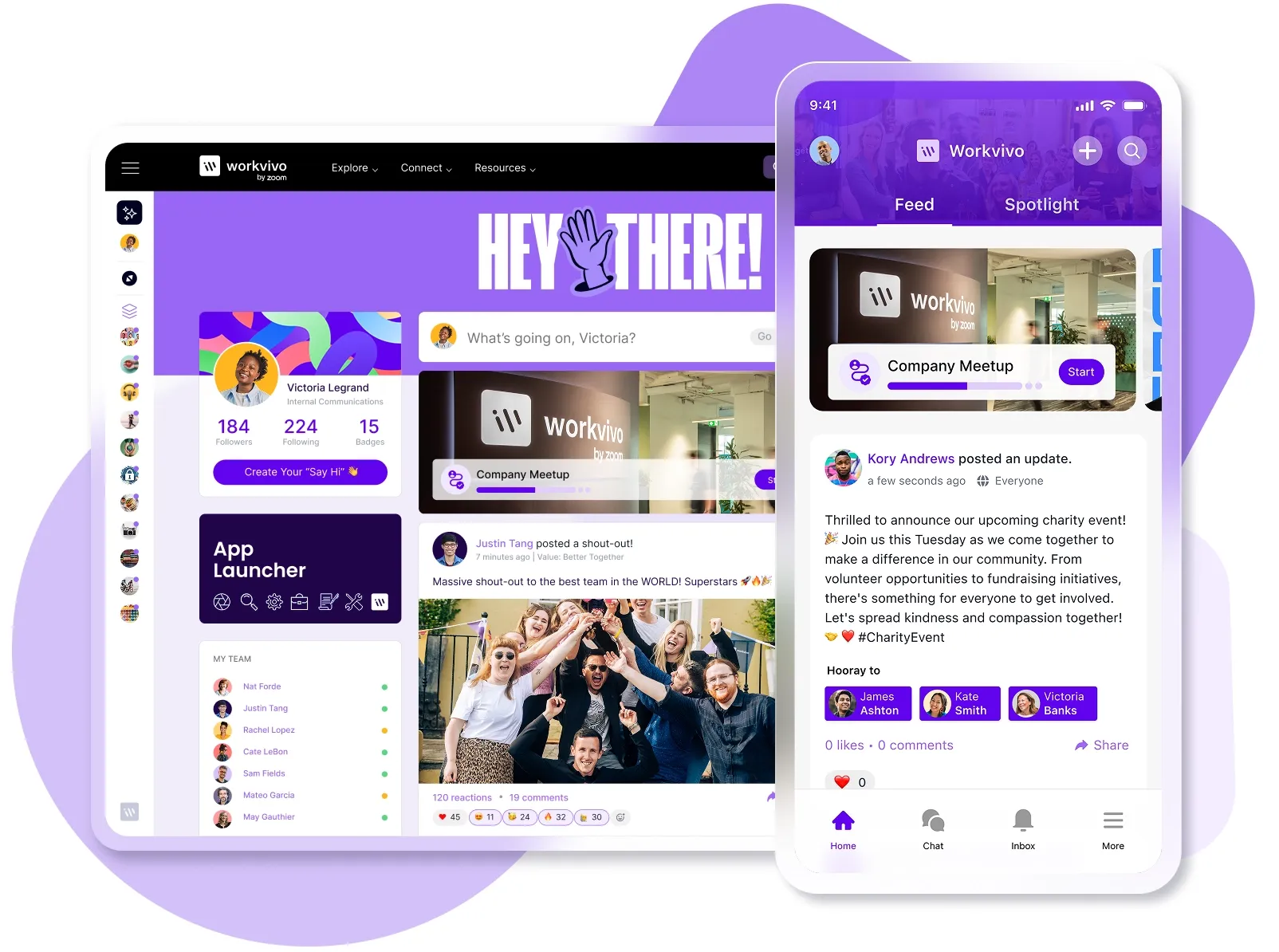
If you’re like most modern teams, your employees probably use Slack for messages, Google Drive for files, BambooHR for HR records, and Jira to track projects. Maybe a few others too.
And sure, each tool works just fine on its own. But when you stack them all together, things get lost in the gaps. Employees waste hours each week as they switch between tabs, search for information, and ask, "Where did you share that again?"
You need one place where people can access everything without the tab shuffle. That's where your intranet comes in – but only if it connects to your existing tools.
Below, we'll cover the five integrations your intranet needs to become your team's central workspace.
What are intranet integrations?
Intranet integrations use APIs to connect your intranet with the other software your team uses each day. These connections let employees access data and complete actions across multiple platforms without leaving their intranet browser tab.
The core benefit is unified access. Employees can search across all connected systems from a single search bar, see updates from multiple sources in one feed, and find what they need without the constant context switching.
For example, a well-integrated intranet platform lets you see recent Slack conversations in a widget on your homepage, preview and edit Google Drive documents without opening a new tab, and check your task list from Jira alongside company announcements.
Common use cases for intranet integrations
Without seamless integrations, your intranet is just another website employees need to remember to check. Here's exactly what changes when you integrate the right tools:
- Centralized notifications and updates: Employees can see alerts from Slack, task updates from Jira, and document notifications from Drive, all in one feed. They stay informed without monitoring multiple notification centers or missing important updates buried in email.
- Reduced context switching protects focus and productivity: Research shows it takes an average of 23 minutes to fully refocus after switching contexts. Your intranet takes care of these friction points when it brings data from multiple tools into a single workspace.
- Simpler information discovery across platforms: Employees can search once and get results from every connected system instead of running the same query in five different tools. A single search bar covers your intranet, Drive, Slack, and project management system.
- Streamlined employee onboarding: New hires face a steep learning curve when they need to master a dozen different tools on day one. An integrated intranet gives them one starting point to access everything they need, from HR docs to team chat to training materials.
- Lower cognitive load for your team: The average employee uses 11 different applications to get their work done. An integrated intranet consolidates access to these tools through one interface, so employees spend less mental energy remembering which platform holds what information.
- Consistent employee experience across locations: Remote, hybrid, and in-office employees all get the same access to tools and information through one centralized place. Nobody gets left out because they can't access a specific platform or don't know which tool their team prefers.
The top 5 intranet integrations with Workvivo
Workvivo offers 40+ integrations, but these five cover what most organizations use every day. Keep reading to discover how they work.
1. Microsoft Office 365 integration
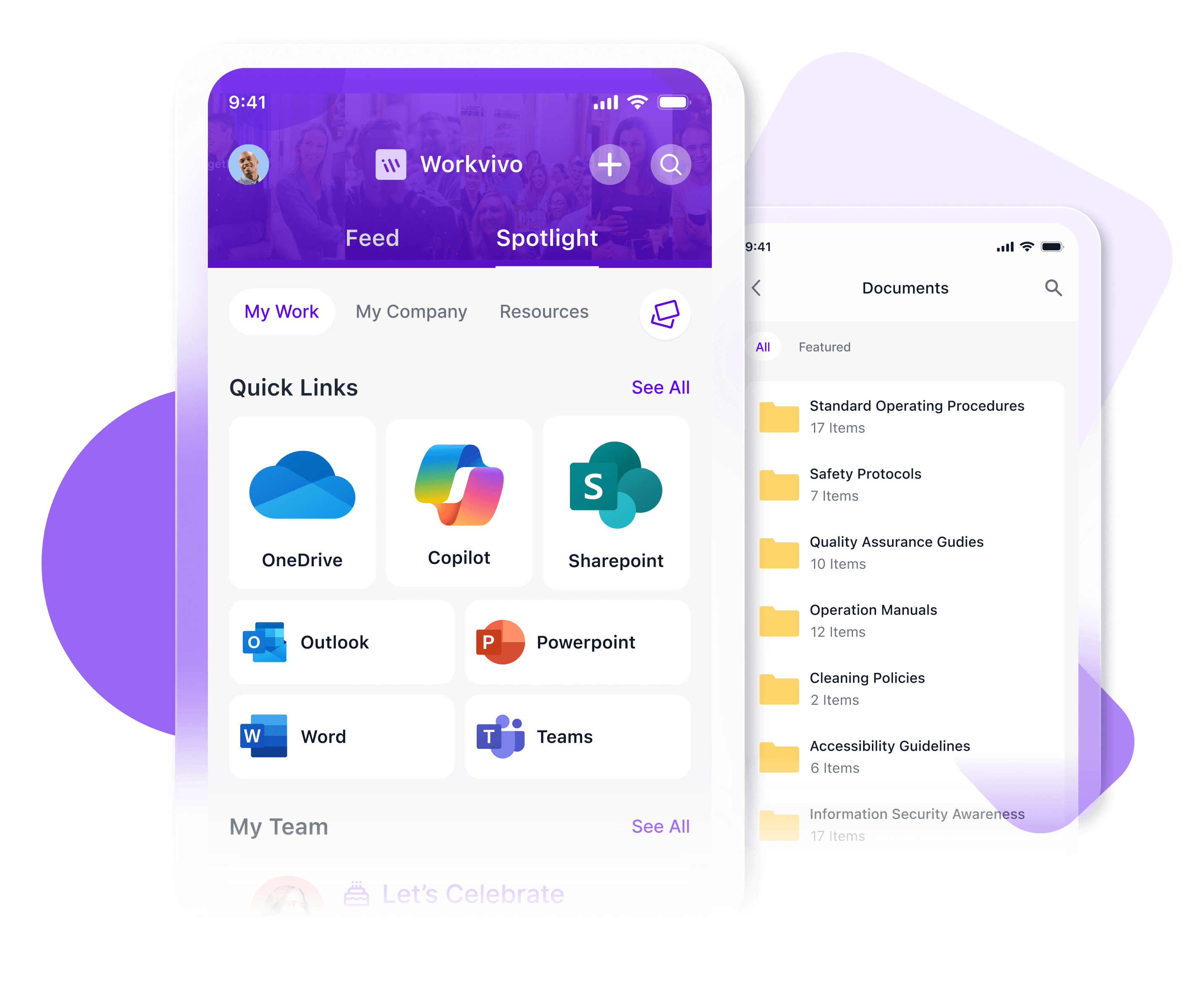
Most organizations already run on Microsoft 365, with over 345 million paid users relying on Teams, OneDrive, Outlook, and SharePoint daily. When your intranet integrates with M365, employees access everything they need without bouncing between platforms.
Workvivo's M365 integration lets employees:
- Search for files across OneDrive and SharePoint directly from the intranet.
- View their Outlook calendar and emails without opening a separate tab.
- Access Workvivo from within Microsoft Teams and share content between platforms.
- Log in once with Microsoft Entra ID (formerly Azure AD) for seamless authentication.
- Embed Word, Excel, and PowerPoint documents directly into intranet pages.
- Stream Microsoft Teams events live in Workvivo.
Employees search for a SharePoint file, check their Outlook calendar, and join a Teams meeting – all from the intranet. No need to open three separate Microsoft apps just to start their day.
2. Slack integration
Slack works well for quick team chats, but important company announcements often get buried in channels. Workvivo's Slack integration connects both platforms so your internal communications get the visibility they need.
With Workvivo's Slack integration, you can:
- Send direct Slack messages to colleagues through a widget embedded right in Workvivo.
- Share Workvivo posts directly into Slack channels with all images and content intact.
- Start Slack conversations from employee profiles in Workvivo's directory.
- Keep important announcements visible in Workvivo, but also include quick follow-up discussions in Slack.
The integration gives your long-form content the shelf life it deserves while still supporting the quick back-and-forth conversations that happen in Slack. Workvivo becomes the home for company news and culture, while Slack handles the real-time chatter.
3. Google Workspace integration
Google Workspace handles the daily work for millions of employees across Gmail, Drive, and Calendar. Workvivo's Google Workspace integration bridges your productivity suite with your company communications hub.
With Workvivo's Google Workspace integration, you can:
- Search for files across Google Drive directly from Workvivo's search bar.
- View your Gmail inbox and folders without opening a separate tab.
- Access your Google Calendar to see today's and tomorrow's meetings.
- Connect through Google Workspace SSO for seamless authentication.
- Browse and preview Drive files that match your access permissions.
- Filter search results by Google Drive to find documents faster.
For example, when an employee needs a presentation from last month, they search once in Workvivo and pull results from Google Drive alongside internal content. Or, a team member checks their calendar for today's meetings without leaving the intranet.
4. HRIS integration (Workday, UKG, BambooHR)
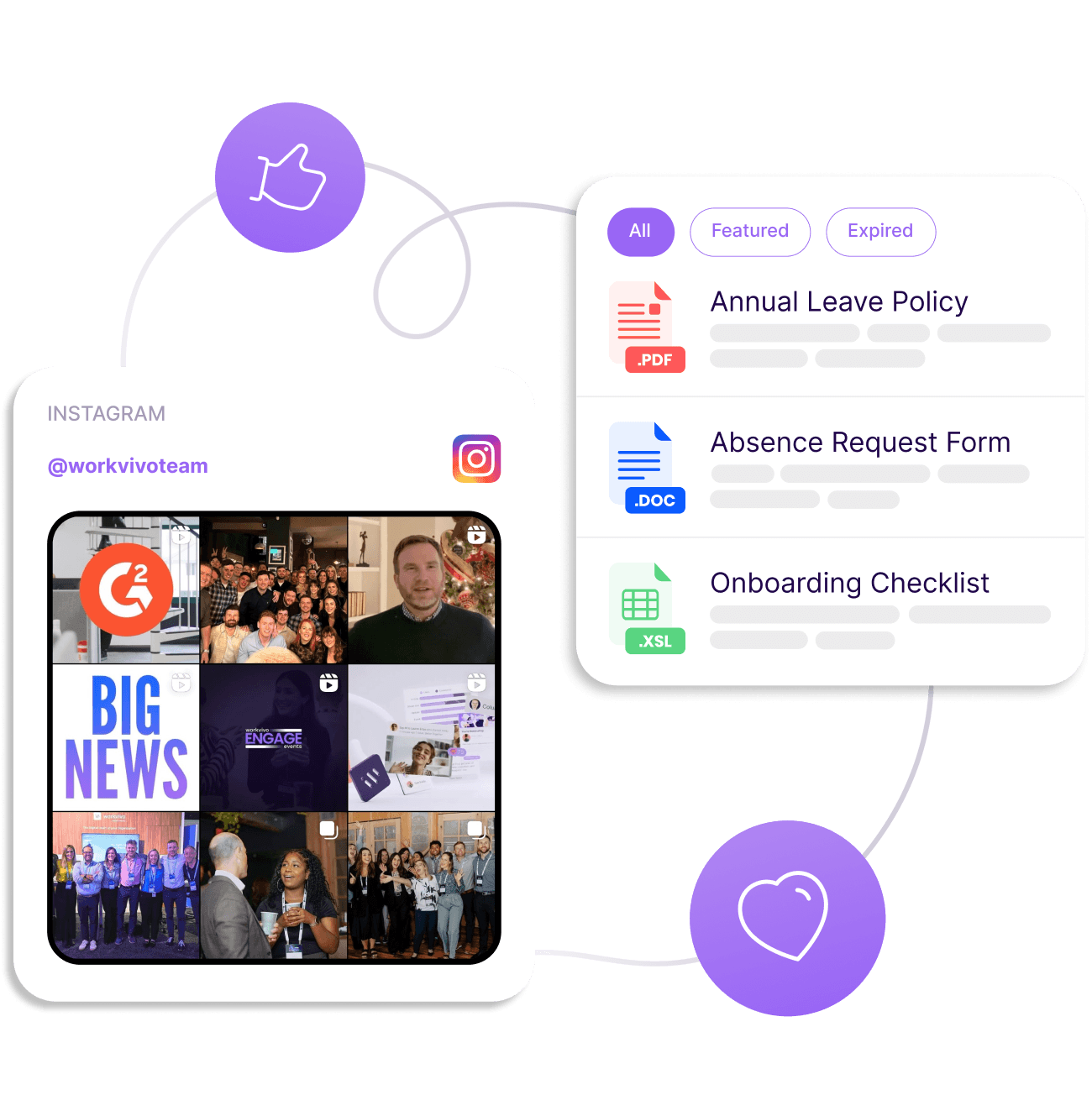
Your HRIS manages payroll, time off, and employee records, but employees often can't remember where to find their information. Workvivo's HRIS integrations bring this information into your employee experience platform so HR teams field fewer repetitive questions.
With Workvivo's HRIS integrations, you can:
- Display upcoming time-off and available PTO balances on employee profiles.
- Send notifications when time-off requests get approved.
- Link directly to the HRIS from Workvivo for detailed HR actions.
- See which colleagues are currently on leave from their profiles.
- Sync employee data automatically to enrich profiles with accurate information.
An employee checks their Workvivo profile and sees their remaining vacation days without opening BambooHR. Someone gets a notification that their time-off request was approved and clicks through to view details in Workday.
Workvivo surfaces the HR information employees need most often while keeping the full HRIS one click away for everything else.
5. ServiceNow integration
ServiceNow knowledge bases hold IT documentation, troubleshooting guides, and support articles that employees need to manage technical issues. Workvivo's ServiceNow integration makes this content searchable directly from your intranet.
With Workvivo's ServiceNow integration, you can:
- Search ServiceNow knowledge base articles directly from Workvivo's search bar.
- Filter search results specifically by ServiceNow content.
- Access technical documentation and IT procedures without opening ServiceNow.
- Find troubleshooting guides alongside your internal content.
- Give employees one search that covers both company information and IT knowledge.
For example, let’s say an employee encounters a password reset issue and searches "password" in Workvivo. Results show both the HR policy about password requirements and the ServiceNow knowledge article with step-by-step reset instructions.
Workvivo centralizes access to ServiceNow's knowledge base, meaning employees get IT support information through the same search they use for company updates and documents.
Expand your digital workplace with Workvivo’s integrations and APIs
An intranet without integrations is just another system to check. The power comes from connecting it to the tools where your team already spends their day.
Workvivo offers 40+ out-of-the-box integrations with the platforms that power modern work. From Microsoft 365 and Google Workspace to Slack, Zoom, and leading HRIS systems like Workday and BambooHR, Workvivo connects to your existing tech stack in minutes.
The five major integrations we covered handle your team's core workflows:
- Microsoft Office 365 brings your productivity suite into one unified workspace.
- Slack bridges instant messaging with long-form company communication.
- Google Workspace centralizes files, calendars, and email for Google-first teams.
- HRIS platforms surface employee data and reduce repetitive HR questions.
- ServiceNow makes IT support documentation searchable alongside company content.
Take Nordell, a UK plastics manufacturing company that needed to connect nearly 200 employees working across multiple sites and shifts. Before Workvivo, they had no central intranet and struggled to reach workers without email access.
Now, Workvivo acts as their hub where employees access HR apps, payslips, training materials, and company updates.
Book a demo to see how Workvivo’s integrations can work with your current tech stack.
Workvivo integration FAQs
What specific integrations does Workvivo support?
Workvivo connects to 40+ platforms across your digital workplace:
- Productivity and collaboration: Microsoft 365, Google Workspace, SharePoint, OneDrive
- Communication and meetings: Slack, Microsoft Teams, Zoom
- HR and people management: Workday, UKG, BambooHR, Sage HR, Personio
- Project and work management: Atlassian Confluence, Jira
- Business systems: Salesforce, HubSpot (CRM), SAP (ERP), ServiceNow
- Security and authentication: Okta, Azure Active Directory
- Social platforms: LinkedIn, Twitter
Workvivo also offers flexible APIs for custom integrations with proprietary systems or specialized tools and third-party applications your organization uses.
How does Workvivo integrate with productivity suites like Microsoft 365 and Google Workspace?
Workvivo connects to both Microsoft 365 and Google Workspace through native connectors that bring your files, calendars, and emails into one interface.
Employees can search for documents across OneDrive, SharePoint, or Google Drive directly from Workvivo without opening separate tabs.
The platform also shows Outlook or Gmail calendars, outlines upcoming meetings, and provides single sign-on through Microsoft Entra ID or Google authentication.
Can Workvivo integrate with CRM software like Salesforce or HubSpot?
Workvivo connects to both Salesforce and HubSpot.
These integrations push CRM notifications into Workvivo so your team stays updated on deals, leads, and customer activity without switching platforms.
How can I use APIs with Workvivo?
Workvivo provides APIs that let your team build custom integrations and workflows:
- Connect proprietary systems: Link Workvivo to internal tools or specialized software that don't have pre-built integrations.
- Build custom widgets: Create personalized homepage experiences that pull data from your unique systems.
- Automate processes: Set up automated workflows between Workvivo and your other platforms, like syncing user data or pushing content updates.
- Integrate external content: Pull content from social media, news feeds, or third-party platforms directly into Workvivo.
Workvivo's developer resources and API documentation make it possible to tailor the platform to your organization's specific needs.
What types of widgets can I create with Workvivo?
Workvivo supports custom widgets that show information tailored to your organization's needs:
- Role-specific content: Show different information to employees based on their department, location, or job function.
- External data feeds: Pull in data from integrated systems like CRM updates, project management tasks, or analytics dashboards.
- Personalized experiences: Create homepage widgets that adapt to individual user preferences and behaviors.
Widgets help you build a customized employee experience that brings the right information to the right people at the right time.
Does Workvivo support Single Sign-On (SSO)?
Yes, Workvivo integrates with major identity providers for secure SSO access.
Employees log in once through platforms like Okta, Azure Active Directory (Microsoft Entra ID), or Google Workspace, and gain immediate access to Workvivo without having to manage separate passwords.
How does Workvivo handle real-time data synchronization in integrations?
Workvivo syncs data across your connected platforms automatically. Employees receive notifications in Workvivo when activities occur in other tools, like CRM wins or project updates.
Content also flows between systems, so posts in Workvivo can appear in Slack or Teams without manual copying.
What support does Workvivo offer for integration setup and troubleshooting?
Workvivo provides multiple support channels to help you connect and maintain integrations:
- Self-service resources: The Help Center includes step-by-step setup guides and troubleshooting articles for each integration.
- Admin configuration tools: Platform administrators control which integrations are available and configure connection settings through the admin panel.
- Dedicated customer success: Your Workvivo Customer Experience Manager helps with integration planning, setup assistance, and ongoing technical support.
Most integrations set up in minutes with plug-and-play configurations, but the support team can assist with more complex custom implementations.